POST Finance statement to Excel
Your POST Luxembourg CCP statement as a spreadsheet, every payment reference kept.
- Checked every row against your balance
- Private read on your device first
- Excel & CSV plus QuickBooks, Xero and Quicken files
- Free no sign-up, no page limits
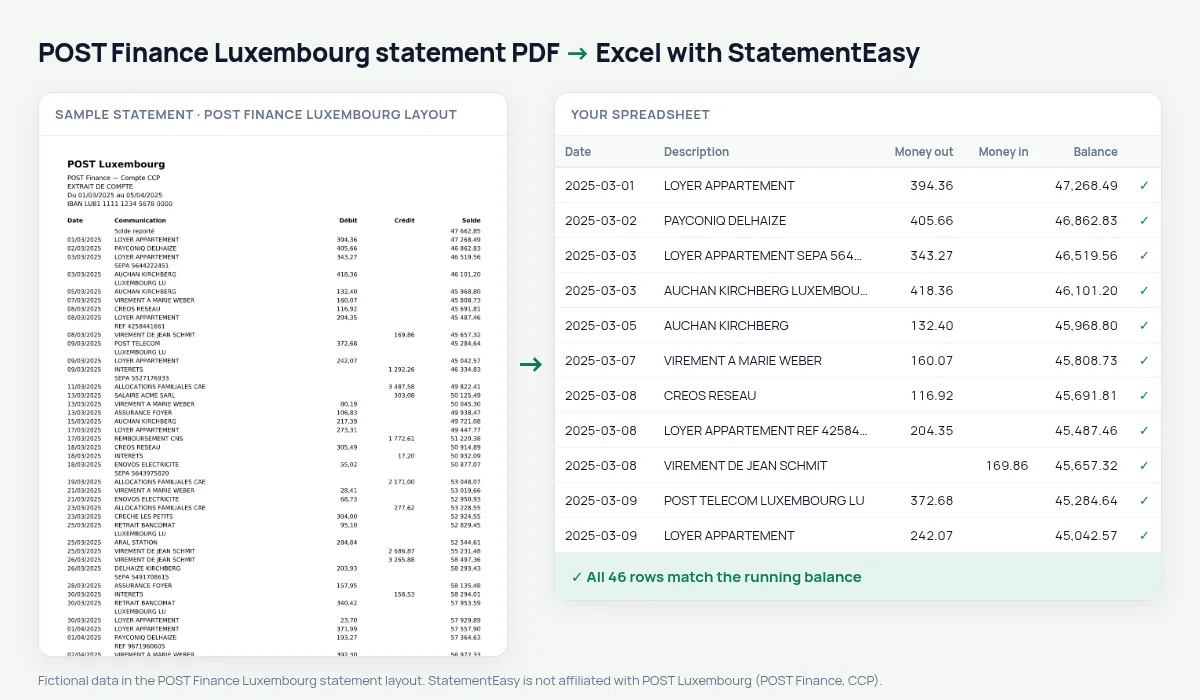
The CCP account of POST Luxembourg prints Date, Communication, Débit, Crédit and Solde.
StatementEasy keeps the communication as the description and checks every balance.
Download your POST Finance statement
- Open the POST Finance app or myPOST.
- Choose the CCP account, then statements.
- Download the PDF.
- Drop it into the converter above.
POST Finance columns in your sheet
| On the statement | In your sheet |
|---|---|
| Communication | Description |
| Débit | Money out |
| Crédit | Money in |
An example line
21/03/2025 CRECHE LES PETITS 640,00 2 118,95 becomes money out 640.00 and balance 2118.95.Invoice numbers
The communication often carries the invoice number, so you can find a payment by searching for it.
The postal cheque account
POST Finance runs the CCP postal account of POST Luxembourg. Its statement lists Date, Communication, Débit, Crédit and Solde.
Paying bills
Utility, phone and rent payments keep their communication text, so the Recurring sheet can show what each costs in a year.
Last tested October 2026. StatementEasy is not affiliated with POST Luxembourg (POST Finance, CCP).
Questions
Savings accounts?
Yes.
CCP and POST Finance are the same?
Yes, the CCP account is run by POST Finance.
Several months?
Yes.
Is my statement uploaded?
Your browser reads the PDF first, on your device. Only if it cannot read it is the file read on our server, and deleted right after.
Is StatementEasy made by POST Finance Luxembourg?
No. StatementEasy is an independent tool and is not affiliated with POST Luxembourg (POST Finance, CCP).
Your next statement, in a spreadsheet
Free, no limits. No sign-up.