BNL statement to Excel
Your BNL statement as a spreadsheet, totals checked.
- Checked every row against your balance
- Private read on your device first
- Excel & CSV plus QuickBooks, Xero and Quicken files
- Free no sign-up, no page limits
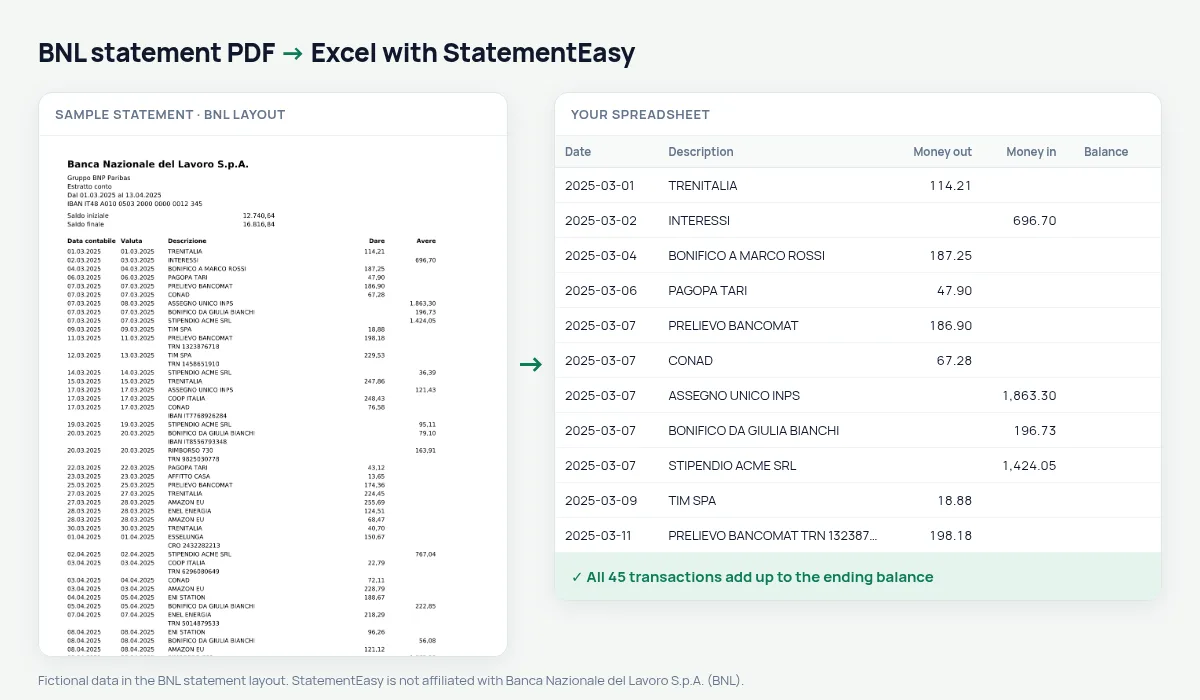
BNL, part of BNP Paribas, prints Dare and Avere with an opening and closing balance but no running balance.
StatementEasy reads both and checks the totals.
Download your BNL statement
- Sign in to the BNL app or internet banking.
- Open Documenti, then Estratto conto.
- Download the PDF.
- Drop it into the converter above.
BNL columns in your sheet
| On the statement | In your sheet |
|---|---|
| Dare | Money out |
| Avere | Money in |
An example line
20.03.2025 20.03.2025 ADDEBITO SDD TIM SPA 29,90 in Dare becomes money out 29.90.Part of BNP Paribas
BNL — Banca Nazionale del Lavoro — has belonged to BNP Paribas since 2006 but prints its own Italian statement. The converter recognises it as BNL, not as the French bank.
No running balance
BNL statements show Dare and Avere with an opening and closing balance only. StatementEasy checks the totals instead: opening balance plus money in minus money out must equal the closing balance.
Last tested October 2026. StatementEasy is not affiliated with Banca Nazionale del Lavoro S.p.A. (BNL).
Questions
Mixed up with BNP Paribas?
No.
Stamp duty and fees?
They appear as debits with their description; search for them to see a year’s total.
Several months?
Yes.
Is my statement uploaded?
Your browser reads the PDF first, on your device. Only if it cannot read it is the file read on our server, and deleted right after.
Is StatementEasy made by BNL?
No. StatementEasy is an independent tool and is not affiliated with Banca Nazionale del Lavoro S.p.A. (BNL).
Your next statement, in a spreadsheet
Free, no limits. No sign-up.