BPER Banca statement to Excel
Your BPER Banca statement as a spreadsheet, totals checked.
- Checked every row against your balance
- Private read on your device first
- Excel & CSV plus QuickBooks, Xero and Quicken files
- Free no sign-up, no page limits
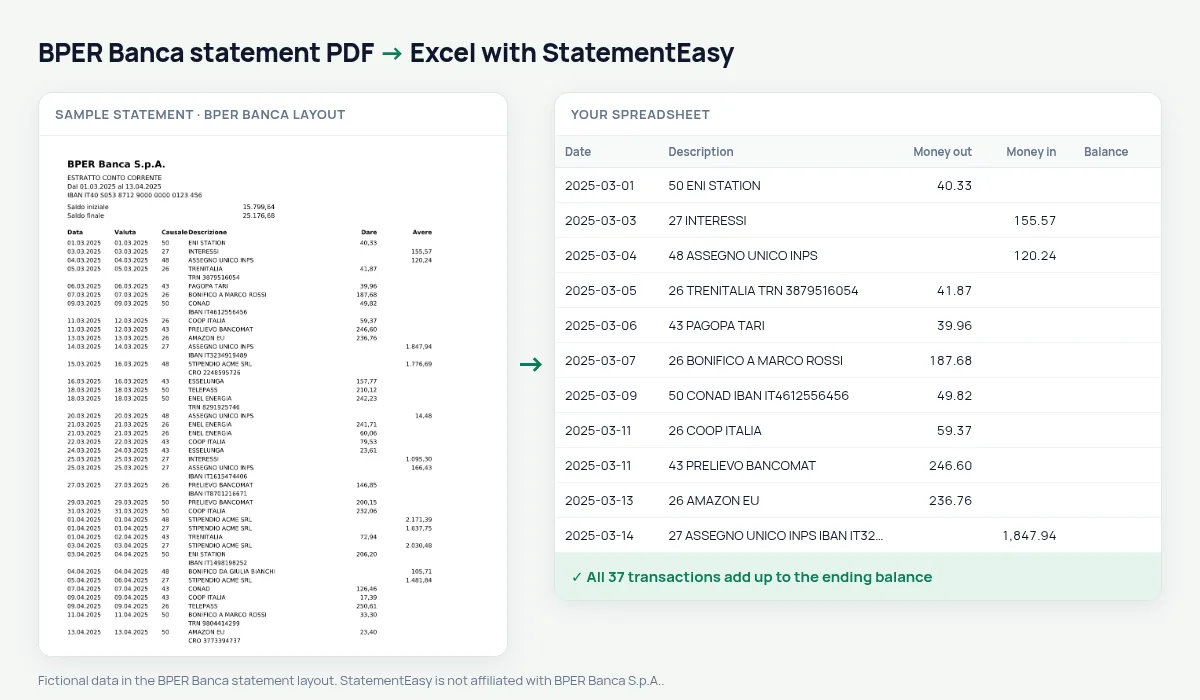
BPER Banca prints a numeric transaction code (causale) next to each description, with Dare and Avere columns.
StatementEasy keeps the code with the description, never as an amount, and checks the totals.
Download your BPER statement
- Sign in to Smart Mobile Banking or BPER internet banking.
- Open Documenti, then Estratto conto.
- Download the PDF.
- Drop it into the converter above.
BPER columns in your sheet
| On the statement | In your sheet |
|---|---|
| Causale 26 | Part of the description |
| Dare | Money out |
| Avere | Money in |
An example line
14.03.2025 14.03.2025 26 BONIFICO A MARCO ROSSI 250,00 becomes money out 250.00.What the causale code is
Italian banks print a numeric causale next to each operation to say what kind it is — a transfer out, a transfer in, a direct debit. On BPER statements it sits just before the description, and the converter keeps it there instead of mistaking it for an amount.
After a bank merger
BPER has taken over branches and banks, including Banca Carige. Statements issued after the migration use the BPER layout; older ones are read generically.
Last tested October 2026. StatementEasy is not affiliated with BPER Banca S.p.A..
Questions
Business accounts?
Yes.
Can I filter by causale?
Yes, search the description column for the code.
Business accounts?
Yes.
Is my statement uploaded?
Your browser reads the PDF first, on your device. Only if it cannot read it is the file read on our server, and deleted right after.
Is StatementEasy made by BPER Banca?
No. StatementEasy is an independent tool and is not affiliated with BPER Banca S.p.A..
Your next statement, in a spreadsheet
Free, no limits. No sign-up.