Mercado Pago statement to Excel
Turn your Mercado Pago statement into a spreadsheet, one row per sale, transfer or payment.
- Checked every row against your balance
- Private read on your device first
- Excel & CSV plus QuickBooks, Xero and Quicken files
- Free no sign-up, no page limits
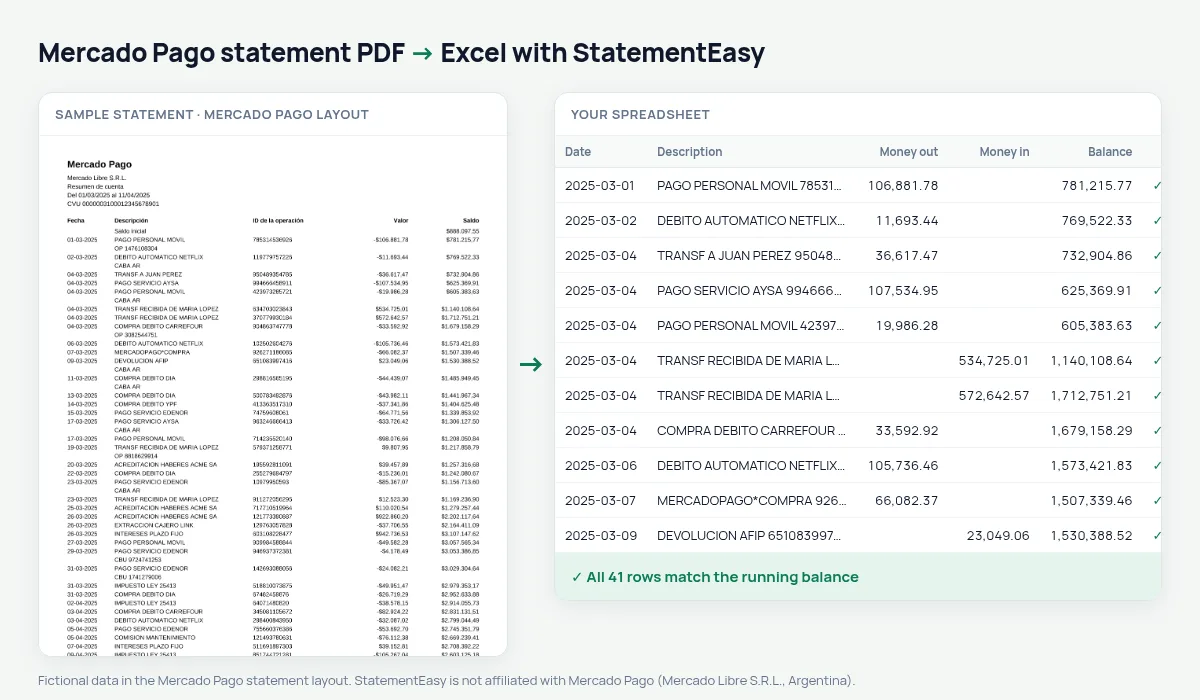
A Mercado Pago statement lists the date, description, operation ID, a signed amount — -$12.500,00 for money out — and the balance.
StatementEasy splits money in and out, keeps the operation ID in its own column and checks every balance.
Download your Mercado Pago statement
- Open the Mercado Pago app or website.
- Go to Actividad, then Descargar resumen.
- Download the PDF.
- Drop the PDF into the converter above.
Mercado Pago columns in your sheet
| On the statement | In your sheet |
|---|---|
| ID de la operación | Reference column |
| -$12.500,00 | Money out 12500.00 |
| Saldo | Checked on every row |
For sellers
Filter sales, total what you collected each month and separate fees and withdrawals; the operation ID links each row to its order.
A sale and a fee
05-03-2025 Venta Mercado Libre 71234567890 $85.000,00 $312.400,00 becomes money in, and the fee below it money out, each with its operation ID.Withdrawals to your bank
Moving money to your bank account appears as money out here and as money in on your bank statement.
From PDF to sheet
Signed amounts are split and every balance is checked.
What your Mercado Pago spreadsheet contains
Each row of the file is one transaction: the date as a real date, the full description, money in and money out as numbers in separate columns, and the running balance where Mercado Pago prints one. The operation ID has its own column, so each row links back to its sale or payment. A first tab summarises the statement — period, opening and closing balance, totals in and out, and whether the check passed — and the Monthly, Categories and Recurring sheets come in the same download.
Using it as a seller’s cash book
Sellers on Mercado Libre or with QR payments can filter sales, total each month and separate fees and withdrawals — the sheet becomes a cash book. Yield credited to the balance appears as money in with its description.
Combine it with your bank statement to follow withdrawals on both sides.
If something looks wrong
- Activity list instead of a summary — download the account summary (resumen) PDF for a balance column.
- A row does not match — it is highlighted and can be corrected.
- Another country’s Mercado Pago — read by the generic reader.
Last tested October 2026. StatementEasy is not affiliated with Mercado Pago (Mercado Libre S.R.L., Argentina).
Questions
Is the operation ID kept?
Yes, in its own column.
Can I separate sales and fees?
Yes, each is a row with its ID.
Other countries?
This page covers Mercado Pago Argentina; others are read by the generic reader.
Is my statement uploaded?
Your browser reads the PDF first, on your device. Only if it cannot read it is the file read on our server, and deleted right after.
Is StatementEasy made by Mercado Pago?
No. StatementEasy is an independent tool and is not affiliated with Mercado Pago (Mercado Libre S.R.L., Argentina).
Your next statement, in a spreadsheet
Free, no limits. No sign-up.