Bank of China (Hong Kong) statement to Excel
Your BOCHK statement as a spreadsheet, every balance checked.
- Checked every row against your balance
- Private read on your device first
- Excel & CSV plus QuickBooks, Xero and Quicken files
- Free no sign-up, no page limits
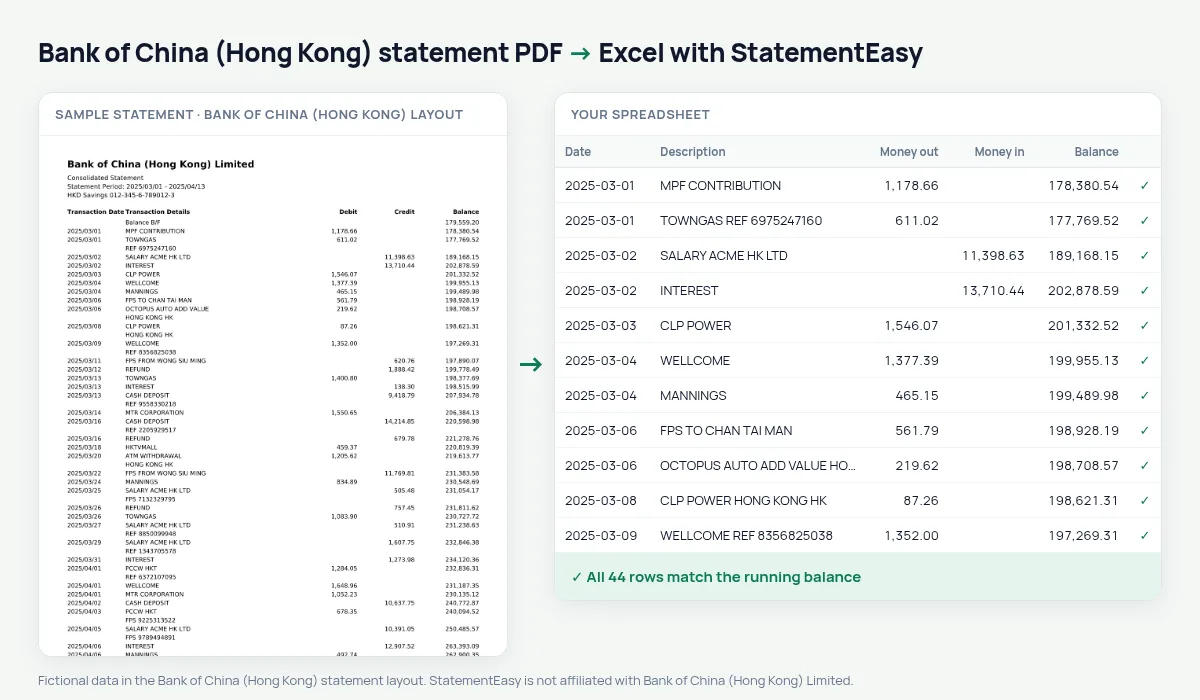
Bank of China (Hong Kong) is one of the city’s three note-issuing banks and the Hong Kong arm of Bank of China. Its consolidated statement writes dates year first — 2025/03/05 — and prints Transaction Date, Transaction Details, Debit, Credit and Balance.
StatementEasy reads year-first dates correctly (never as 3 May or 5 March of the wrong year), splits Debit and Credit and checks every balance.
Download your BOCHK statement
- Sign in to BOCHK Internet Banking or the BOCHK app.
- Open e-Statement. Choose the account and statement period.
- Pick the month and download the PDF.
- Drop it into the converter above. Excel, CSV, OFX, QIF or QuickBooks and Xero files in seconds.
BOCHK columns in your sheet
| On the statement | In your sheet |
|---|---|
| 2025/03/05 | 05/03/2025, or any format you choose |
| Transaction Details | Description |
| Debit | Money out |
| Credit | Money in |
| Balance B/F | Opening balance |
Year-first dates
Year-first dates are unambiguous on paper, but spreadsheets sometimes read 2025/03/05 as text. In the download every date is a real date, in the format you pick.
That is what lets the Monthly sheet group transactions by month.
Cross-boundary payments
Many BOCHK customers pay or receive money across the boundary with mainland China. Those transfers keep their description, so you can filter for them and total them per month.
An example line
On the PDF: 2025/03/05 CLP POWER 623.00 35,820.10. In your sheet: money out 623.00, balance 35,820.10.
Last tested October 2026. StatementEasy is not affiliated with Bank of China (Hong Kong) Limited.
Questions
RMB accounts?
This layout is tested on HKD accounts; other currencies are read generically.
Can I pick the date format?
Yes, from the Date column menu.
Where is the BOCHK e-statement?
In BOCHK Internet Banking or the app, under e-Statement, choose the account and period and download the PDF.
Is my statement uploaded?
Your browser reads the PDF first, on your device. Only if it cannot read it is the file read on our server, and deleted right after.
Is StatementEasy made by Bank of China (Hong Kong)?
No. StatementEasy is an independent tool and is not affiliated with Bank of China (Hong Kong) Limited.
Your next statement, in a spreadsheet
Free, no limits. No sign-up.