Hang Seng Bank statement to Excel
Your Hang Seng statement as a spreadsheet, every HKD balance checked.
- Checked every row against your balance
- Private read on your device first
- Excel & CSV plus QuickBooks, Xero and Quicken files
- Free no sign-up, no page limits
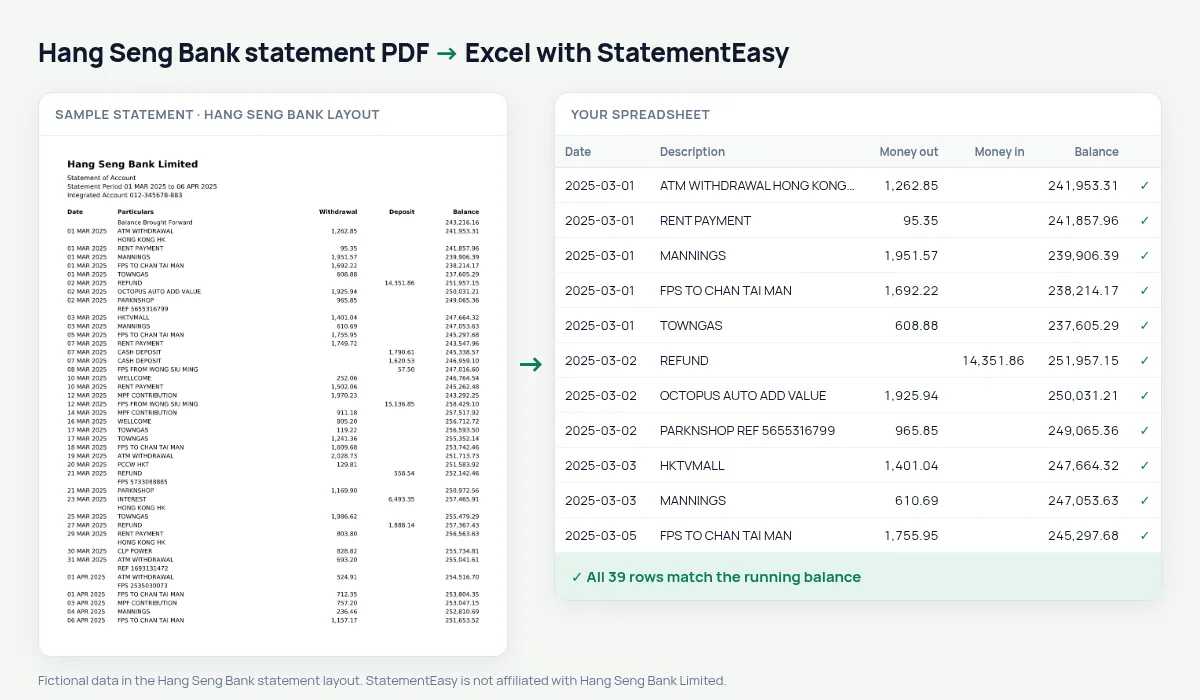
Hang Seng Bank, founded in 1933 and a member of the HSBC Group, gives its name to the Hang Seng Index and serves millions of Hong Kong customers. Its Integrated Account statement prints headings in English and Chinese, then Date, Particulars, Withdrawal, Deposit and Balance.
StatementEasy uses the English headings, ignores the Chinese ones, starts from the Balance Brought Forward and checks every row.
Download your Hang Seng statement
- Sign in to Hang Seng Personal e-Banking or the Hang Seng Mobile App.
- Open Statements & Advices, then e-Statements.
- Pick the month and download the PDF.
- Drop it into the converter above. Excel, CSV, OFX, QIF or QuickBooks and Xero files in seconds.
Hang Seng columns in your sheet
| On the statement | In your sheet |
|---|---|
| Date 05 Mar 2025 | Date |
| Particulars | Description |
| Withdrawal | Money out |
| Deposit | Money in |
| Balance Brought Forward | Opening balance |
Bilingual statements
English and Chinese text sits side by side on the page. The figures and dates are what matter for your sheet, so headings in either language never become rows, and descriptions keep their English wording.
Mortgage applications
Banks in Hong Kong usually ask for several months of statements to check income and regular commitments. The Monthly sheet sums income and spending per month and shows the month-end balance in one table.
An example line
On the PDF: 05 Mar 2025 WELLCOME 412.30 62,108.45. In your sheet: money out 412.30, balance 62,108.45.
Last tested October 2026. StatementEasy is not affiliated with Hang Seng Bank Limited.
Questions
Integrated Account with several sub-accounts?
Each account section is read in turn; the HKD savings layout is the one tested.
Whole year?
Yes, with “All files together”.
My Hang Seng e-statement asks for a password
Type it into the converter when asked; it stays on your device. The format is set by the bank, so check your e-statement notice. More in our guide to password-protected statements.
Can I request an older Hang Seng statement?
Statements no longer shown online can be requested from the bank; once you have the PDF, convert it here.
Is my statement uploaded?
Your browser reads the PDF first, on your device. Only if it cannot read it is the file read on our server, and deleted right after.
Is StatementEasy made by Hang Seng Bank?
No. StatementEasy is an independent tool and is not affiliated with Hang Seng Bank Limited.
Your next statement, in a spreadsheet
Free, no limits. No sign-up.