BBVA México statement to Excel
Turn your BBVA México estado de cuenta into a spreadsheet with every balance checked.
- Checked every row against your balance
- Private read on your device first
- Excel & CSV plus QuickBooks, Xero and Quicken files
- Free no sign-up, no page limits
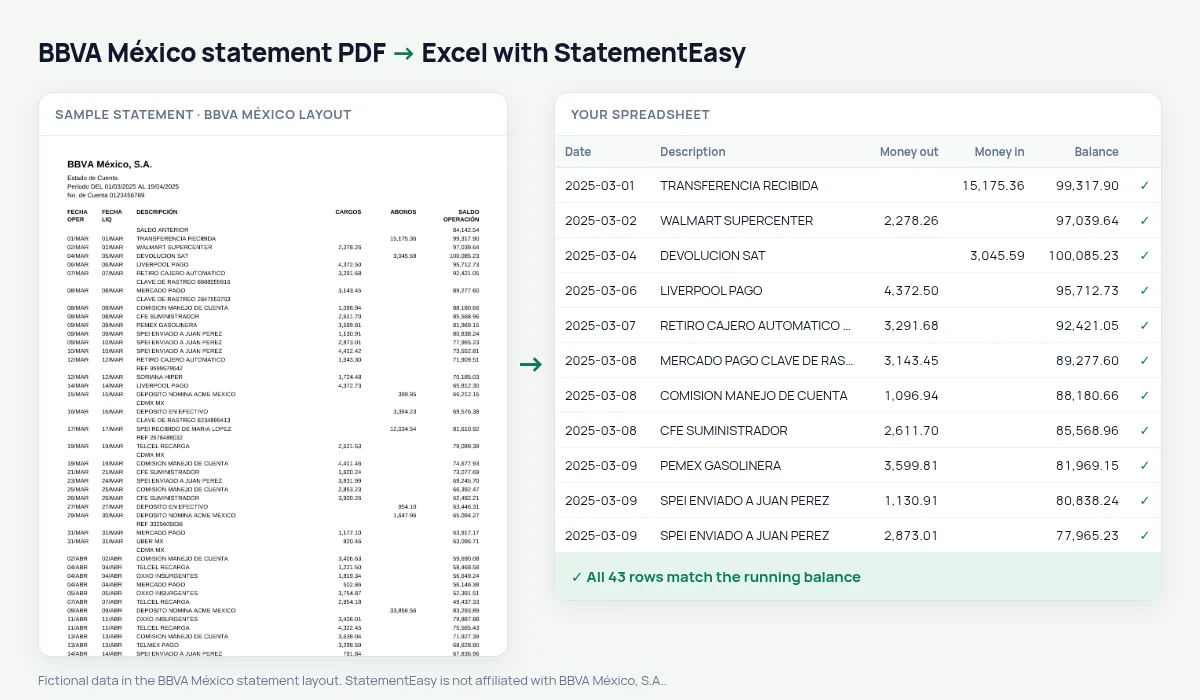
The BBVA México statement lists FECHA OPER, FECHA LIQ, DESCRIPCIÓN, CARGOS, ABONOS and SALDO OPERACIÓN from the SALDO ANTERIOR, with dates like 05/MAR without the year. StatementEasy gives each date its year, reads cargos and abonos and checks every balance.
Download your BBVA statement
- Open the BBVA México app or website.
- Open the account and choose Estados de cuenta.
- Pick the month and download the PDF.
- Drop the PDF into the converter above.
BBVA México columns in your sheet
| On the statement | In your sheet |
|---|---|
| 05/MAR | 2025-03-05 |
| CARGOS / ABONOS | Money out / money in |
| SALDO OPERACIÓN | Checked on every row |
SPEI tracking keys
The tracking key printed under an SPEI transfer is joined to its transaction, so you can search for it.
Settlement date
FECHA LIQ, the settlement date, is kept next to FECHA OPER; card purchases often settle a day or two later.
For the SAT and your accountant
Convert the year, split income and expenses with the Categories sheet and export Excel or CSV for your declaración.
Mexico, not Spain
BBVA Spain prints one signed amount and has its own page; BBVA México prints CARGOS and ABONOS separately.
Last tested October 2026. StatementEasy is not affiliated with BBVA México, S.A..
Questions
Do dates like 05/MAR get the right year?
Yes, from the statement period.
Is my statement uploaded?
Your browser reads the PDF first, on your device. Only if it cannot read it is the file read on our server, and deleted after reading.
Is StatementEasy made by BBVA México?
No. StatementEasy is an independent tool and is not affiliated with BBVA México, S.A..
Your next statement, in a spreadsheet
Free, no limits. No sign-up.