Santander México statement to Excel
Turn your Santander México statement into a spreadsheet with every balance checked.
- Checked every row against your balance
- Private read on your device first
- Excel & CSV plus QuickBooks, Xero and Quicken files
- Free no sign-up, no page limits
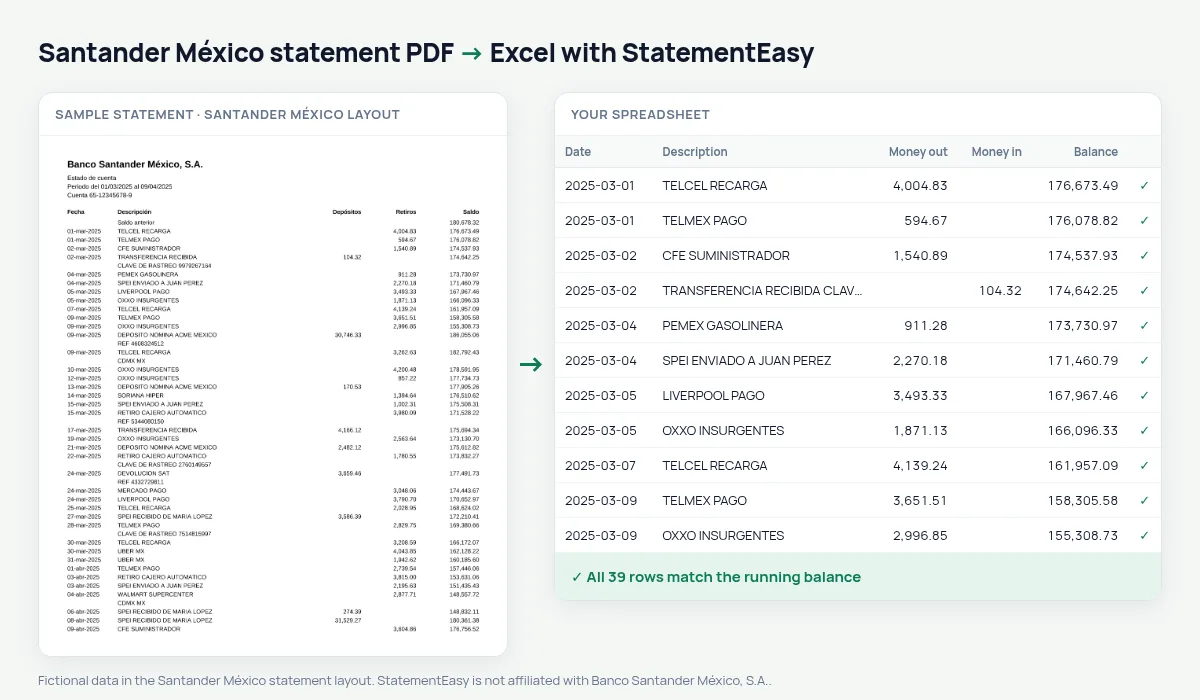
The Santander México statement lists Fecha, Descripción, Depósitos, Retiros and Saldo from the Saldo anterior, with dates like 05-mar-2025 and amounts like 12,450.00. StatementEasy reads deposits and withdrawals by header and checks every balance.
Download your Santander statement
- Open SuperMóvil or Santander en línea.
- Open the account and choose Estados de cuenta.
- Pick the month and download the PDF.
- Drop the PDF into the converter above.
Santander México columns in your sheet
| On the statement | In your sheet |
|---|---|
| 05-mar-2025 | 2025-03-05 |
| Depósitos / Retiros | Money in / money out |
| Saldo | Checked on every row |
Mexico, not Spain
Santander México uses a decimal point and separate columns; Santander Spain a decimal comma and one signed amount.
Deposits first, then withdrawals
Santander México lists Depósitos before Retiros. Columns are read by their headers, not their position, and the Saldo confirms each row.
Payroll and credit
Insights shows the salary, credit repayments and the lowest balance of each month, which is what a bank looks at for a loan.
Last tested October 2026. StatementEasy is not affiliated with Banco Santander México, S.A..
Questions
Can I combine several months?
Yes. Drop the PDFs together and choose “All files combined”.
Is my statement uploaded?
Your browser reads the PDF first, on your device. Only if it cannot read it is the file read on our server, and deleted after reading.
Is StatementEasy made by Santander México?
No. StatementEasy is an independent tool and is not affiliated with Banco Santander México, S.A..
Your next statement, in a spreadsheet
Free, no limits. No sign-up.