Fineco statement to Excel
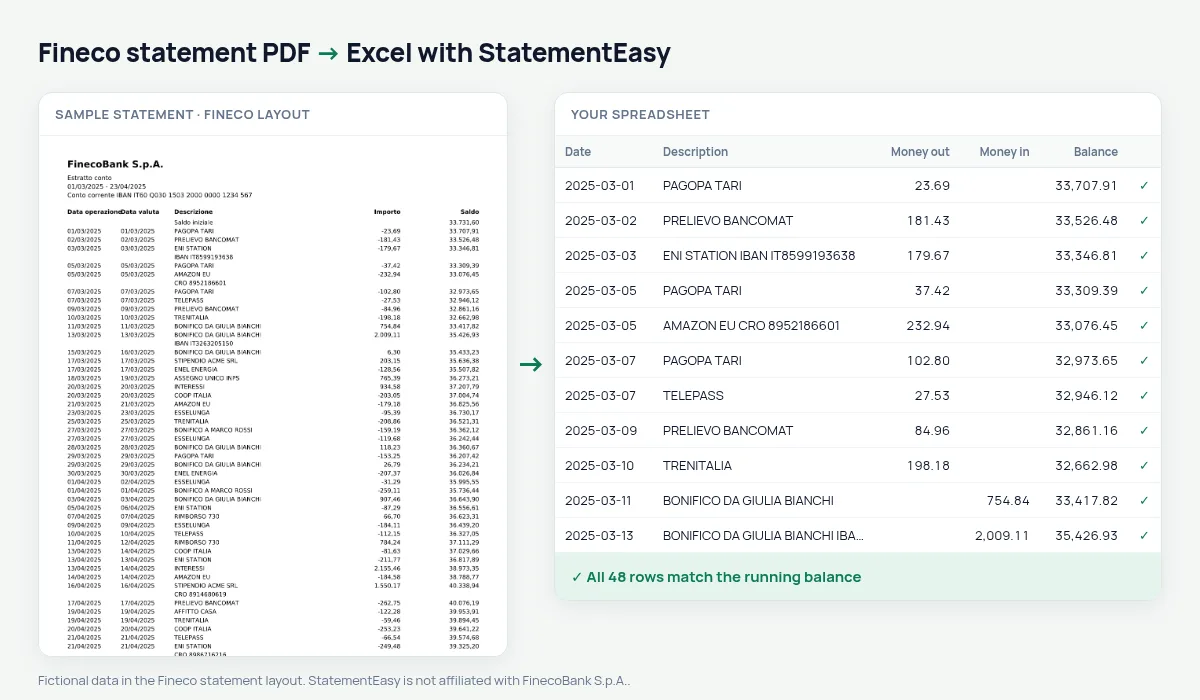
Your Fineco statement as a spreadsheet, every balance checked.
- Checked every row against your balance
- Private read on your device first
- Excel & CSV plus QuickBooks, Xero and Quicken files
- Free no sign-up, no page limits
FinecoBank, the Milan online bank, prints Data operazione, Data valuta, Descrizione, a signed Importo and Saldo.
StatementEasy splits the amount and checks every balance.
Download your Fineco statement
- Sign in to the Fineco app or website.
- Open Documenti, then Estratto conto.
- Download the PDF.
- Drop it into the converter above.
Fineco columns in your sheet
| On the statement | In your sheet |
|---|---|
| Importo -35,00 | Money out 35.00 |
| Data valuta | Value date |
Fineco in the UK
Fineco also serves customers in the UK with multi-currency accounts; this page is tested on the Italian euro statement.
An example line
15/03/2025 15/03/2025 PAGAMENTO CARTA AMAZON EU -35,00 4.210,85 becomes money out 35.00.Banking and trading in one account
Fineco combines a current account with trading. Share purchases and sales appear on the account as debits and credits with their own description, so you can filter them out from everyday spending.
One signed amount
Fineco prints one Importo column, negative for money out. The download splits it into two columns, or keeps it signed if you prefer.
Last tested October 2026. StatementEasy is not affiliated with FinecoBank S.p.A..
Questions
Website Excel export?
Yes.
Multi-currency accounts?
The euro current account is the layout tested.
Website export?
Yes, it is read too.
Is my statement uploaded?
Your browser reads the PDF first, on your device. Only if it cannot read it is the file read on our server, and deleted right after.
Is StatementEasy made by Fineco?
No. StatementEasy is an independent tool and is not affiliated with FinecoBank S.p.A..
Your next statement, in a spreadsheet
Free, no limits. No sign-up.