Monte dei Paschi statement to Excel
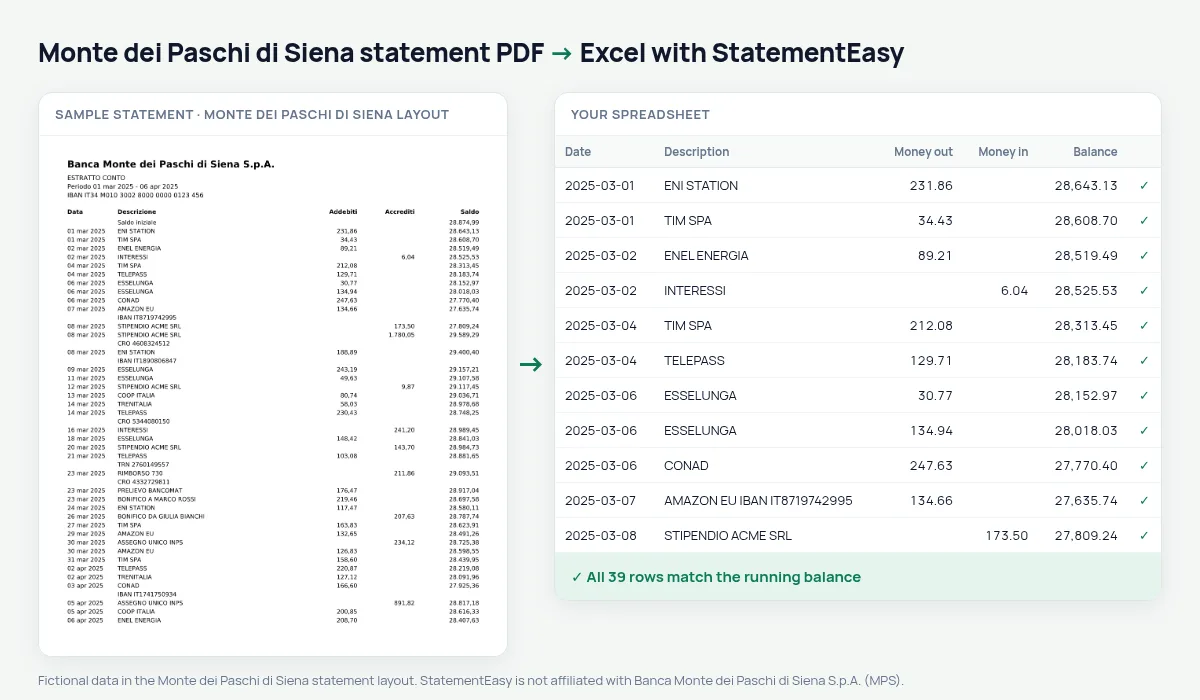
Your MPS statement as a spreadsheet with sortable dates, every balance checked.
- Checked every row against your balance
- Private read on your device first
- Excel & CSV plus QuickBooks, Xero and Quicken files
- Free no sign-up, no page limits
Monte dei Paschi di Siena writes dates with Italian month names, such as 05 mar 2025, next to Addebiti, Accrediti and Saldo.
StatementEasy turns them into real dates and checks every balance.
Download your MPS statement
- Sign in to the Banca MPS app or Digital Banking.
- Open Documenti, then Estratto conto.
- Download the PDF.
- Drop it into the converter above.
MPS columns in your sheet
| On the statement | In your sheet |
|---|---|
| 05 mar 2025 | 05/03/2025 |
| Addebiti | Money out |
| Accrediti | Money in |
An example line
05 mar 2025 BONIFICO DA GIULIA BIANCHI 450,00 3.188,40 becomes money in 450.00.The oldest bank still open
Monte dei Paschi di Siena was founded in 1472 and is often called the oldest bank in the world still operating. It is especially present in Tuscany and central Italy.
Dates with month names
MPS writes dates like 05 mar 2025. Spreadsheets read that as text; in the converted file each one is a real date you can sort and group by month.
Last tested October 2026. StatementEasy is not affiliated with Banca Monte dei Paschi di Siena S.p.A. (MPS).
Questions
Business accounts?
Yes.
Can I choose the date format?
Yes, from the Date column menu.
Business accounts?
Yes.
Is my statement uploaded?
Your browser reads the PDF first, on your device. Only if it cannot read it is the file read on our server, and deleted right after.
Is StatementEasy made by Monte dei Paschi di Siena?
No. StatementEasy is an independent tool and is not affiliated with Banca Monte dei Paschi di Siena S.p.A. (MPS).
Your next statement, in a spreadsheet
Free, no limits. No sign-up.