ABN AMRO statement to Excel
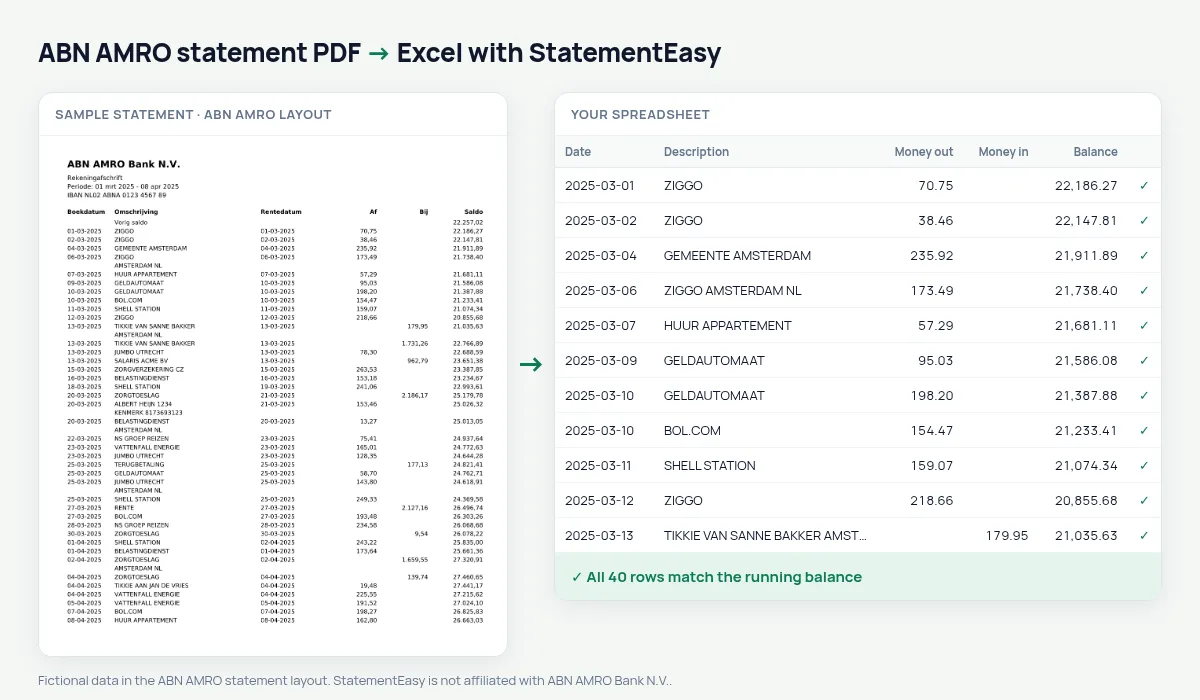
Your ABN AMRO statement as a spreadsheet, both dates kept and every balance checked.
- Checked every row against your balance
- Private read on your device first
- Excel & CSV plus QuickBooks, Xero and Quicken files
- Free no sign-up, no page limits
ABN AMRO prints Boekdatum, Omschrijving, Rentedatum, Af, Bij and Saldo.
StatementEasy keeps the value date (Rentedatum) and checks every balance.
Download your ABN AMRO statement
- Sign in to Internet Banking or the ABN AMRO app.
- Choose the account, then Afschriften.
- Download the PDF.
- Drop it into the converter above.
ABN AMRO columns in your sheet
| On the statement | In your sheet |
|---|---|
| Rentedatum | Value date |
| Af | Money out |
| Bij | Money in |
An example line
21-03-2025 ZIGGO 21-03-2025 56,50 1.904,75 becomes money out 56.50 and balance 1904.75.Tikkie payments
Filter for “TIKKIE” to see what moved through Tikkie each month.
Two dates per row
ABN AMRO prints both a Boekdatum (booking date) and a Rentedatum (interest date). Both are kept; the rows are sorted by booking date.
Expats in Amsterdam
ABN AMRO is a common first bank for people moving to the Netherlands for work. A converted statement gives a landlord or the IND a clear English table of income and rent.
Last tested October 2026. StatementEasy is not affiliated with ABN AMRO Bank N.V..
Questions
Hide the value date?
Yes, from the column menu.
Can I hide account numbers?
Yes, before you download or share.
Several months?
Yes.
Is my statement uploaded?
Your browser reads the PDF first, on your device. Only if it cannot read it is the file read on our server, and deleted right after.
Is StatementEasy made by ABN AMRO?
No. StatementEasy is an independent tool and is not affiliated with ABN AMRO Bank N.V..
Your next statement, in a spreadsheet
Free, no limits. No sign-up.