bunq statement to Excel
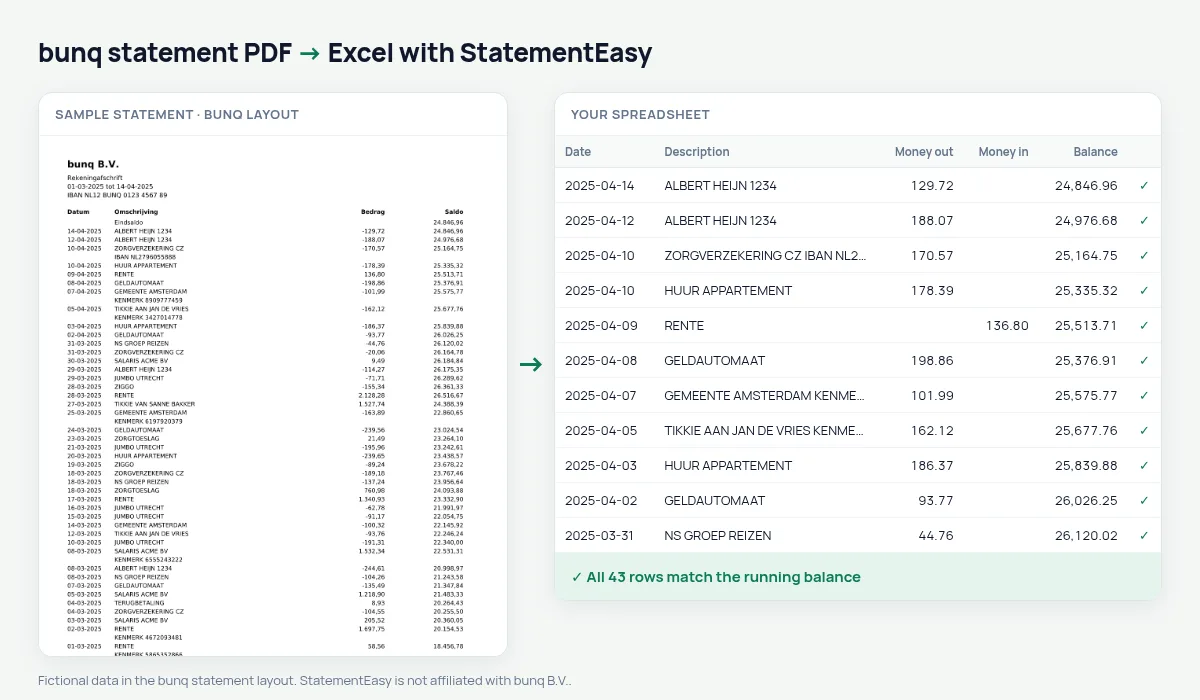
Your bunq statement as a spreadsheet in date order, every balance checked.
- Checked every row against your balance
- Private read on your device first
- Excel & CSV plus QuickBooks, Xero and Quicken files
- Free no sign-up, no page limits
bunq, the Amsterdam app bank launched in 2015, prints Datum, Omschrijving, Bedrag and Saldo with the newest transaction first.
StatementEasy puts the rows in date order, checks every balance in the real order and recognises the closing balance at the top.
Export your bunq statement
- Open the bunq app.
- Choose the account, then Export statement. Pick PDF and the period.
- Save the file.
- Drop it into the converter above.
bunq columns in your sheet
| On the statement | In your sheet |
|---|---|
| Bedrag -12,50 | Money out 12.50 |
| Bedrag 1.800,00 | Money in 1800.00 |
| Newest first | Oldest first, or as printed |
For expats and freelancers
Drop all your bunq sub-accounts at once; each keeps its own balance check.
An example line
27-03-2025 SHELL STATION -48,20 1.122,65 becomes money out 48.20 and balance 1122.65.An app-only bank from Amsterdam
bunq, founded in Amsterdam, runs entirely in an app and serves customers across Europe. Its statement shows one signed Bedrag and the Saldo.
Sub-accounts
Moves between bunq sub-accounts appear as transactions. Filter for them to separate saving from real spending.
Last tested October 2026. StatementEasy is not affiliated with bunq B.V..
Questions
Use the bunq CSV export?
Yes, it is read too.
English statements?
bunq’s app is available in English; the layout reads the same.
CSV export?
Yes.
Is my statement uploaded?
Your browser reads the PDF first, on your device. Only if it cannot read it is the file read on our server, and deleted right after.
Is StatementEasy made by bunq?
No. StatementEasy is an independent tool and is not affiliated with bunq B.V..
Your next statement, in a spreadsheet
Free, no limits. No sign-up.