SNS statement to Excel
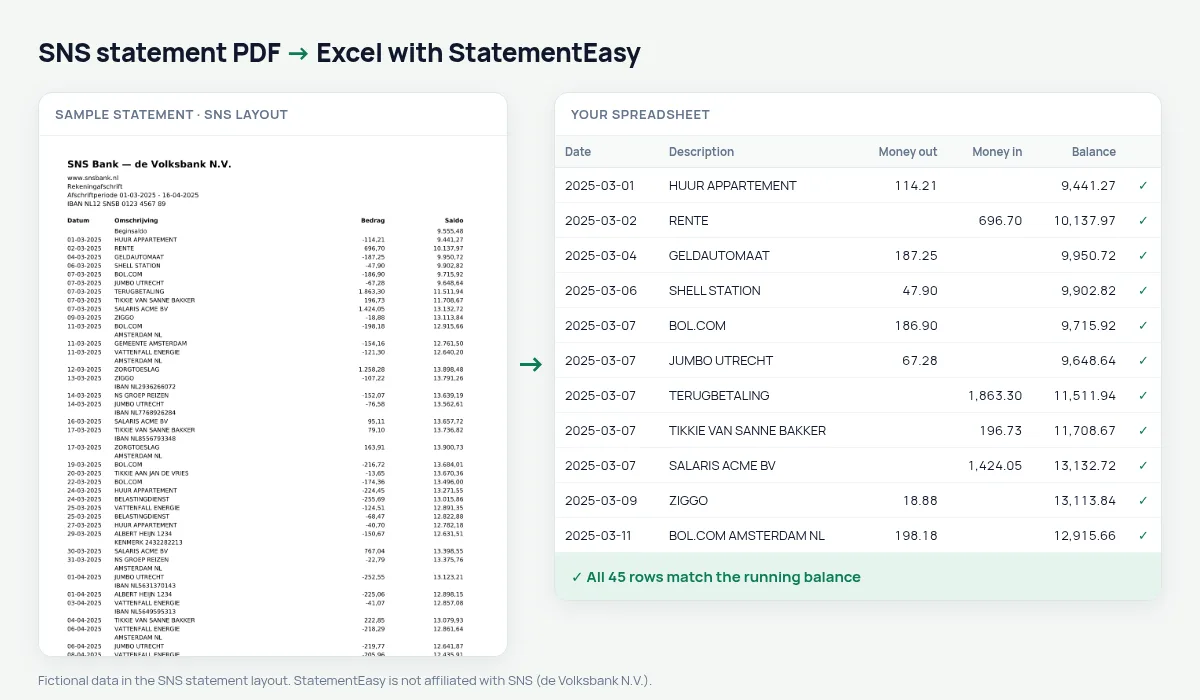
Your SNS statement as a spreadsheet, the signed amount split and every balance checked.
- Checked every row against your balance
- Private read on your device first
- Excel & CSV plus QuickBooks, Xero and Quicken files
- Free no sign-up, no page limits
SNS, part of de Volksbank, prints Datum, Omschrijving, Bedrag and Saldo with one signed amount.
StatementEasy splits the amount into money out and money in and checks every balance.
Download your SNS statement
- Sign in to Mijn SNS or the SNS app.
- Choose the account, then Afschriften.
- Download the PDF.
- Drop it into the converter above.
SNS columns in your sheet
| On the statement | In your sheet |
|---|---|
| Bedrag -45,00 | Money out 45.00 |
| Bedrag 2.300,00 | Money in 2300.00 |
An example line
12-03-2025 ZORGVERZEKERING CZ -138,25 964,30 becomes money out 138.25 and balance 964.30.Same group as ASN Bank
SNS belongs to the same Dutch banking group as ASN Bank and RegioBank. Its statement shows one signed Bedrag and the Saldo after each row.
Getting older statements
Statements from earlier years can usually be downloaded in Mijn SNS; if one is missing, the bank can supply it.
Last tested October 2026. StatementEasy is not affiliated with SNS (de Volksbank N.V.).
Questions
Keep the signed amount?
Yes, in Table settings.
RegioBank statements?
They are read generically.
Signed amount?
Yes, keep it with “One amount (+/−)”.
Is my statement uploaded?
Your browser reads the PDF first, on your device. Only if it cannot read it is the file read on our server, and deleted right after.
Is StatementEasy made by SNS?
No. StatementEasy is an independent tool and is not affiliated with SNS (de Volksbank N.V.).
Your next statement, in a spreadsheet
Free, no limits. No sign-up.