Algérie Poste CCP statement to Excel
Turn your CCP postal account history into a spreadsheet in dinars, every balance checked.
- Checked every row against your balance
- Private read on your device first
- Excel & CSV plus QuickBooks, Xero and Quicken files
- Free no sign-up, no page limits
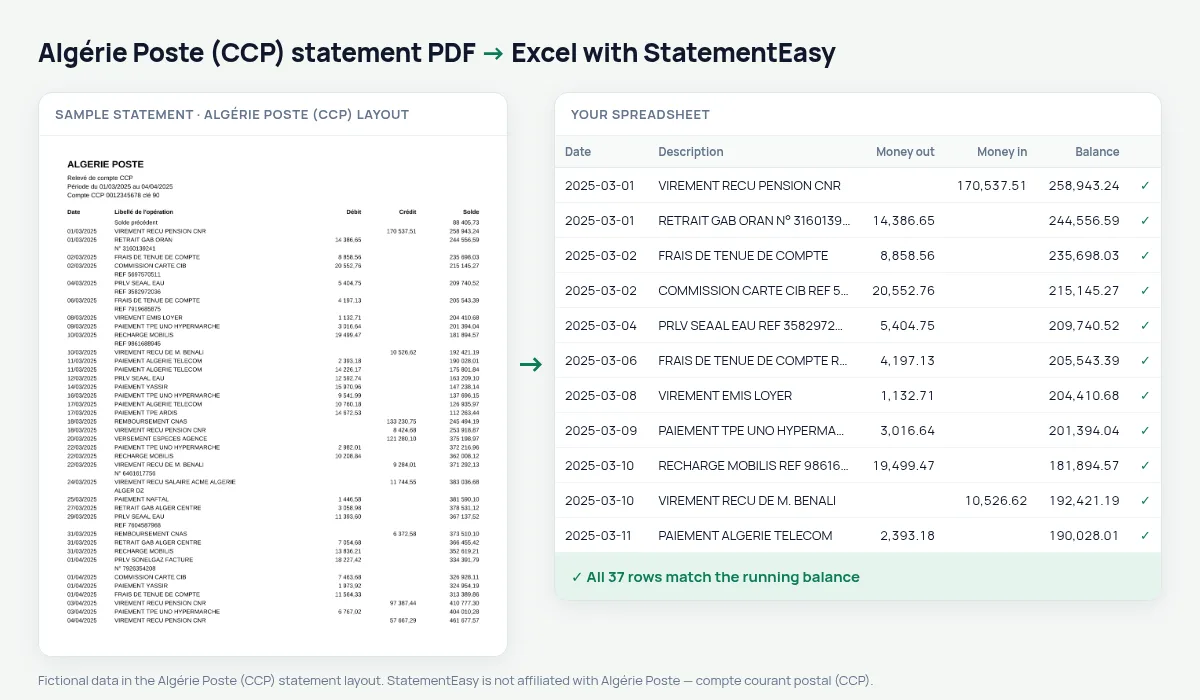
The CCP statement lists Date, Libellé de l’opération, Débit, Crédit and Solde from the Solde précédent, with amounts written 45 000,00. Salaries, pensions, withdrawals and Baridimob transfers all pass through it. StatementEasy reads every operation as a row and checks each balance.
Get your CCP statement
- Open Baridimob or the Algérie Poste e-CCP site.
- Show the account history for the period you need.
- Download or print it to PDF.
- Drop the PDF into the converter above.
CCP columns in your sheet
| On the statement | In your sheet |
|---|---|
| Débit / Crédit | Money out / money in |
| 45 000,00 | 45000.00 DZD |
| Solde | Checked on every row |
Salaries and pensions
Most public-sector salaries and pensions are paid into CCP accounts. The Monthly sheet shows each payment month by month.
Visa and loan files
Consulates and banks often ask for the last months of CCP history. The sheet gives each month’s money in, money out and balance on one line.
Baridimob transfers and withdrawals
Baridimob transfers and counter or ATM withdrawals keep their full description; filter the sheet to total them for any period.
Last tested October 2026. StatementEasy is not affiliated with Algérie Poste — compte courant postal (CCP).
Questions
Can I convert a history printed from Baridimob?
Yes, if it is saved as a PDF with its Débit, Crédit and Solde columns.
Is my statement uploaded?
Your browser reads the PDF first, on your device. Only if it cannot read it is the file read on our server, and deleted after reading.
Is StatementEasy made by Algérie Poste (CCP)?
No. StatementEasy is an independent tool and is not affiliated with Algérie Poste — compte courant postal (CCP).
Your next statement, in a spreadsheet
Free, no limits. No sign-up.