G&T Continental statement to Excel
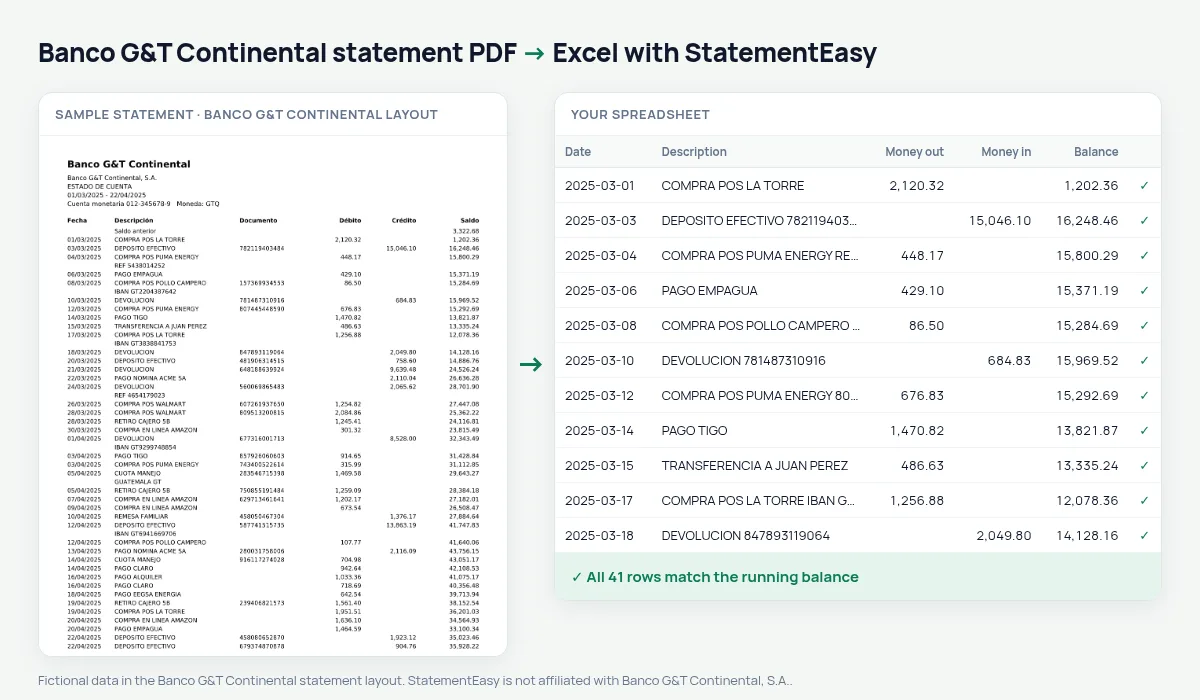
Your G&T Continental statement, document numbers included, as a spreadsheet in quetzales.
Drop your Banco G&T Continental statement PDF
PDF, photo, CSV or Excel file · you can add several at once
Read by your browser first. By choosing a file you agree to our Terms and Privacy Policy.
- Checked every row against your balance
- Private read on your device first
- Excel & CSV plus QuickBooks, Xero and Quicken files
- Free no sign-up, no page limits
Banco G&T Continental adds a Documento column — a cheque or reference number — to its statements. StatementEasy keeps it in its own column and checks every balance.
Download your G&T statement
- Sign in to G&T Continental en Línea or the app.
- Open the account and choose Estado de cuenta.
- Download the PDF.
- Drop it into the converter above.
G&T columns in your sheet
| On the statement | In your sheet |
|---|---|
| Documento | Document number |
| Débito / Crédito | Money out / money in |
| Saldo | Balance, checked |
Cheques
Search a cheque number to see whether and when it cleared.
An example line
22/03/2025 PAGO CLARO 004512 145.00 11,902.65 becomes document 004512, money out 145.00, balance 11902.65.Last tested October 2026. StatementEasy is not affiliated with Banco G&T Continental, S.A..
Questions
Can I remove the document column?
Yes, delete it in Excel.
Is my statement uploaded?
Your browser reads the PDF first, on your device. Only if it cannot read it is the file read on our server, and deleted right after.
Is StatementEasy made by Banco G&T Continental?
No. StatementEasy is an independent tool and is not affiliated with Banco G&T Continental, S.A..
Your next statement, in a spreadsheet
Free, no limits. No sign-up.