Bantrab statement to Excel
Your Bantrab statement as a spreadsheet in quetzales, every balance checked.
Drop your Bantrab statement PDF
PDF, photo, CSV or Excel file · you can add several at once
Read by your browser first. By choosing a file you agree to our Terms and Privacy Policy.
- Checked every row against your balance
- Private read on your device first
- Excel & CSV plus QuickBooks, Xero and Quicken files
- Free no sign-up, no page limits
Bantrab labels its columns Retiros and Depósitos. StatementEasy maps them to money out and money in, starts from the opening balance and checks every row.
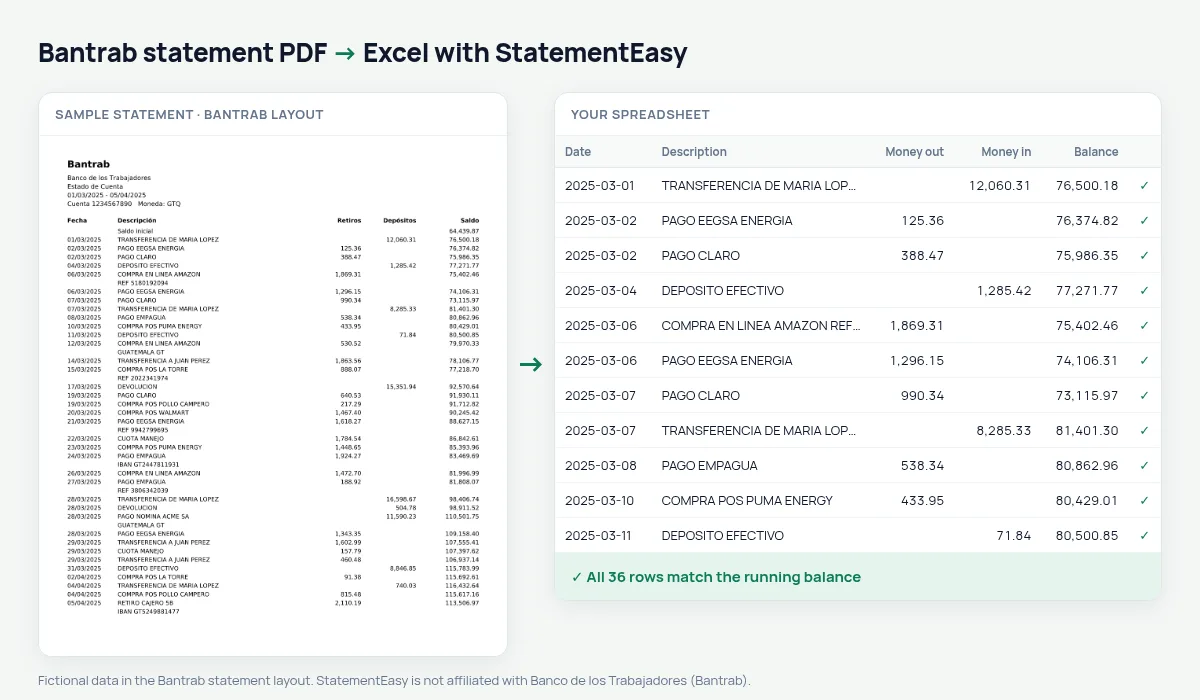
Download your Bantrab statement
- Sign in to Bantrab en Línea or the app.
- Open the account and choose Estado de cuenta.
- Download the PDF.
- Drop it into the converter above.
Bantrab columns in your sheet
| On the statement | In your sheet |
|---|---|
| Retiros | Money out |
| Depósitos | Money in |
| Saldo | Balance, checked |
Salary and payroll loans
The Recurring sheet totals loan instalments for the year; Monthly shows what is left of each salary.
An example line
27/03/2025 RETIRO CAJERO 5B 500.00 3,148.90 becomes money out 500.00 and balance 3148.90.Last tested October 2026. StatementEasy is not affiliated with Banco de los Trabajadores (Bantrab).
Questions
Do savings accounts work?
Yes, the same way.
Is my statement uploaded?
Your browser reads the PDF first, on your device. Only if it cannot read it is the file read on our server, and deleted right after.
Is StatementEasy made by Bantrab?
No. StatementEasy is an independent tool and is not affiliated with Banco de los Trabajadores (Bantrab).
Your next statement, in a spreadsheet
Free, no limits. No sign-up.