The Co-operative Bank statement to Excel
Your Co-operative Bank statement as a spreadsheet, every balance checked.
- Checked every row against your balance
- Private read on your device first
- Excel & CSV plus QuickBooks, Xero and Quicken files
- Free no sign-up, no page limits
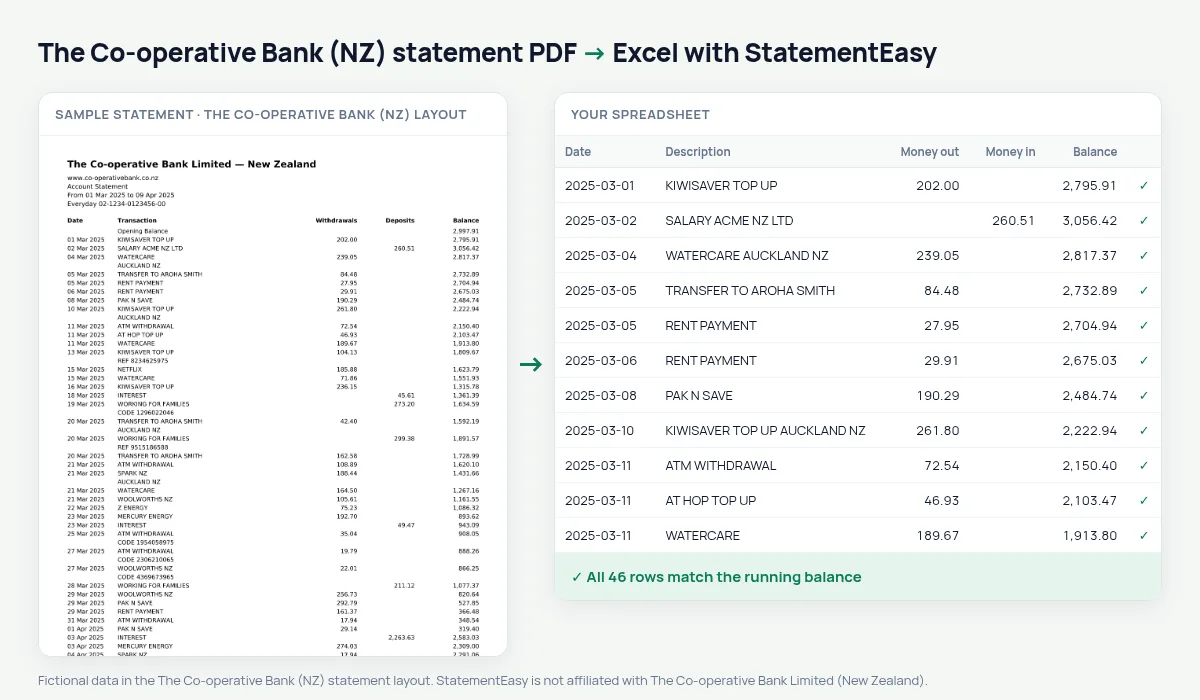
The Co-operative Bank is New Zealand’s customer-owned bank, formerly PSIS, and shares part of its profit with its customers. Its statement prints Date, Transaction, Withdrawals, Deposits and Balance.
StatementEasy reads both amount columns and checks every row from the opening balance. It is recognised separately from The Co-operative Bank in the UK.
Download your statement
- Sign in to The Co-operative Bank internet banking or app.
- Open the account, then Statements.
- Pick the period and download the PDF.
- Drop it into the converter above. Excel, CSV, OFX, QIF or Xero and QuickBooks files in seconds.
Co-operative Bank columns in your sheet
| On the statement | In your sheet |
|---|---|
| Date | Date |
| Transaction | Description |
| Withdrawals | Money out |
| Deposits | Money in |
| Opening Balance | Opening balance |
Saving goals
Transfers to savings accounts keep their description. Filter for them and the Monthly sheet shows how much you put aside each month.
Proof of income for a rental
Property managers often ask for two or three months of statements. Convert them together, hide the account number if you like, and share the Monthly sheet showing pay coming in and rent you can afford.
An example line
On the PDF: 11 Mar 2025 WATERCARE 74.10 1,588.90. In your sheet: money out 74.10.
Last tested October 2026. StatementEasy is not affiliated with The Co-operative Bank Limited (New Zealand).
Questions
UK Co-operative Bank?
This page is for New Zealand.
Several months?
Yes.
How do I download a Co-operative Bank statement?
In internet banking or the app, open the account and choose Statements.
Is my statement uploaded?
Your browser reads the PDF first, on your device. Only if it cannot read it is the file read on our server, and deleted right after.
Is StatementEasy made by The Co-operative Bank (NZ)?
No. StatementEasy is an independent tool and is not affiliated with The Co-operative Bank Limited (New Zealand).
Your next statement, in a spreadsheet
Free, no limits. No sign-up.