MCB Bank statement to Excel
Turn your MCB Bank statement into a spreadsheet with both dates kept, debits and credits as numbers and every balance checked.
- Checked every row against your balance
- Private read on your device first
- Excel & CSV plus QuickBooks, Xero and Quicken files
- Free no sign-up, no page limits
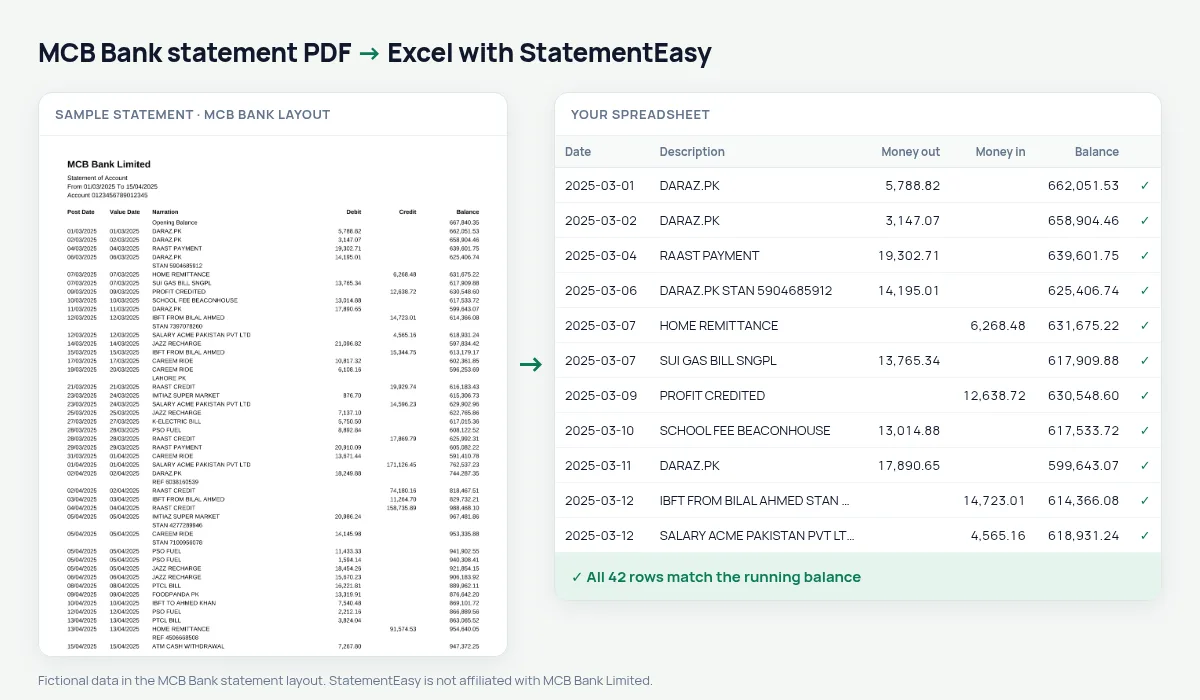
MCB statements list Post Date, Value Date, Narration, Debit, Credit and Balance, with dates as 05/03/2025 and an Opening Balance line. StatementEasy uses the post date for each row, keeps the value date in its own column and checks every balance from the opening balance on.
Download your MCB Bank statement
- Open MCB Live or internet banking.
- Request an account statement for the period.
- Save the MCB Bank statement as a PDF.
- Drop the MCB Bank PDF into the converter above.
MCB Bank columns in your sheet
| On the MCB Bank statement | In your sheet |
|---|---|
| Post Date | Date |
| Value Date | Value date |
| Debit / Credit | Money out / money in |
| Balance | Checked on every row |
| Opening Balance | Start of the check, not a row |
Business accounts and bookkeeping
Many small businesses bank with MCB. Convert the months you need, export CSV or QuickBooks files, and use Reconcile to compare the statement with an export from your books — missing receipts and duplicate entries show up at once.
For your FBR return
Convert July to June together and use the Categories sheet to total income and expenses for your return.
MCB statements for a loan
For a car or home financing application, convert the last six months and open Insights: salary credits, existing instalments and the lowest balance are listed, and the Monthly sheet shows each month’s closing balance.
Last tested October 2026. StatementEasy is not affiliated with MCB Bank Limited.
Questions
Why are there two dates?
The post date is when MCB recorded the transaction; the value date when it took effect. Both are kept.
Does it work with MCB savings accounts?
Savings statements with Debit, Credit and Balance are read the same way; the balance check confirms the result.
Is my statement uploaded?
Your browser reads the PDF first. Only if it cannot is the file read on our server, and deleted after reading.
Is StatementEasy made by MCB Bank?
No. StatementEasy is an independent tool and is not affiliated with MCB Bank Limited.
Your next statement, in a spreadsheet
Free, no limits. No sign-up.