NMB Bank statement to Excel
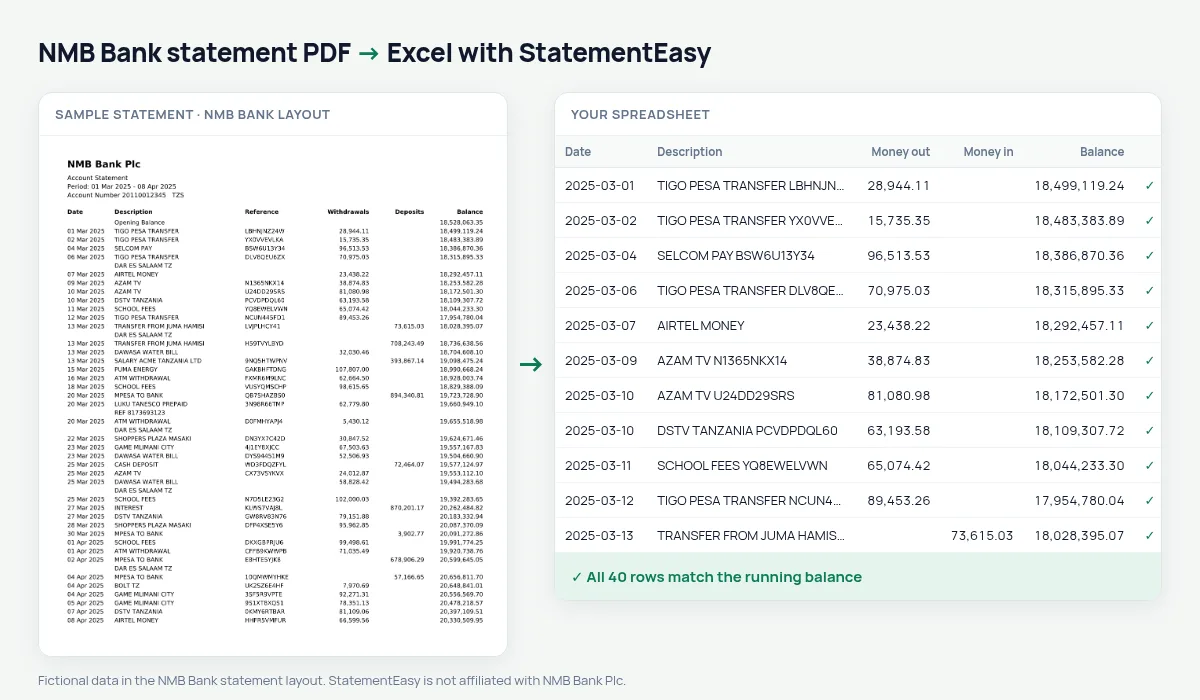
Your NMB statement in a spreadsheet, withdrawals and deposits in their own columns, every balance checked.
- Checked every row against your balance
- Private read on your device first
- Excel & CSV plus QuickBooks, Xero and Quicken files
- Free no sign-up, no page limits
NMB Bank grew out of the National Bank of Commerce in 1997 and today has the widest branch network in Tanzania, reaching district towns where few other banks operate. Teachers, nurses, farmers and small traders keep their money there. Its statement lists Date, Description, Reference, Withdrawals, Deposits and Balance.
StatementEasy keeps the reference with the description, so it is never read as an amount, maps Withdrawals and Deposits to money out and money in, and checks every balance.
How to download your NMB statement
- Open NMB Mkononi or NMB Internet Banking.
- Choose the account and request a statement. Select the period.
- Download the PDF.
- Drop it into the converter above.
NMB statement columns in your sheet
| On the statement | In your sheet |
|---|---|
| Date | Date |
| Description | Description |
| Reference | Kept with the description |
| Withdrawals | Money out |
| Deposits | Money in |
| Balance | Balance, checked |
Salary, loans and deductions
Many public servants receive their salary at NMB and repay a salary loan from the same account. The Recurring sheet gathers the monthly instalments and gives the total repaid in the year; the Monthly sheet shows how much of each salary is left after the deduction.
That is the first thing to check before taking a second loan.
Farmers and seasonal income
Crop payments arrive a few times a year rather than every month. The Monthly sheet makes the pattern visible, harvest months against lean ones, which helps when you plan spending or apply for input finance.
An example line
On the PDF: 18 Mar 2025 SCHOOL FEES TT2507712345 450,000.00 1,986,300.00. In your sheet: date 18/03/2025, description SCHOOL FEES with its reference, money out 450,000.00, balance 1,986,300.00.
Why the reference matters
References like TT2507712345 are long strings of digits. Kept with the description, they let you find a payment quickly, and they never end up in the money columns.
Last tested October 2026. StatementEasy is not affiliated with NMB Bank Plc.
Questions
Does it read NMB statements requested at a branch?
Yes, if you receive a PDF with text. A scanned paper copy is read with text recognition.
Can I see only deposits?
Yes, sort by the Money in column in Excel or search the table in the converter.
Are business accounts supported?
Yes, the layout is the same.
Is my statement uploaded?
Your browser reads the PDF first, on your device. Only if it cannot read it is the file read on our server, and deleted right after.
Is StatementEasy made by NMB Bank?
No. StatementEasy is an independent tool and is not affiliated with NMB Bank Plc.
Your next statement, in a spreadsheet
Free, no limits. No sign-up.