BancoEstado statement to Excel
Turn your BancoEstado cartola into a spreadsheet with every balance checked.
- Checked every row against your balance
- Private read on your device first
- Excel & CSV plus QuickBooks, Xero and Quicken files
- Free no sign-up, no page limits
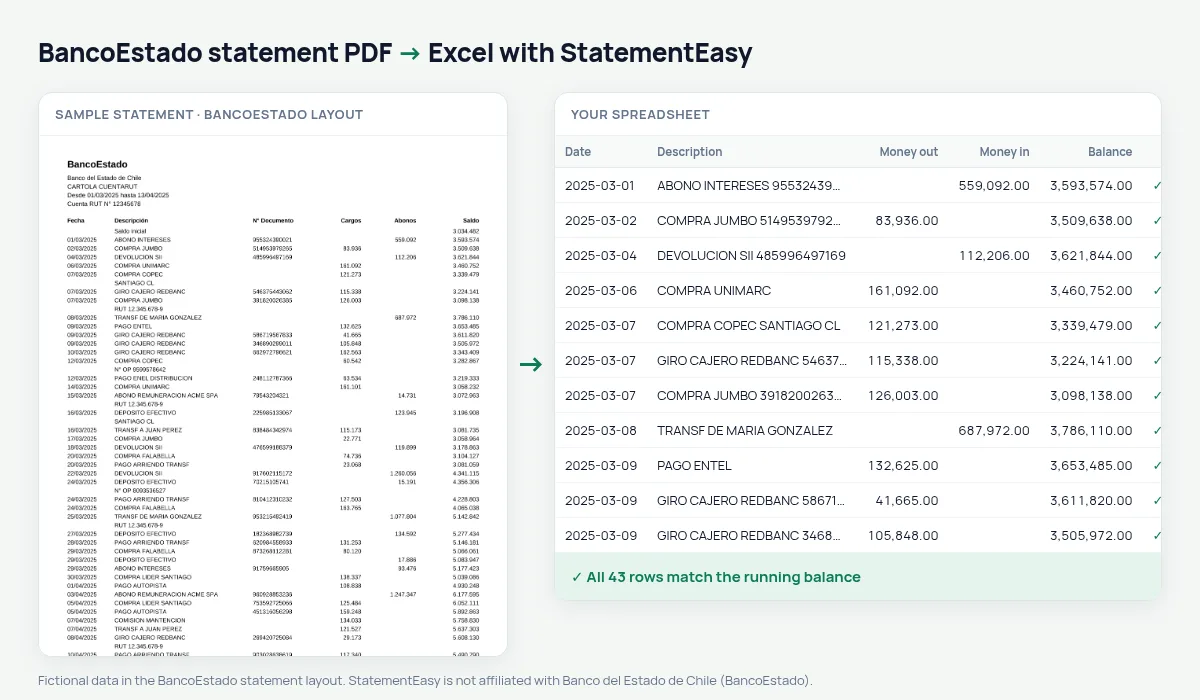
A BancoEstado cartola lists Fecha, Descripción, N° Documento, Cargos, Abonos and Saldo, in whole pesos like 1.234.567.
StatementEasy reads every amount in full, keeps the document number apart and checks each balance.
Download your BancoEstado statement
- Open the BancoEstado app or website.
- Open Cartolas.
- Download the PDF.
- Drop the PDF into the converter above.
BancoEstado columns in your sheet
| On the statement | In your sheet |
|---|---|
| 1.234.567 | 1234567 |
| Cargos / Abonos | Money out / money in |
| Saldo | Checked on every row |
Whole pesos
Chilean pesos have no decimals; amounts like 75.000 are read as seventy-five thousand.
CuentaRUT
CuentaRUT and checking account cartolas share the same columns.
A line, explained
05/03/2025 COMPRA LIDER SANTIAGO 004512 32.990 418.200 becomes document 004512, money out 32990 and balance 418200.Withdrawals and transfers
ATM and Caja Vecina withdrawals, transfers and bill payments keep their description.
From PDF to sheet
Whole pesos are recognised, Cargos, Abonos and Saldo found, and every balance checked.
What your BancoEstado spreadsheet contains
Each row of the file is one transaction: the date as a real date, the full description, money in and money out as numbers in separate columns, and the running balance where BancoEstado prints one. Whole pesos stay whole, and the document number has its own column. A first tab summarises the statement — period, opening and closing balance, totals in and out, and whether the check passed — and the Monthly, Categories and Recurring sheets come in the same download.
Using it for renting, benefits or the SII
Brokers, landlords and institutions often ask for recent cartolas; Insights highlights regular income. For the annual SII return, convert the year and total income and expenses.
Filter by “GIRO” to total cash withdrawals, or by a name to total transfers.
If something looks wrong
- Small amounts missing — on a whole-peso statement, 500 is read as an amount, not a reference.
- A row does not match — it is highlighted and can be corrected.
- A photo of the cartola — OCR works; the PDF from the app is exact.
Last tested October 2026. StatementEasy is not affiliated with Banco del Estado de Chile (BancoEstado).
Questions
Does it work with CuentaRUT?
Yes, it is read like a checking account cartola.
Can I total cash withdrawals?
Yes, filter by “GIRO”.
Can I convert on my phone?
Yes, in the phone’s browser.
Is my statement uploaded?
Your browser reads the PDF first, on your device. Only if it cannot read it is the file read on our server, and deleted right after.
Is StatementEasy made by BancoEstado?
No. StatementEasy is an independent tool and is not affiliated with Banco del Estado de Chile (BancoEstado).
Your next statement, in a spreadsheet
Free, no limits. No sign-up.