BBVA Colombia statement to Excel
Turn your BBVA Colombia statement into a spreadsheet with both dates and every balance checked.
- Checked every row against your balance
- Private read on your device first
- Excel & CSV plus QuickBooks, Xero and Quicken files
- Free no sign-up, no page limits
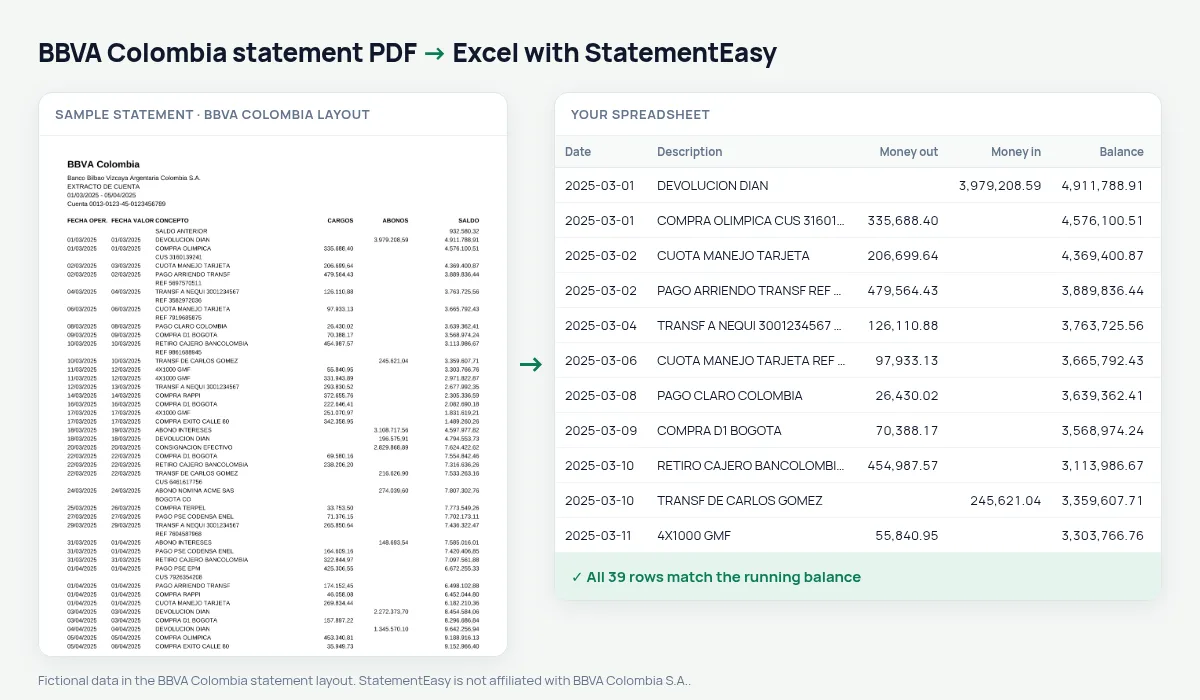
A BBVA Colombia statement lists FECHA OPER., FECHA VALOR, CONCEPTO, CARGOS, ABONOS and SALDO.
StatementEasy keeps both dates, reads cargos as money out and abonos as money in, and checks every balance.
Download your BBVA Colombia statement
- Open the BBVA Colombia app or BBVA Net.
- Open Extractos.
- Download the PDF.
- Drop the PDF into the converter above.
BBVA Colombia columns in your sheet
| On the statement | In your sheet |
|---|---|
| FECHA OPER. / FECHA VALOR | Date / value date |
| CARGOS / ABONOS | Money out / money in |
| SALDO | Checked on every row |
One BBVA per country
BBVA Spain, México, Colombia and Argentina each print their own statement and each has its own page.
Operation and value dates
05/03/2025 06/03/2025 ABONO NOMINA ACME SAS 3.250.000,00 4.912.430,10 keeps both dates, with money in 3250000.00 and the balance.PSE and cards
PSE payments, debit-card purchases and credit-card payments keep their concept, so you can total each type.
From PDF to sheet
CARGOS, ABONOS and SALDO are identified by header and every balance is checked.
What your BBVA Colombia spreadsheet contains
Each row of the file is one transaction: the date as a real date, the full description, money in and money out as numbers in separate columns, and the running balance where BBVA Colombia prints one. Operation date and value date each have a column. A first tab summarises the statement — period, opening and closing balance, totals in and out, and whether the check passed — and the Monthly, Categories and Recurring sheets come in the same download.
Using it for payroll, loans and taxes
If your salary is paid into BBVA, Insights identifies it as regular income together with loan instalments — what a lender checks. For the DIAN return, convert the year and total income and payments.
Export OFX for accounting software or Excel for your accountant.
If something looks wrong
- A BBVA statement from another country — Spain, México and Argentina have their own layouts and pages.
- A row does not match — it is highlighted and can be corrected.
- Dates swapped — operation and value date are read by their headers.
Last tested October 2026. StatementEasy is not affiliated with BBVA Colombia S.A..
Questions
Is the value date kept?
Yes, in its own column.
Can I total PSE payments?
Yes, filter by “PSE”.
Which date does the Monthly sheet use?
The operation date; the value date has its own column.
Is my statement uploaded?
Your browser reads the PDF first, on your device. Only if it cannot read it is the file read on our server, and deleted right after.
Is StatementEasy made by BBVA Colombia?
No. StatementEasy is an independent tool and is not affiliated with BBVA Colombia S.A..
Your next statement, in a spreadsheet
Free, no limits. No sign-up.