Ecobank statement to Excel
Turn your Ecobank statement into a spreadsheet where every amount lands in the right column and every balance is checked.
- Checked every row against your balance
- Private read on your device first
- Excel & CSV plus QuickBooks, Xero and Quicken files
- Free no sign-up, no page limits
Ecobank statements have Transaction Date, Reference, Description, Value Date, Debit, Credit and Balance, with long reference numbers and narrow money columns. On large credits the amount and the balance can be printed so close together that the PDF stores them as a single piece of text — 120,000.00 181,380.81. Many converters then lose the transaction. StatementEasy splits that piece back into a credit and a balance and checks the row like any other.
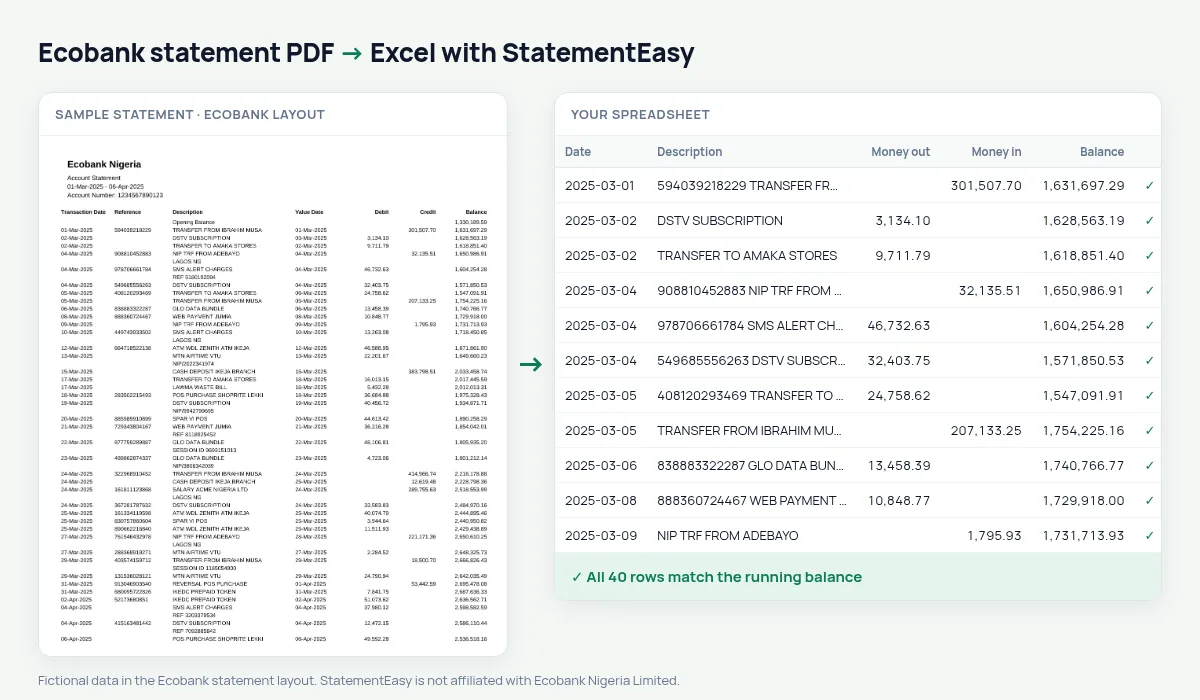
Get your Ecobank statement
- Open the Ecobank Mobile app or Ecobank Online.
- Choose Statement, then the account and period.
- Download the PDF.
- Drop it here.
Ecobank details, handled
| On the Ecobank statement | In your sheet |
|---|---|
| 120,000.00 181,380.81 in one piece | Credit 120000.00, balance 181380.81 |
| Long Reference numbers | Kept with the description |
| Value Date after the description | Its own column |
| Debit / Credit | Money out / money in |
Why a single missed row matters
If a converter drops one large credit, every total after it is wrong and the statement no longer reconciles — which is exactly when a lender or an accountant stops trusting it. Because StatementEasy checks each row against the printed balance, a missing or misread row is pointed out before you export, and the touching-amounts case is handled for you.
Ecobank in other countries
Ecobank operates in many African countries with similar statements. This page covers Ecobank Nigeria; statements from Ghana, Côte d’Ivoire, Kenya and others are read by the same generic rules, and the balance check on your file shows whether everything was found.
Last tested October 2026. StatementEasy is not affiliated with Ecobank Nigeria Limited.
Questions
My statement shows a credit and a balance stuck together. Is it read correctly?
Yes. A piece of text made of two amounts is split into the credit and the balance, and the row is checked.
Is the Reference kept?
Yes, with the description.
Can I export to CSV for my accounting software?
Yes: CSV, Excel, QuickBooks (QBO), Xero CSV, OFX and QIF are available.
Is my statement uploaded?
Your browser reads the PDF first. Only if it cannot is the file read on our server, and deleted after reading.
Is StatementEasy made by Ecobank?
No. StatementEasy is an independent tool and is not affiliated with Ecobank Nigeria Limited.
Your next statement, in a spreadsheet
Free, no limits. No sign-up.