Moniepoint statement to Excel
Turn your Moniepoint personal or business statement into a spreadsheet, with every transfer and POS settlement as a row and the balance checked.
- Checked every row against your balance
- Private read on your device first
- Excel & CSV plus QuickBooks, Xero and Quicken files
- Free no sign-up, no page limits
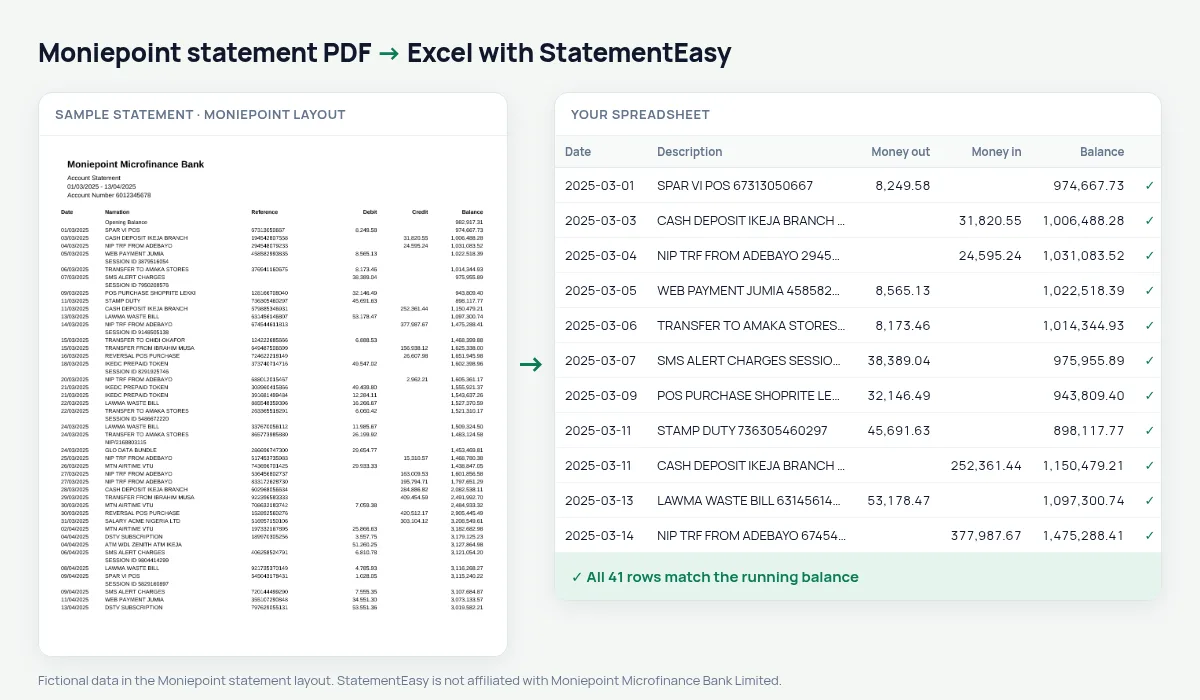
Moniepoint statements list Date, Narration, Reference, Debit, Credit and Balance. For a business account with POS terminals, a month can hold thousands of settlements, transfers and charges, each with a long reference number. StatementEasy reads them all, keeps the reference with the narration so you can search for it, and checks every balance from the opening balance on.
Get your Moniepoint statement
- Open the Moniepoint app. Personal or business.
- Open the account, then Statement.
- Pick the dates and download or email the PDF.
- Drop the PDF here.
Moniepoint columns in your sheet
| On the Moniepoint statement | In your sheet |
|---|---|
| Narration | Description |
| Reference | Kept with the description |
| Debit / Credit | Money out / money in |
| Balance | Checked on every row |
| Opening Balance | Start of the check, not a row |
For POS businesses
If you run a shop or a POS agency, the Monthly sheet gives you each month’s takings (money in), payouts (money out) and closing balance on one line, and the Categories sheet separates charges from sales. Export CSV for your accounting software or Excel for your accountant.
Find a customer’s payment
When a customer says they paid, search the spreadsheet for their name or the reference they send you. With thousands of lines, that is much faster than scrolling through the PDF.
Last tested October 2026. StatementEasy is not affiliated with Moniepoint Microfinance Bank Limited.
Questions
Does it work for both personal and business accounts?
Yes. Both are read by the same rules, and the balance check on your file shows whether every line was found.
My statement is huge. Will it work?
Yes. Long statements are read page by page, and the balance is checked across every page.
Can I combine several months?
Yes. Drop the PDFs together and choose “All files combined”.
Is my statement uploaded?
Your browser reads the PDF first. Only if it cannot is the file read on our server, and deleted after reading.
Is StatementEasy made by Moniepoint?
No. StatementEasy is an independent tool and is not affiliated with Moniepoint Microfinance Bank Limited.
Your next statement, in a spreadsheet
Free, no limits. No sign-up.