MTN MoMo statement to Excel
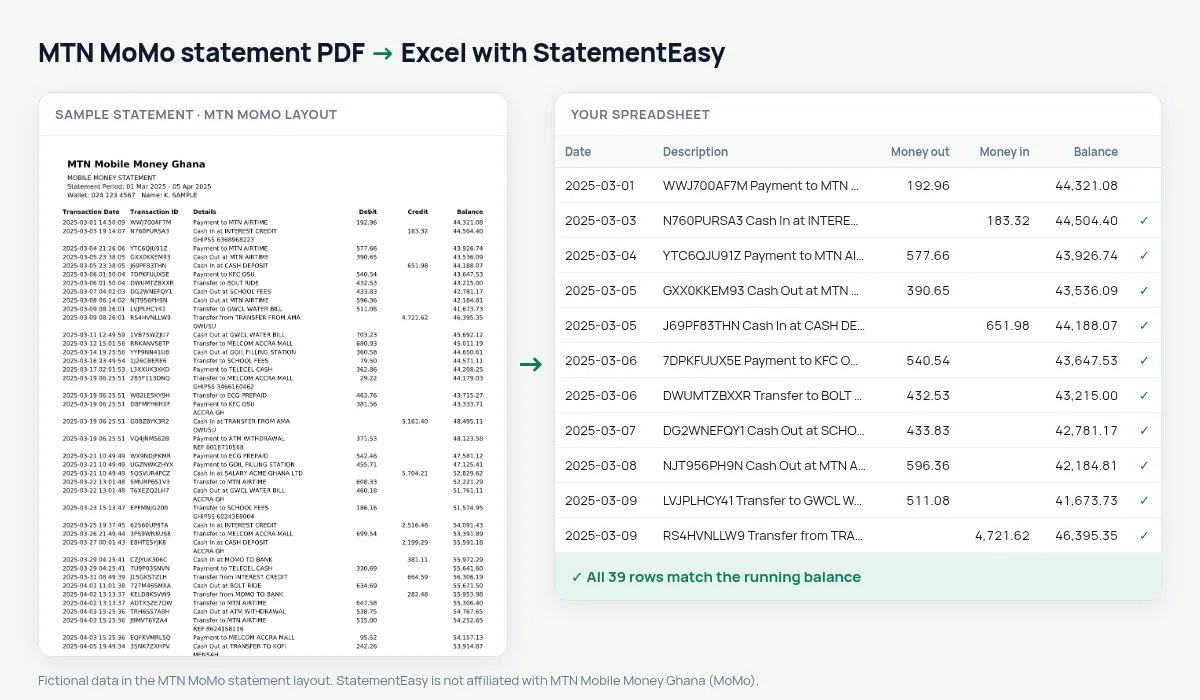
Your MoMo wallet statement as a spreadsheet, every transfer, payment and cash-out with the wallet balance checked.
- Checked every row against your balance
- Private read on your device first
- Excel & CSV plus QuickBooks, Xero and Quicken files
- Free no sign-up, no page limits
MTN Mobile Money is by far the most used mobile money service in Ghana: people pay for food, transport, airtime, school fees and utility bills from their MoMo wallet, and many small traders run their whole business on it. A MoMo statement lists the Transaction Date with the time, the Transaction ID, the details, Debit, Credit and the wallet Balance.
StatementEasy reads the date with its time, keeps the transaction ID with the details so it is never read as an amount, and checks that each wallet balance follows from the one before.
How to get your MoMo statement
- Open the MoMo app, or dial *170#. Look for the statement option under My Wallet or My Account.
- Choose the period you need. Statements are usually sent as a PDF to your email address.
- Save the PDF from your email.
- Drop it into the converter above.
MoMo statement columns in your sheet
| On the statement | In your sheet |
|---|---|
| Transaction Date | Date (the time is kept out of the way) |
| Transaction ID | Kept with the details |
| Details | Description |
| Debit | Money out |
| Credit | Money in |
| Balance | Wallet balance, checked |
Running a small business on MoMo
For a hairdresser, a market trader or a food seller, the MoMo wallet is the till. Converting the statement gives you, for the first time, a clear view: total received each day and each month, money sent to suppliers, and cash taken out. The Monthly sheet is a basic profit-and-loss you can show to a lender or a savings group.
Many microfinance institutions now ask for mobile money statements when you apply for a small loan; a tidy spreadsheet makes your case easier.
Who paid you, who you paid
Every transfer keeps the name or number in the details. Sort by description and you can total how much each customer paid you in the month, or how much went to each person you send money to.
An example line
On the PDF: 2025-03-15 18:42:07 7612345098 Transfer to KOFI MENSAH 120.00 1,845.30. In your sheet: date 15/03/2025, description with the transaction ID, money out 120.00, wallet balance 1,845.30.
MoMo and your bank account together
If you move money between MoMo and a bank account, convert both statements and drop them together. “All files combined” gives one sheet with a File column, and each balance is still checked in its own file.
Last tested October 2026. StatementEasy is not affiliated with MTN Mobile Money Ghana (MoMo).
Questions
Does it read Telecel Cash or AirtelTigo Money statements?
Those layouts are not tested yet; if they are PDFs with text, the generic reader often handles them. Send us one through the contact page and we will add it.
Is my MoMo statement uploaded?
Your browser reads the PDF first, on your device. Only if it cannot read it is the file read on our server, and deleted right after.
Can I see only money received?
Yes: sort or filter by the Money in column in Excel, or search for “Transfer from” in the converter’s table.
Kenyan M-PESA or Tanzanian M-Pesa?
Both are supported with their own layouts.
Is StatementEasy made by MTN MoMo?
No. StatementEasy is an independent tool and is not affiliated with MTN Mobile Money Ghana (MoMo).
Your next statement, in a spreadsheet
Free, no limits. No sign-up.