OPay statement to Excel
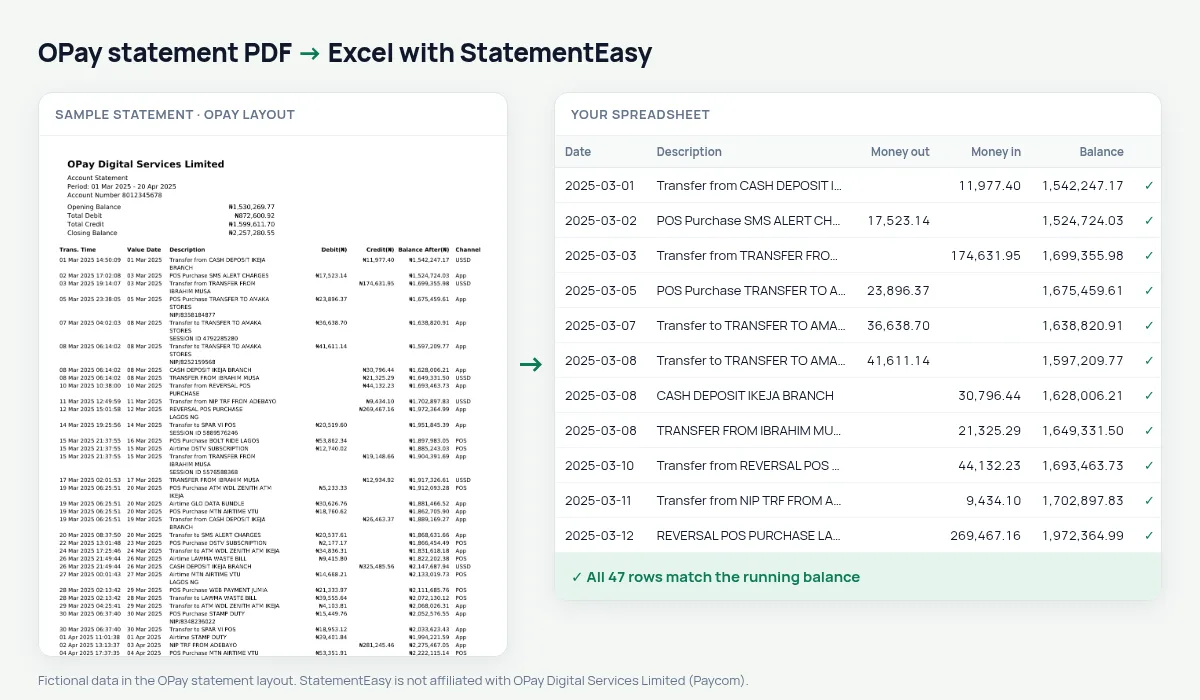
Turn your OPay account statement into a spreadsheet: each transaction with its date, value date, channel and the balance after it, checked line by line.
- Checked every row against your balance
- Private read on your device first
- Excel & CSV plus QuickBooks, Xero and Quicken files
- Free no sign-up, no page limits
An OPay statement lists Trans. Time, Value Date, Description, Debit(₦), Credit(₦), Balance After(₦), Channel and a transaction reference. The time is printed with the date — 05 Mar 2025 14:23:11 — and amounts carry the naira sign. StatementEasy reads the date (leaving the time out of the description), keeps the value date in its own column, turns ₦1,500.00 into a number and checks every Balance After from the opening balance on.
Get your OPay statement
- Open the OPay app.
- Go to Me (or Profile), then Account Statement.
- Pick the period and send it to your email as a PDF.
- Drop the PDF here.
OPay columns in your sheet
| On the OPay statement | In your sheet |
|---|---|
| Trans. Time 05 Mar 2025 14:23:11 | Date 2025-03-05 |
| Value Date | Value date |
| Debit(₦) / Credit(₦) | Money out / money in |
| Balance After(₦) | Checked on every row |
| Channel (App, POS, USSD) | Kept with the description |
POS agents and small businesses
Many POS agents and small traders run their daily takings through OPay, which means statements with thousands of lines. Converted, each line is a sortable row: filter by channel to separate POS from app transfers, use the Monthly sheet for each month’s totals, and export CSV for your bookkeeping.
Where your money went
Airtime, data, betting, transfers to friends and bill payments all sit in the same list on an OPay statement. The Categories sheet groups them and totals each month, and Recurring shows what you pay every month — a quick way to find spending you did not notice.
Last tested October 2026. StatementEasy is not affiliated with OPay Digital Services Limited (Paycom).
Questions
Is the transaction time kept?
The date is used for each row; the time is left out of the description so the descriptions stay clean.
My statement is very long. Is that a problem?
No. Every page is read and the balance is followed across page breaks.
Can I use it for a loan application?
The spreadsheet helps you review income, regular payments and balances before you apply. Send the lender the statement from OPay itself.
Is my statement uploaded?
Your browser reads the PDF first. Only if it cannot is the file read on our server, and deleted after reading.
Is StatementEasy made by OPay?
No. StatementEasy is an independent tool and is not affiliated with OPay Digital Services Limited (Paycom).
Your next statement, in a spreadsheet
Free, no limits. No sign-up.