SAB statement to Excel
Your Saudi Awwal Bank statement — or an older SABB one — as a spreadsheet, every balance checked.
- Checked every row against your balance
- Private read on your device first
- Excel & CSV plus QuickBooks, Xero and Quicken files
- Free no sign-up, no page limits
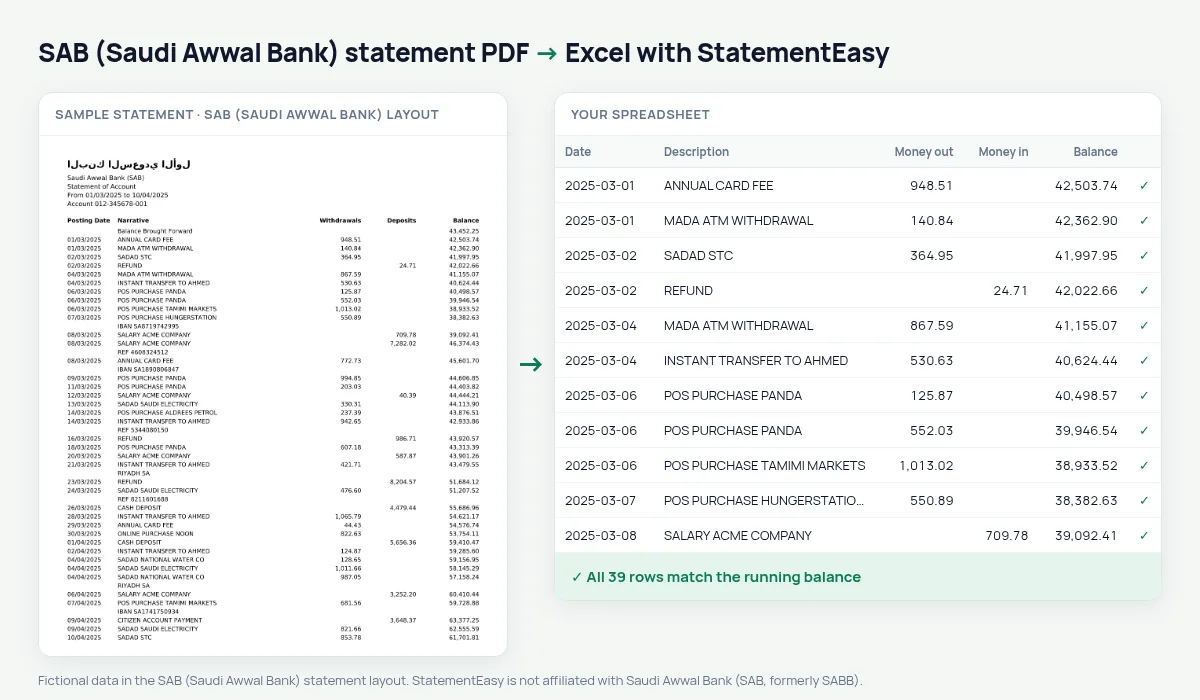
Saudi Awwal Bank is the name SABB took in 2023 after merging with Alawwal Bank. Its statement labels columns Withdrawals and Deposits and opens with a Balance Brought Forward line.
StatementEasy maps Withdrawals to money out and Deposits to money in, treats the brought-forward line as the opening balance and checks every row from there.
Download your SAB statement
- Sign in to SAB Mobile or SAB Online.
- Open the account and choose Statements.
- Download the PDF.
- Drop it into the converter above.
SAB columns in your sheet
| On the statement | In your sheet |
|---|---|
| Withdrawals | Money out |
| Deposits | Money in |
| Balance Brought Forward | Opening balance, not a row |
Brought forward is not a deposit
Counted as a deposit, the brought-forward line would inflate money in. It is read as the opening balance, and across several months each one must equal the previous closing balance — a gap means a missing month.
SABB and Alawwal statements
Statements printed before the rename, with the SABB or Alawwal logo, are converted the same way.
For expats paid in Saudi riyals
International transfers and their fees stay on separate lines; the Categories sheet totals the fees for the year.
An example line
18/03/2025 ONLINE PURCHASE NOON 389.00 27,104.55 becomes money out 389.00 and balance 27104.55.Last tested October 2026. StatementEasy is not affiliated with Saudi Awwal Bank (SAB, formerly SABB).
Questions
Are credit card statements supported?
This page covers current-account statements; card statements use a different layout.
Is my statement uploaded?
Your browser reads the PDF first, on your device. Only if it cannot read it is the file read on our server, and deleted right after.
Is StatementEasy made by SAB (Saudi Awwal Bank)?
No. StatementEasy is an independent tool and is not affiliated with Saudi Awwal Bank (SAB, formerly SABB).
Your next statement, in a spreadsheet
Free, no limits. No sign-up.