Axis Bank statement to Excel
Turn your Axis Bank statement into a spreadsheet: debits and credits as numbers, the opening and closing balance taken from the statement itself.
- Checked every row against your balance
- Private read on your device first
- Excel & CSV plus QuickBooks, Xero and Quicken files
- Free no sign-up, no page limits
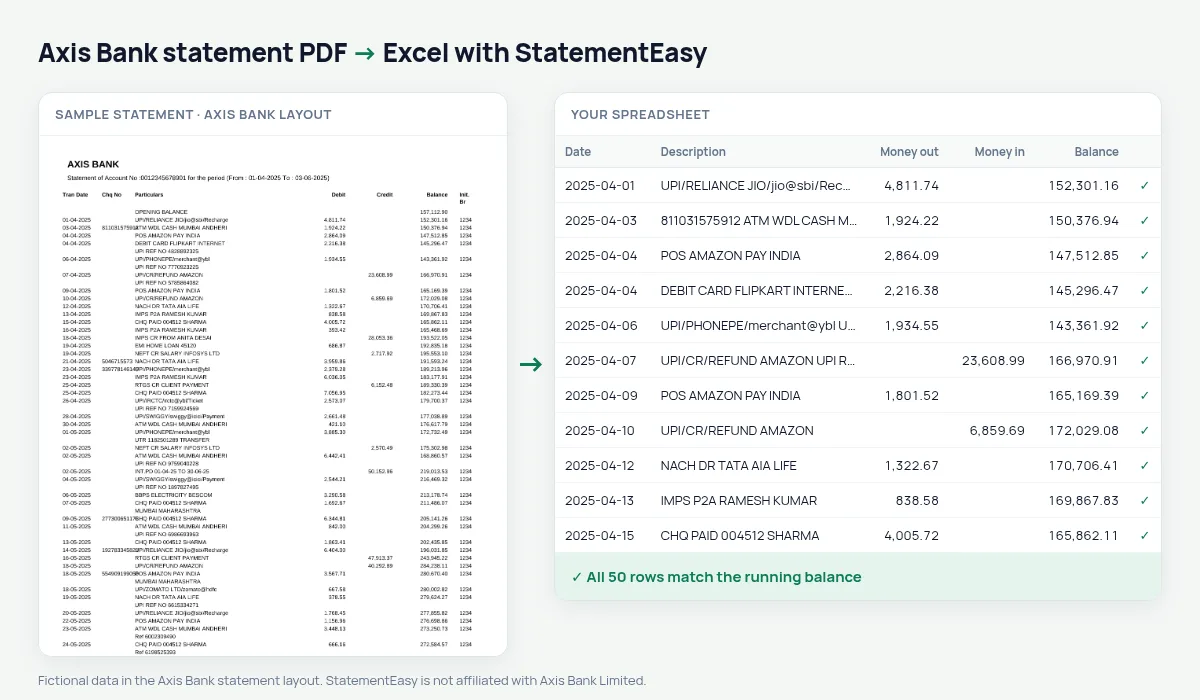
Axis Bank statements list Tran Date, Chq No, Particulars, Debit, Credit, Balance and Init. Br, with an OPENING BALANCE row at the top and a CLOSING BALANCE row at the end. Those two rows are not transactions, and the four-digit branch code in the last column is not an amount. StatementEasy uses the first two as the start and end of the balance check and leaves the branch code out of the money columns.
Get the statement from Axis Bank
- Log in to Axis Bank Internet Banking.
- Open Accounts, then Statement. Pick the account.
- Choose the date range and download the PDF.
- Drop it here.
In the Axis Mobile app the statement is on the account screen. Menu names change from time to time; look for “Statement”.
Read the way Axis prints it
| On the Axis statement | In your sheet |
|---|---|
| OPENING BALANCE row | Opening balance, not a transaction |
| 05-04-2025 | A real date (day first) |
| Particulars over two lines | One description |
| Init. Br 1234 | Left out of the amounts |
| CLOSING BALANCE row | Closing balance, compared with the last row |
For business accounts
Axis current account statements are often long, with hundreds of NEFT and RTGS entries a month. Drop several months at once to get one combined sheet, then export to CSV for your accounting software, or use Reconcile to match the statement with your books.
What the codes in Particulars mean
Axis Bank narrations start with a short code that says what kind of transaction it was. StatementEasy keeps the whole text and uses those codes to put each row in a category.
- UPI/P2A and UPI/P2M — UPI payment to a person or a merchant.
- NEFT, IMPS, RTGS — bank transfers.
- ECS / NACH — automatic debits such as EMIs, insurance and SIPs.
- ATM-CASH — cash withdrawal; POS — card payment in a shop.
Axis statements for GST and bookkeeping
For a business account, convert the months of a GST quarter together and open the Monthly sheet to see money in and out per month. Reconcile compares the statement with a CSV or Excel export from your books and lists what appears on one side only — the quickest way to find a missing invoice payment or a duplicated entry.
Last tested October 2026. StatementEasy is not affiliated with Axis Bank Limited.
Questions
Is the Chq No kept?
Yes. When a cheque number is printed, it is kept with the description of the row, so you can still search for it.
What if my Axis statement has no opening balance row?
The opening balance is then worked out from the first transaction and its balance, and the check still runs on every row after it.
Can I convert Axis statements in bulk?
Yes. Drop all the files together; each one is checked on its own and you can download them separately or combined.
What does Init. Br mean?
It is the code of the branch where the transaction was started. It is not needed for your books, so it is left out of the money columns.
Is StatementEasy made by Axis Bank?
No. StatementEasy is an independent tool and is not affiliated with Axis Bank Limited.
Your next statement, in a spreadsheet
Free, no limits. No sign-up.