PNB statement to Excel
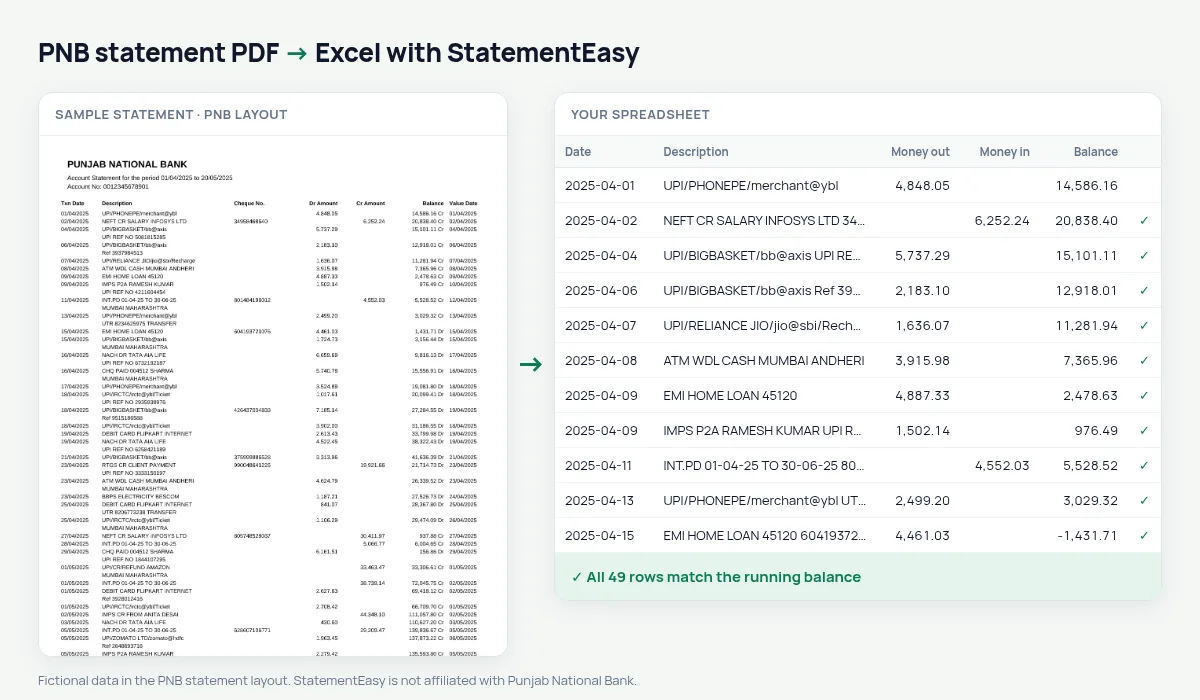
Turn your Punjab National Bank account statement into a spreadsheet, with Dr Amount and Cr Amount as money out and in and every balance checked.
- Checked every row against your balance
- Private read on your device first
- Excel & CSV plus QuickBooks, Xero and Quicken files
- Free no sign-up, no page limits
PNB statements show Txn Date, Description, Cheque No., Dr Amount, Cr Amount and Balance, with the value date at the very end of the row and balances written like 48,210.00 Cr. Since 2020 they also cover accounts that used to be with Oriental Bank of Commerce and United Bank of India. StatementEasy maps Dr Amount to money out and Cr Amount to money in, reads the Cr and Dr balances as signed numbers, and checks every row.
Download the statement from PNB
- Log in to PNB Internet Banking. Former OBC and UBI customers use PNB’s site too.
- Open Accounts, then Account Statement. Select the account.
- Choose the period and download the PDF.
- Drop the file here.
In the PNB ONE app, Account Statement is under Accounts. Menu names change from time to time; look for “Statement”.
Dr and Cr, read the right way
| On the PNB statement | In your sheet |
|---|---|
| Dr Amount | Money out |
| Cr Amount | Money in |
| 48,210.00 Cr | Balance 48210.00 |
| 2,100.00 Dr | Balance −2100.00 (overdrawn) |
Overdraft and loan accounts
On an overdraft or cash credit account the balance is often marked Dr for months. StatementEasy keeps those balances negative, so the running check still works and the monthly summary shows how deep the account went each month.
Statements after the 2020 merger
When Oriental Bank of Commerce and United Bank of India joined PNB on 1 April 2020, their customers were moved to PNB’s systems and now receive PNB statements. Those statements follow the layout described above, so they are read the same way. If you need a period from before the move, download it from PNB if it is offered, or try the old bank’s PDF — the balance check shows whether it was read completely.
Pension accounts at PNB
PNB pays pensions for many government and defence pensioners. To confirm that each month’s pension arrived, convert the statement and open the Monthly sheet: every month’s credits are totalled on one line, and a missing month is easy to spot.
Last tested October 2026. StatementEasy is not affiliated with Punjab National Bank.
Questions
Does it work with old Oriental Bank of Commerce statements?
Statements printed by PNB for former OBC and United Bank of India accounts use PNB’s layout and are read the same way. Older statements printed by those banks before the merger use other layouts; try yours and check the balance result.
Is the value date kept?
The transaction date is used for each row. The value date at the end of the row is not added to the description.
Can I convert a whole financial year?
Yes. Download the statement from 1 April to 31 March, or drop the monthly files together for one combined sheet.
Can I convert a PNB passbook?
A printed passbook has to be photographed or scanned, which is read with OCR (beta) and is less exact. Downloading the account statement from PNB Internet Banking or PNB ONE gives a better result.
Is StatementEasy made by PNB?
No. StatementEasy is an independent tool and is not affiliated with Punjab National Bank.
Your next statement, in a spreadsheet
Free, no limits. No sign-up.