BDO statement to Excel
Turn your BDO savings or checking statement into a spreadsheet in pesos, with month-first dates read correctly and every balance checked.
- Checked every row against your balance
- Private read on your device first
- Excel & CSV plus QuickBooks, Xero and Quicken files
- Free no sign-up, no page limits
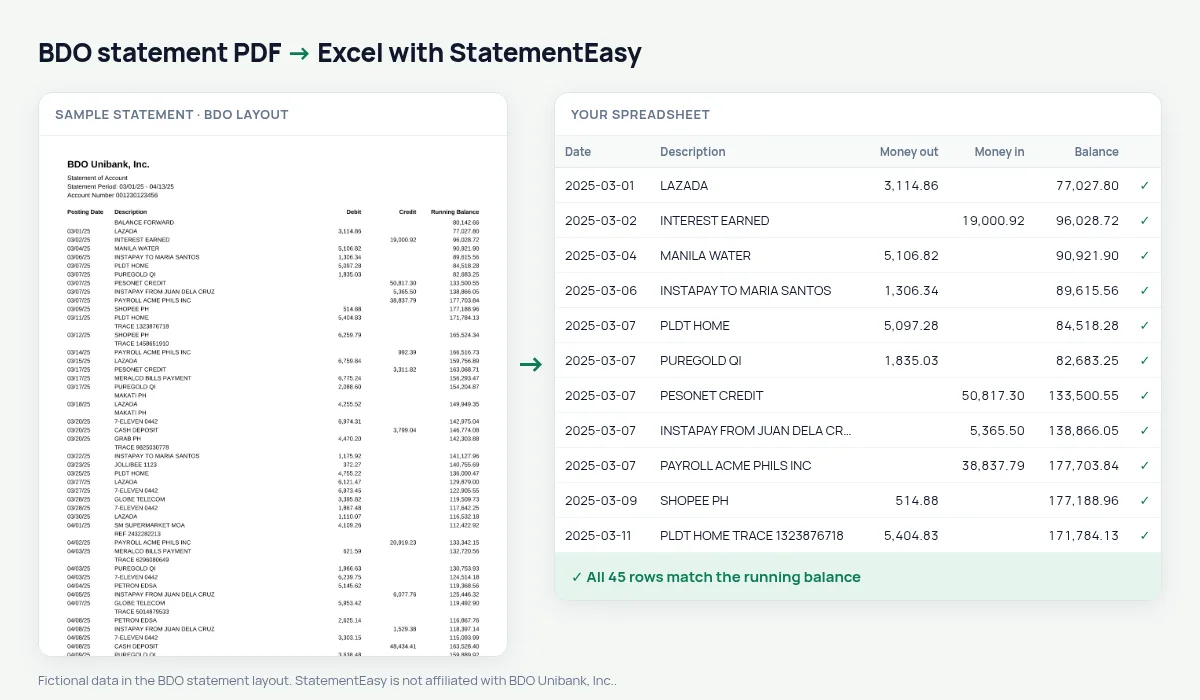
BDO statements list Posting Date, Description, Debit, Credit and Running Balance, starting from BALANCE FORWARD. Dates are written month first with a two-digit year — 03/05/25 is 5 March 2025, not 3 May. StatementEasy reads the dates the Philippine way, takes the opening balance from the BALANCE FORWARD line and checks every running balance.
Download your BDO statement
- Log in to BDO Online Banking or the BDO app.
- Open the account, then Statement or Transaction History.
- Save the BDO statement as a PDF.
- Drop the BDO PDF into the converter above.
BDO columns in your sheet
| On the BDO statement | In your sheet |
|---|---|
| 03/05/25 | 2025-03-05 (month first) |
| Debit | Money out |
| Credit | Money in |
| Running Balance | Checked on every row |
| BALANCE FORWARD | Opening balance, not a row |
Statements for a visa or a loan
Embassies and lenders usually ask for three to six months and look at the balance. Convert them together and open the Monthly sheet for each month’s closing balance; Insights lists the large deposits you may be asked to explain. Submit BDO’s own statement or certificate; the spreadsheet helps you check it.
Freelancers and BIR records
If you receive client payments into BDO, convert the year, filter the credits to total your income, and export CSV for your bookkeeper or your BIR records.
BDO savings and checking together
Convert your BDO savings and checking statements together to follow transfers between them; the File column in the combined sheet shows the account each row came from.
Last tested October 2026. StatementEasy is not affiliated with BDO Unibank, Inc..
Questions
Will 03/05/25 be read as March 5?
Yes. BDO prints dates month first, and they are read that way.
Does it work with BDO checking accounts?
Checking statements with Debit, Credit and Running Balance are read the same way; the balance check confirms the result.
Is my statement uploaded?
Your browser reads the PDF first. Only if it cannot is the file read on our server, and deleted after reading.
Is StatementEasy made by BDO?
No. StatementEasy is an independent tool and is not affiliated with BDO Unibank, Inc..
Your next statement, in a spreadsheet
Free, no limits. No sign-up.