BPI statement to Excel
Turn your BPI savings statement into a spreadsheet with a full date on every row and every balance checked.
- Checked every row against your balance
- Private read on your device first
- Excel & CSV plus QuickBooks, Xero and Quicken files
- Free no sign-up, no page limits
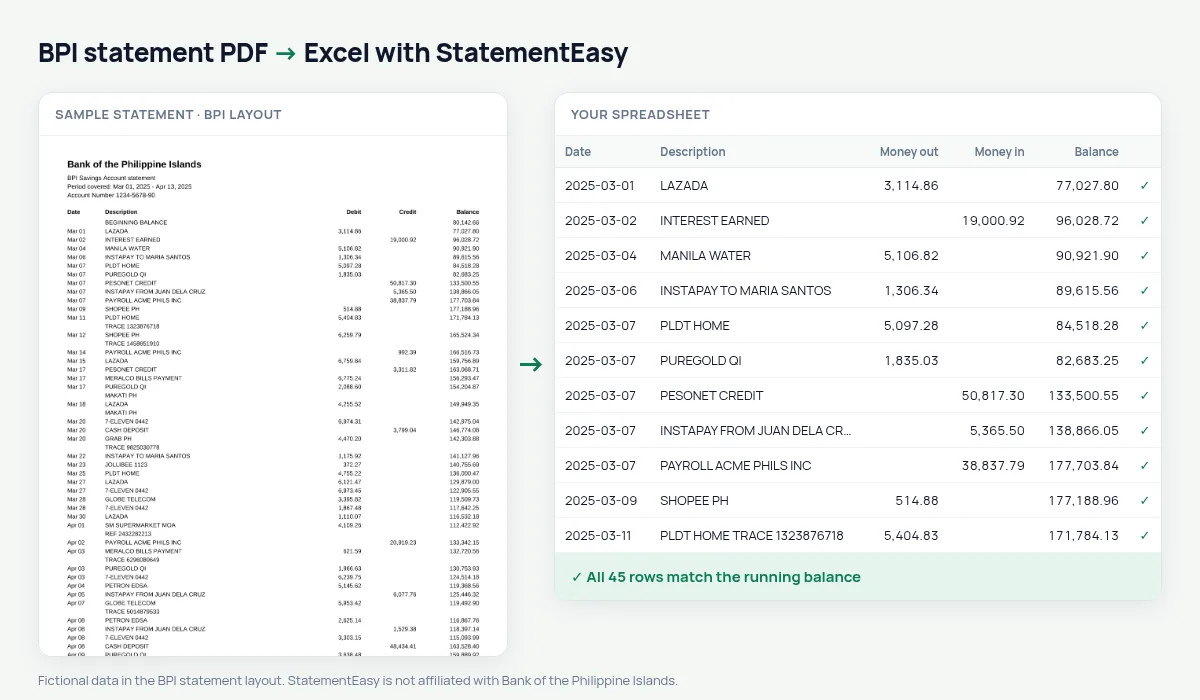
BPI statements list Date, Description, Debit, Credit and Balance between a BEGINNING BALANCE and an ENDING BALANCE line. Dates are short — Mar 05 — with the year in the period covered. StatementEasy gives each date its year, keeps the beginning and ending lines out of the transactions and checks every balance in between.
Download your BPI statement
- Log in to BPI Online or the BPI app.
- Open the account, then Statements (e-SOA).
- Save the BPI statement as a PDF.
- Drop the BPI PDF into the converter above.
BPI columns in your sheet
| On the BPI statement | In your sheet |
|---|---|
| Mar 05 | 2025-03-05 |
| Debit / Credit | Money out / money in |
| Balance | Checked on every row |
| BEGINNING BALANCE | Start of the check, not a row |
| ENDING BALANCE | End of the check, not a row |
InstaPay, PESONet and bills
BPI descriptions show InstaPay and PESONet transfers, bills payments and card purchases. The Categories sheet totals them per month, and Recurring lists the bills you pay every month — Meralco, water, internet, insurance.
For a visa application
Consulates often ask for six months. Convert them together; the Monthly sheet lists each month’s closing balance, the figure they look at first.
BPI statements for a whole year
For an annual summary, drop twelve monthly BPI statements together. The Monthly sheet then lists money in, money out and the ending balance for every month of the year on one page.
Last tested October 2026. StatementEasy is not affiliated with Bank of the Philippine Islands.
Questions
My statement says Mar 05 without a year. Is that a problem?
No. The year comes from the period covered printed at the top.
Does it work with BPI checking statements?
Checking statements with Debit, Credit and Balance are read the same way; the balance check confirms the result.
Can I export to Excel and CSV?
Yes, and also QuickBooks and Xero formats.
Is my statement uploaded?
Your browser reads the PDF first. Only if it cannot is the file read on our server, and deleted after reading.
Is StatementEasy made by BPI?
No. StatementEasy is an independent tool and is not affiliated with Bank of the Philippine Islands.
Your next statement, in a spreadsheet
Free, no limits. No sign-up.