GCash transaction history to Excel
Turn your GCash transaction history into a spreadsheet: every send, pay and cash-in as a row with its reference number, and the balance checked.
- Checked every row against your balance
- Private read on your device first
- Excel & CSV plus QuickBooks, Xero and Quicken files
- Free no sign-up, no page limits
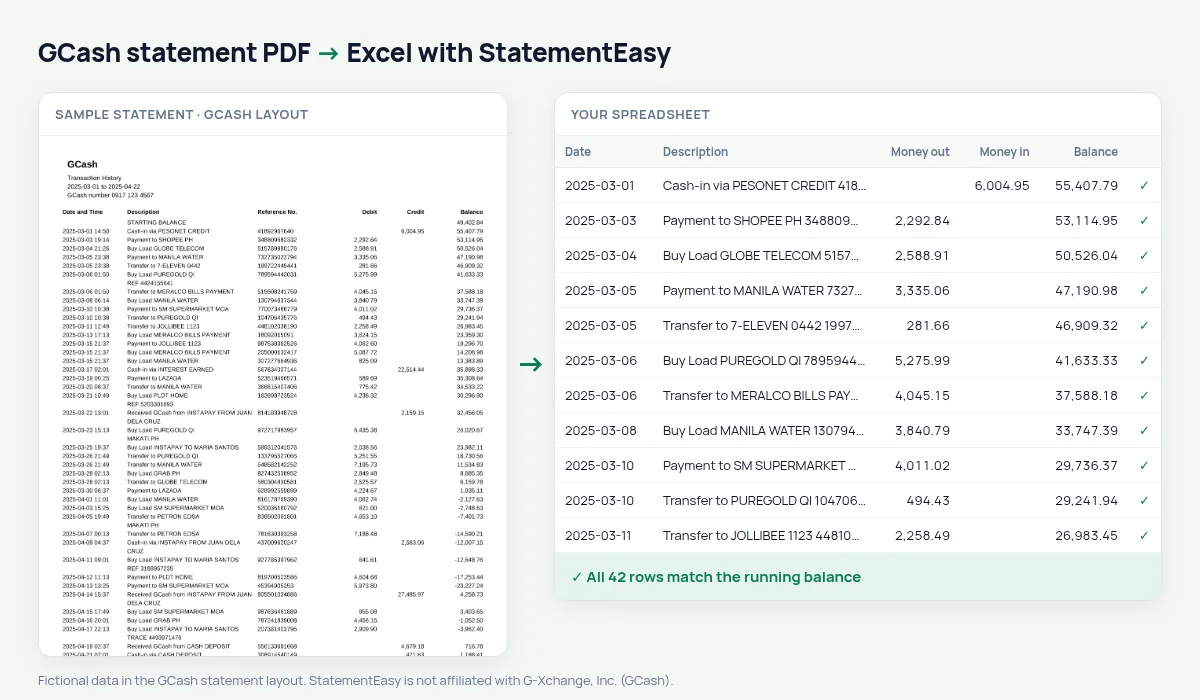
The GCash transaction history lists Date and Time, Description, Reference No., Debit, Credit and Balance, between a starting and an ending balance. Dates come with the time — 2025-03-05 14:23 — and every line has a long reference number. StatementEasy reads the date, keeps the reference with the description and checks every balance.
Download your GCash statement
- Open the GCash app.
- Go to Profile, then Transactions (Transaction History).
- Request the history for the period; it arrives by email as a PDF. It may be password-protected.
- Drop the GCash PDF into the converter above.
GCash columns in your sheet
| On the GCash statement | In your sheet |
|---|---|
| 2025-03-05 14:23 | Date 2025-03-05 |
| Reference No. | Kept with the description |
| Debit / Credit | Money out / money in |
| Balance | Checked on every row |
| Starting / ending balance | Not added as rows |
Online sellers and freelancers
If customers pay you through GCash, convert a month at a time, filter the credits to total your sales and export CSV for your records. Searching for a reference number finds a customer’s payment in seconds.
Where your money goes
Buy Load, bills, transfers and QR payments sit in one long list. The Categories sheet groups them per month, and Recurring shows what you pay every month.
GCash and your bank account
Cash-ins from a bank and transfers to one appear in GCash and on the bank statement. Convert both and drop them together to follow money between your bank and your wallet, month by month.
Last tested October 2026. StatementEasy is not affiliated with G-Xchange, Inc. (GCash).
Questions
My GCash PDF has a password. What do I do?
Drop it and type the password when asked; it is used in your browser to open the file.
Is the reference number kept?
Yes, with the description.
Is my statement uploaded?
Your browser reads the PDF first. Only if it cannot is the file read on our server, and deleted after reading.
Is StatementEasy made by GCash?
No. StatementEasy is an independent tool and is not affiliated with G-Xchange, Inc. (GCash).
Your next statement, in a spreadsheet
Free, no limits. No sign-up.