BMO statement to Excel
Turn your BMO everyday banking statement into a spreadsheet with debits, credits and the balance on every row, checked against the statement.
- Checked every row against your balance
- Private read on your device first
- Excel & CSV plus QuickBooks, Xero and Quicken files
- Free no sign-up, no page limits
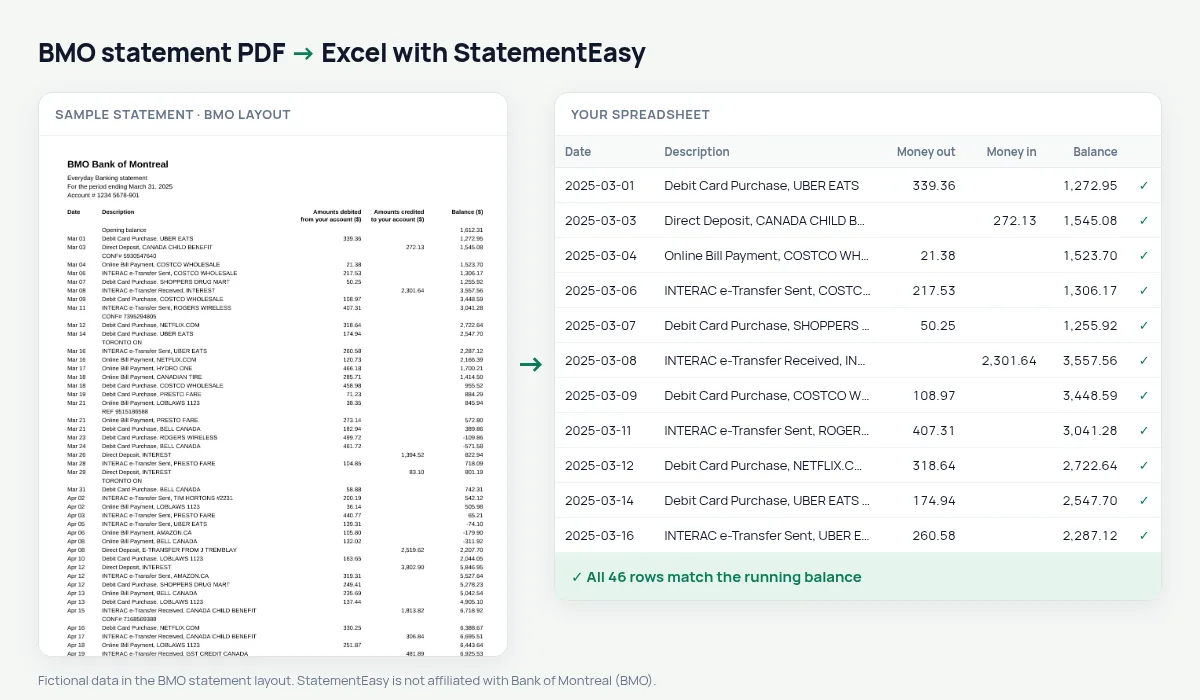
BMO statements have some of the longest column titles of any bank — Amounts debited from your account ($) and Amounts credited to your account ($) — printed over two lines, next to Date, Description and Balance ($). Dates are short, like Mar 05. StatementEasy reads the long titles as money out and money in, gives each date its year and checks every balance from the opening balance on.
Download your BMO statement
- Sign in to BMO Online Banking or the BMO app.
- Open the account, then Statements.
- Pick the statement and download the PDF.
- Drop it here.
BMO columns in your sheet
| On the BMO statement | In your sheet |
|---|---|
| Amounts debited from your account ($) | Money out |
| Amounts credited to your account ($) | Money in |
| Balance ($) | Checked on every row |
| Opening balance | Start of the check, not a row |
| Mar 05 | 2025-03-05 |
INTERAC e-Transfers and direct deposits
BMO descriptions start with the type of transaction — Debit Card Purchase, INTERAC e-Transfer Sent, Direct Deposit, Online Bill Payment — followed by the merchant or the person. Filter by those words in Excel, or let the Categories sheet total them for you.
BMO in Canada and the US
This page covers BMO Bank of Montreal in Canada. BMO’s US bank (formerly BMO Harris) prints a different statement; it is read by the generic rules, and the balance check on your file shows whether everything was found.
Last tested October 2026. StatementEasy is not affiliated with Bank of Montreal (BMO).
Questions
Does it work with BMO business statements?
Business account statements with debited, credited and balance columns are read the same way; the balance check confirms the result.
Can I convert a year of statements?
Yes. Drop all twelve and choose “All files combined”; repeated rows from overlapping statements are counted once.
Is my statement uploaded?
Your browser reads the PDF first. Only if it cannot is the file read on our server, and deleted after reading.
Is StatementEasy made by BMO?
No. StatementEasy is an independent tool and is not affiliated with Bank of Montreal (BMO).
Your next statement, in a spreadsheet
Free, no limits. No sign-up.