TD Canada Trust statement to Excel
Turn your TD Canada Trust statement into a spreadsheet with real dates, withdrawals and deposits in their own columns, and every balance checked.
- Checked every row against your balance
- Private read on your device first
- Excel & CSV plus QuickBooks, Xero and Quicken files
- Free no sign-up, no page limits
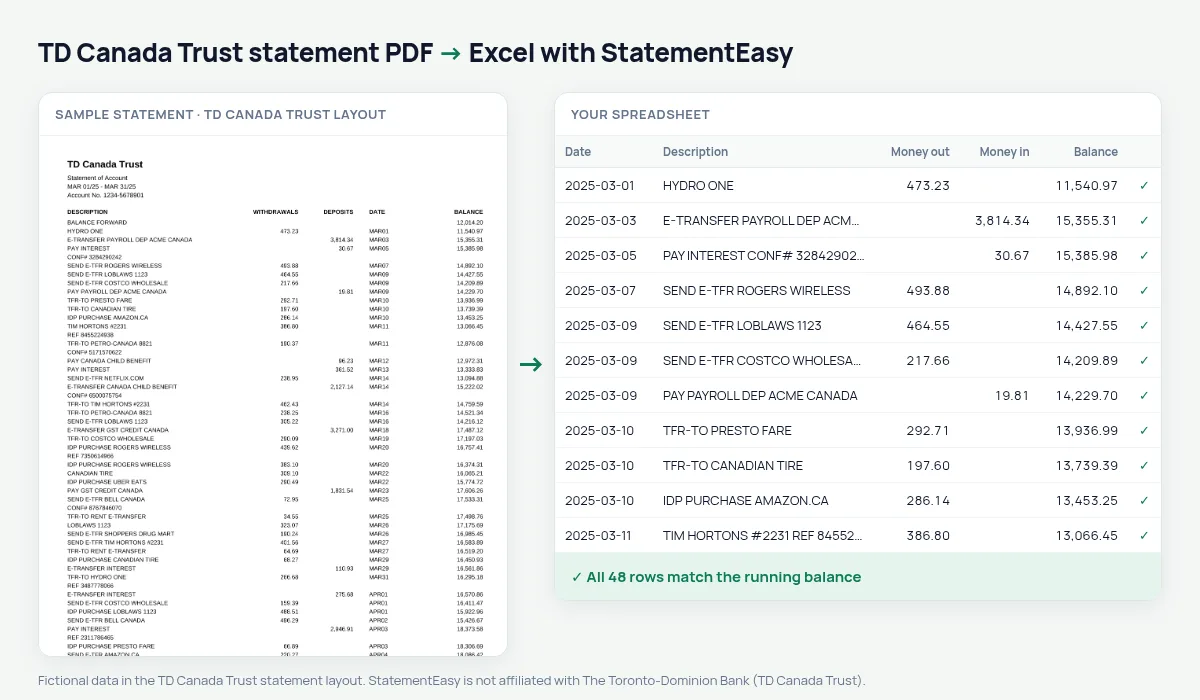
TD Canada Trust statements are laid out unlike almost any other bank’s: DESCRIPTION, WITHDRAWALS, DEPOSITS, then the DATE, then the BALANCE. The date comes after the amounts and is written in a compact form — MAR05 — with the year only in the statement period (MAR 01/25 - MAR 31/25). Converters that look for the date at the start of the line miss every transaction. StatementEasy finds the date where TD prints it, gives it its year and checks every balance from BALANCE FORWARD on.
Download your TD statement
- Log in to EasyWeb or the TD app.
- Open the account, then Statements & Documents.
- Choose the statement and download the PDF.
- Drop it here.
TD’s order, put right
| On the TD statement | In your sheet |
|---|---|
| DESCRIPTION (first) | Description |
| WITHDRAWALS / DEPOSITS | Money out / money in |
| DATE MAR05 (after the amounts) | 2025-03-05 |
| BALANCE | Checked on every row |
| BALANCE FORWARD | Opening balance, not a row |
What the TD codes mean
| Code | Meaning |
|---|---|
| IDP PURCHASE | Interac debit card purchase |
| SEND E-TFR / E-TRANSFER | Interac e-Transfer sent / received |
| TFR-TO / TFR-FR | Transfer between your accounts |
| PAY | Payroll deposit |
TD Canada Trust and TD Bank (US)
This page is about TD Canada Trust. Statements of TD Bank, N.A. in the United States use a different layout with deposit and withdrawal sections, and have their own page.
Last tested October 2026. StatementEasy is not affiliated with The Toronto-Dominion Bank (TD Canada Trust).
Questions
Why is the date after the amounts on my statement?
That is TD Canada Trust’s layout. StatementEasy finds the date in that column and reads it as the transaction date.
The dates have no year. Is that a problem?
No. The year comes from the statement period printed at the top, even when it is written with two digits.
Is my statement uploaded?
Your browser reads the PDF first. Only if it cannot is the file read on our server, and deleted after reading.
Is StatementEasy made by TD Canada Trust?
No. StatementEasy is an independent tool and is not affiliated with The Toronto-Dominion Bank (TD Canada Trust).
Your next statement, in a spreadsheet
Free, no limits. No sign-up.