TD Bank statement to Excel
Turn your TD Bank checking statement into one spreadsheet in date order, with each section read in the right direction and the totals checked.
- Checked every row against your balance
- Private read on your device first
- Excel & CSV plus QuickBooks, Xero and Quicken files
- Free no sign-up, no page limits
TD Bank statements show the month as Daily Account Activity in sections — Deposits, Electronic Payments, Other Withdrawals — with POSTING DATE, DESCRIPTION and AMOUNT, followed by a Daily Balance Summary. Amounts have no sign; the section heading says whether it is money in or out. StatementEasy reads every section the right way, leaves the subtotals and the daily balance table out, sorts the transactions by date and checks the totals against the beginning and ending balance.
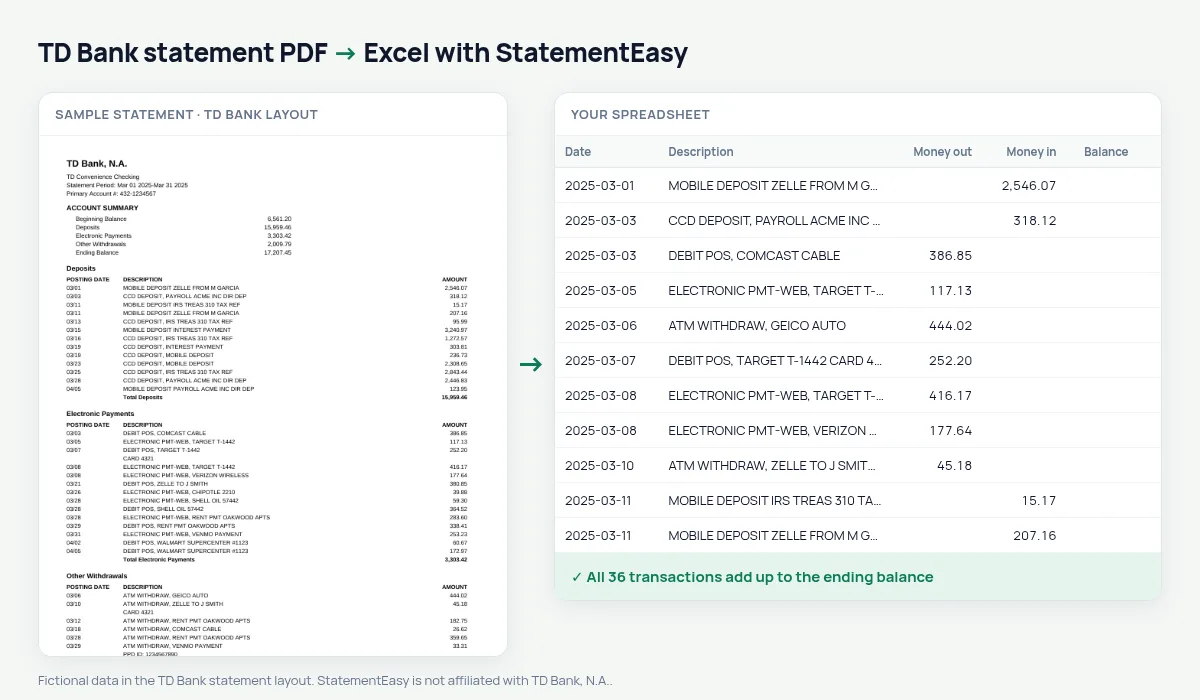
Download your TD Bank statement
- Log in to TD Bank online banking. Or open the TD Bank app.
- Open the account, then Statements.
- Pick the month and download the PDF.
- Drop it here.
TD Bank sections in your sheet
| On the TD Bank statement | In your sheet |
|---|---|
| Deposits | Money in |
| Electronic Payments | Money out |
| Other Withdrawals | Money out |
| Subtotal lines | Not added as rows |
| DAILY BALANCE SUMMARY | Skipped, not transactions |
TD Bank in the US, TD Canada Trust in Canada
This page is about TD Bank, N.A., the US bank of the TD group. TD Canada Trust statements in Canada use a different layout, with a running balance on every line, and are read by their own rules.
Descriptions that tell you what happened
TD descriptions start with the kind of transaction — ELECTRONIC PMT-WEB, DEBIT POS, CCD DEPOSIT, ATM WITHDRAW — followed by the merchant or the payer, and often a card or ID line below. Everything is joined into one description, and the Categories sheet uses those words to group your spending by type.
For taxes, a mortgage or QuickBooks
Convert the months you need together with “All files combined”. Insights shows regular income and the large deposits an underwriter may ask about; the Monthly sheet shows each month’s totals and ending balance. Export QBO for QuickBooks or CSV for other software.
Last tested October 2026. StatementEasy is not affiliated with TD Bank, N.A..
Questions
Does it work with TD Beyond and TD Convenience Checking?
Both use the same Daily Account Activity sections and are read the same way.
Why is there no running balance in my sheet?
TD Bank does not print one per transaction. The check uses the beginning and ending balance and every amount read instead.
Can I keep the bank’s order?
The transactions are sorted by date so each day is together. The description still says which kind of transaction it was.
Is my statement uploaded?
Your browser reads the PDF first. Only if it cannot is the file read on our server, and deleted after reading.
Is StatementEasy made by TD Bank?
No. StatementEasy is an independent tool and is not affiliated with TD Bank, N.A..
Your next statement, in a spreadsheet
Free, no limits. No sign-up.