U.S. Bank statement to Excel
Turn your U.S. Bank statement into one spreadsheet in date order, with deposits as money in, withdrawals as money out, and the totals checked.
- Checked every row against your balance
- Private read on your device first
- Excel & CSV plus QuickBooks, Xero and Quicken files
- Free no sign-up, no page limits
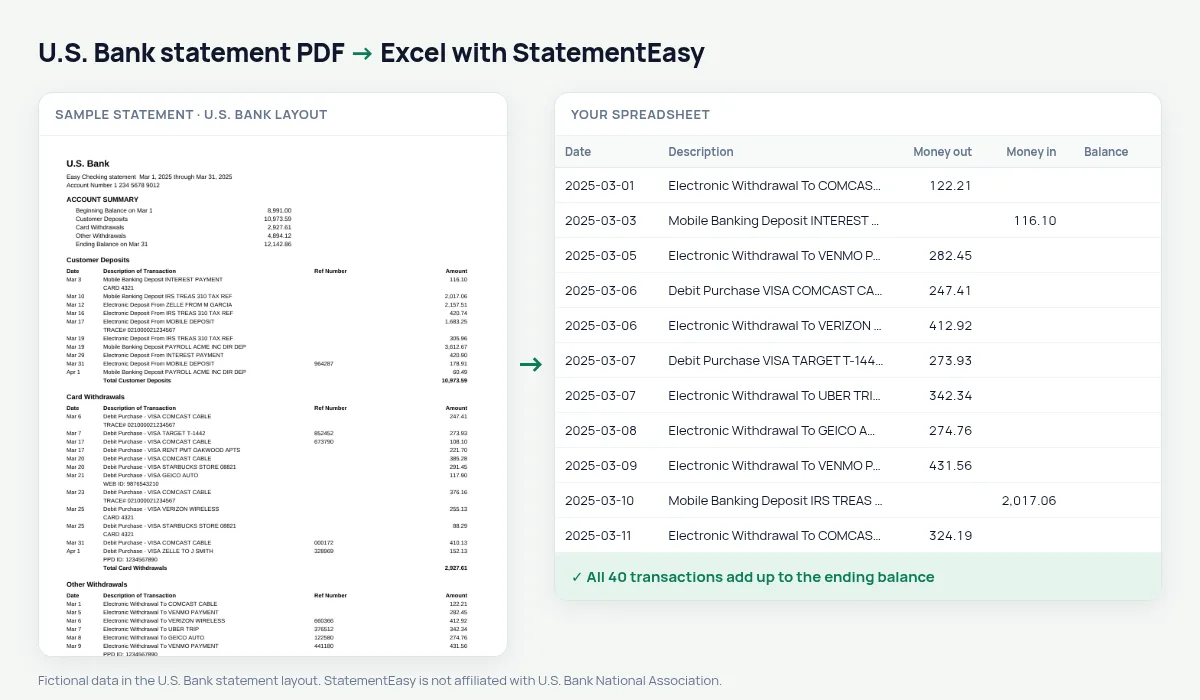
A U.S. Bank checking statement is split into sections — Customer Deposits, Card Withdrawals, Other Withdrawals — each with Date, Description of Transaction, Ref Number and Amount, and a total at the end. The amounts carry no sign: the section says which way the money went. StatementEasy reads each section in the right direction, leaves the section totals out, puts every transaction in date order and checks that the totals lead from the beginning balance to the ending balance.
Download your U.S. Bank statement
- Log in at usbank.com or in the U.S. Bank Mobile app.
- Open the account and choose Statements.
- Pick the statement and download the PDF.
- Drop it here.
Sections, read the right way
| Section on the statement | In your sheet |
|---|---|
| Customer Deposits | Money in |
| Card Withdrawals | Money out |
| Other Withdrawals | Money out |
| Total … lines | Not added as rows |
| Beginning / Ending Balance | Used to check the totals |
One list in date order
On paper, all deposits come first and all withdrawals after them, so a single day is spread over several pages. In your sheet the transactions are put back in date order — the way you would see them in online banking — while keeping the description, including the Ref Number, of each one.
How the check works without a running balance
U.S. Bank does not print a balance after each transaction. Instead, StatementEasy adds up every deposit and every withdrawal it read and checks that beginning balance + deposits − withdrawals equals the ending balance on the statement. A missed or misread line would break that equation, so you know the file is complete.
For taxes and small business books
Convert the twelve statements of the year together and choose “All files combined”; duplicates from overlapping statements are removed. Export QBO for QuickBooks or CSV for other software, and use the Categories sheet to total expenses by type.
Last tested October 2026. StatementEasy is not affiliated with U.S. Bank National Association.
Questions
Does it work with U.S. Bank business statements?
Business checking statements use the same kind of sections and are read the same way; the totals check confirms the result.
Is the Ref Number kept?
Yes, with the description, so you can still find a transaction by its reference.
Dates on my statement look like Mar 5. Is the year right?
Yes. The year is taken from the statement period, including statements that cross into a new year.
Is my statement uploaded?
Your browser reads the PDF first. Only if it cannot is the file read on our server, and deleted after reading.
Is StatementEasy made by U.S. Bank?
No. StatementEasy is an independent tool and is not affiliated with U.S. Bank National Association.
Your next statement, in a spreadsheet
Free, no limits. No sign-up.