Citibank statement to Excel
Turn your Citi checking statement into a spreadsheet with money out, money in and the balance after every transaction, checked line by line.
- Checked every row against your balance
- Private read on your device first
- Excel & CSV plus QuickBooks, Xero and Quicken files
- Free no sign-up, no page limits
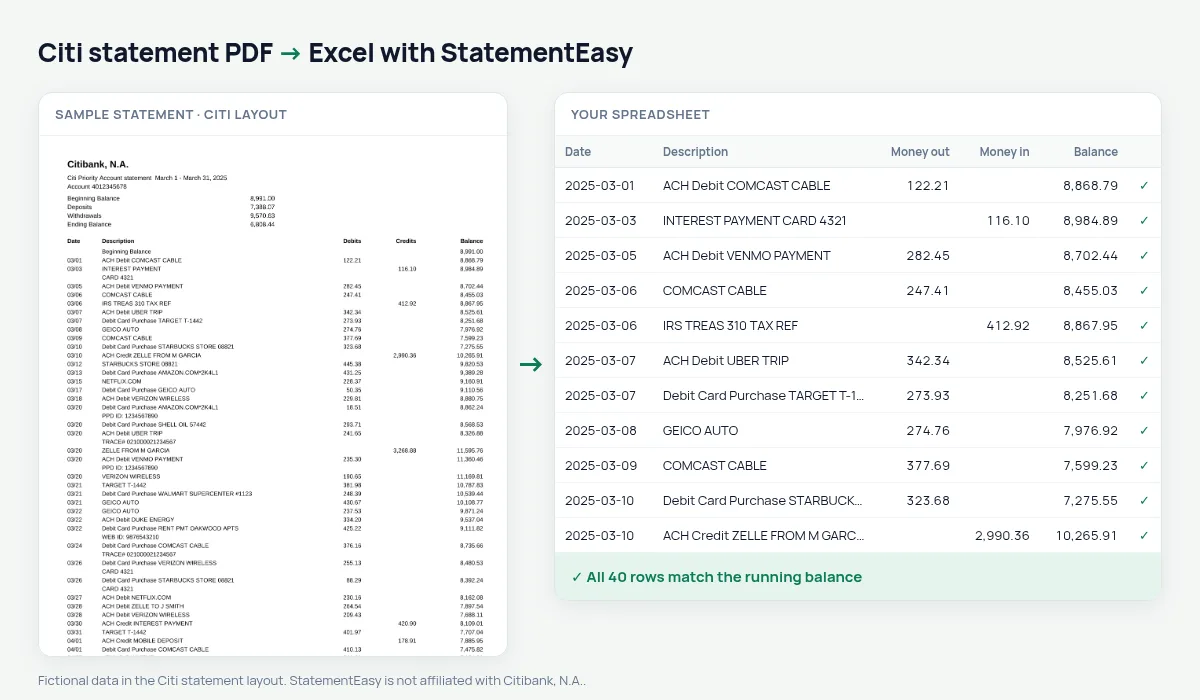
Citibank checking statements list activity as Date, Description, Debits, Credits and Balance, starting from a Beginning Balance line. Dates are printed as MM/DD, and a statement that runs from late December into January has two years on it. StatementEasy takes the year from the statement period, keeps the Beginning Balance out of the transactions, and checks every balance from there to the end.
Download your Citi statement
- Sign on at citi.com. Or open the Citi Mobile app.
- Choose the account, then Statements.
- Pick the month and download the PDF.
- Drop it here.
How Citi lines become rows
| On the Citi statement | In your sheet |
|---|---|
| Beginning Balance | Opening balance, not a row |
| Debits | Money out |
| Credits | Money in |
| Balance | Checked on every row |
| 03/05 | 2025-03-05 |
Citigold, Citi Priority and the Access Account
Citi’s checking packages print the same activity table, so Citigold, Citi Priority, Regular Checking and Access Account statements are read the same way. The balance check on your own file shows at once whether every line was read.
Citi statements for a mortgage or a visa
Lenders usually ask for two recent months and want explanations for large deposits. Consulates ask for three to six months and look at the balance. Convert the statements together and open Insights for the large or unusual deposits, regular income and the lowest balance, or the Monthly sheet for each month’s closing balance on one line.
Into QuickBooks or Excel
Download QBO to import into QuickBooks, CSV for other software, or Excel with real dates and numbers ready for pivot tables. Dates can be exported month first (03/05/2025), day first or as ISO dates.
Last tested October 2026. StatementEasy is not affiliated with Citibank, N.A..
Questions
Does it work with Citi business checking?
CitiBusiness statements use a similar activity table and are read by the same rules; the balance check on your file confirms the result.
Can I convert several months together?
Yes. Drop them all and choose “All files combined” for one sheet in date order; transactions printed on two overlapping statements are counted once.
Can I convert a Citi credit card statement?
Use the credit card converter; card statements have their own layout.
Is my statement uploaded?
Your browser reads the PDF first. Only if it cannot is the file read on our server, and deleted after reading.
Is StatementEasy made by Citi?
No. StatementEasy is an independent tool and is not affiliated with Citibank, N.A..
Your next statement, in a spreadsheet
Free, no limits. No sign-up.