Wells Fargo statement to Excel
Turn your Wells Fargo checking statement into a spreadsheet: every transaction with its date, check number and amount, and each day checked against the ending daily balance.
- Checked every row against your balance
- Private read on your device first
- Excel & CSV plus QuickBooks, Xero and Quicken files
- Free no sign-up, no page limits
The transaction history on a Wells Fargo statement has six columns — Date, Check Number, Description, Deposits/Credits, Withdrawals/Debits and Ending daily balance — and the balance is printed only on the last transaction of each day. Dates are short (3/5) and card purchases come with long descriptions such as Purchase authorized on 03/04 Shell Oil 57442 …. StatementEasy reads each transaction once, adds the year from the statement period, and checks every day’s transactions against that day’s ending balance.
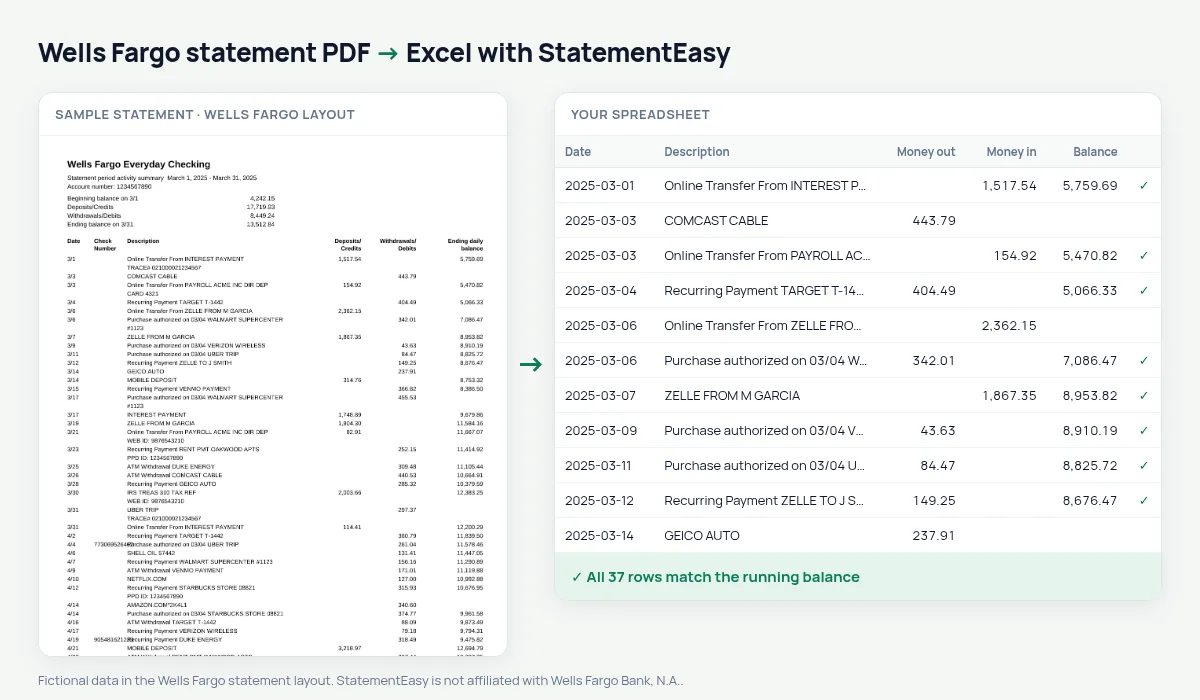
Download your Wells Fargo statement
- Sign on to Wells Fargo Online. Or open the Wells Fargo Mobile app.
- Open the account, then Statements & Documents.
- Choose the statement and download the PDF. Several years of statements are kept online.
- Drop the PDF here. Several months at once work too.
The Wells Fargo columns
| On the statement | In your sheet |
|---|---|
| 3/5 | 2025-03-05 (year from the statement period) |
| Check Number | Kept with the description |
| Deposits/Credits | Money in |
| Withdrawals/Debits | Money out |
| Ending daily balance (once a day) | Used to check each day |
Why a daily balance is enough to check every row
When the balance appears only once a day, a single wrong amount on a busy day would still change that day’s ending balance. StatementEasy adds up each day’s deposits and withdrawals, compares the result with the ending daily balance, and flags the day if they differ — so a misread amount never slips into your books unnoticed.
For taxes, a mortgage or your bookkeeping
- Taxes: convert January to December together, then use the Categories sheet to total business expenses for Schedule C, or hand the spreadsheet to your preparer.
- Mortgage: underwriters usually ask for two months of statements and ask about large deposits. Insights lists those deposits so you can prepare the explanation letters.
- QuickBooks: download QBO to import months that bank feeds did not cover, or CSV for any other software.
Long card descriptions, cleaned up
Wells Fargo card lines start with Purchase authorized on 03/04 and end with a card number and reference. The full text is kept, so nothing is lost, and the Payee column (optional) pulls out the merchant name — Shell Oil, Amazon — so you can group spending by store.
Last tested October 2026. StatementEasy is not affiliated with Wells Fargo Bank, N.A..
Questions
Does it work with Wells Fargo business checking statements?
Business checking statements use the same transaction history columns and are read the same way.
Some rows have no balance. Is that a problem?
No. Wells Fargo prints the balance once per day; the check uses it for all of that day’s transactions.
Can I convert a Wells Fargo credit card statement?
Use the credit card converter; card statements have a different layout.
Is my statement uploaded?
Your browser reads the PDF first. Only if it cannot is the file read on our server, and deleted after reading.
Is StatementEasy made by Wells Fargo?
No. StatementEasy is an independent tool and is not affiliated with Wells Fargo Bank, N.A..
Your next statement, in a spreadsheet
Free, no limits. No sign-up.