Canara Bank statement to Excel
Turn your Canara Bank account statement into a spreadsheet, with every debit, credit and balance in place and checked against the statement.
- Checked every row against your balance
- Private read on your device first
- Excel & CSV plus QuickBooks, Xero and Quicken files
- Free no sign-up, no page limits
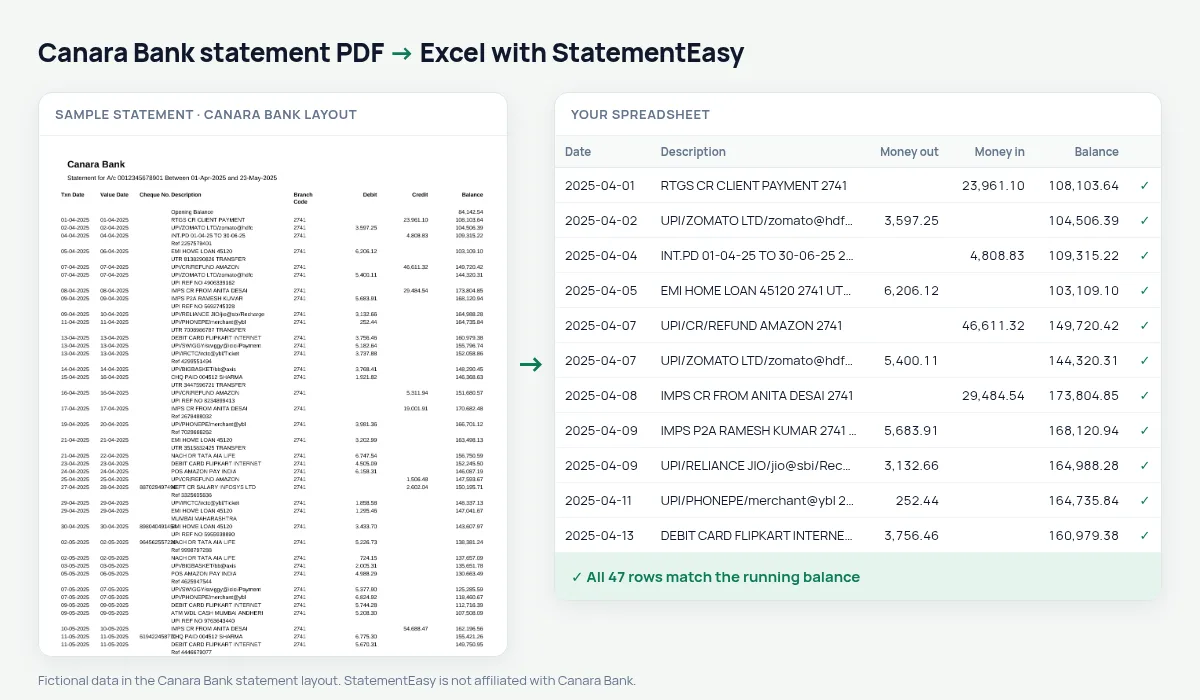
A Canara Bank statement puts the cheque number before the description and a branch code after it: Txn Date, Value Date, Cheque No., Description, Branch Code, Debit, Credit, Balance. Former Syndicate Bank accounts, merged in 2020, get the same layout. StatementEasy reads the two dates, keeps debit and credit apart and checks every balance from the Opening Balance row on.
Download the Canara Bank statement
- Log in to Canara Bank Net Banking.
- Open Accounts, then Account Statement. Select the account.
- Choose the period and download the PDF.
- Drop the file here.
In the Canara ai1 app, Account Statement is under Accounts.
Column by column
| On the Canara statement | In your sheet |
|---|---|
| Txn Date, Value Date | Two date columns |
| Description | Description, joined if it wraps |
| Branch Code | Kept with the description, never read as an amount |
| Debit / Credit | Money out / money in |
| Balance | Checked on every row |
Pension and salary accounts
Canara Bank holds many pension and government salary accounts. The monthly summary shows each month’s credits and closing balance on one line, which makes it easy to confirm that every pension or salary payment arrived.
The branch code in the description
The Branch Code column is printed between the description and the debit column. StatementEasy keeps it at the end of the description rather than in a separate column, and never reads it as money. If you do not need it, a single search-and-replace in Excel removes it.
Canara Bank statements for government salary and loans
Many state and central government employees are paid into Canara accounts. When you apply for a loan, the Insights tab shows each month’s salary credit, the EMIs already running and the balance at month end — the three figures a loan officer looks at first. Convert six months together with “All files combined” to see them side by side.
Last tested October 2026. StatementEasy is not affiliated with Canara Bank.
Questions
Does it work with former Syndicate Bank accounts?
Statements printed by Canara Bank for those accounts are read the same way.
Can I convert several statements at once?
Yes. Drop them all; each file is checked separately and you can download them one by one or combined.
Is my statement uploaded?
Your browser reads the PDF first. Only if it cannot is the file read on our server, and deleted after reading.
My old Syndicate Bank passbook is not a PDF. Can I still convert it?
Only as photos or scans, which are read with OCR (beta) and are less exact. For the period after the merger, download the statement from Canara Bank Net Banking instead.
Is StatementEasy made by Canara Bank?
No. StatementEasy is an independent tool and is not affiliated with Canara Bank.
Your next statement, in a spreadsheet
Free, no limits. No sign-up.