Commonwealth Bank statement to Excel
Turn your CommBank statement into a spreadsheet with real dates, debits and credits as numbers and every balance checked.
- Checked every row against your balance
- Private read on your device first
- Excel & CSV plus QuickBooks, Xero and Quicken files
- Free no sign-up, no page limits
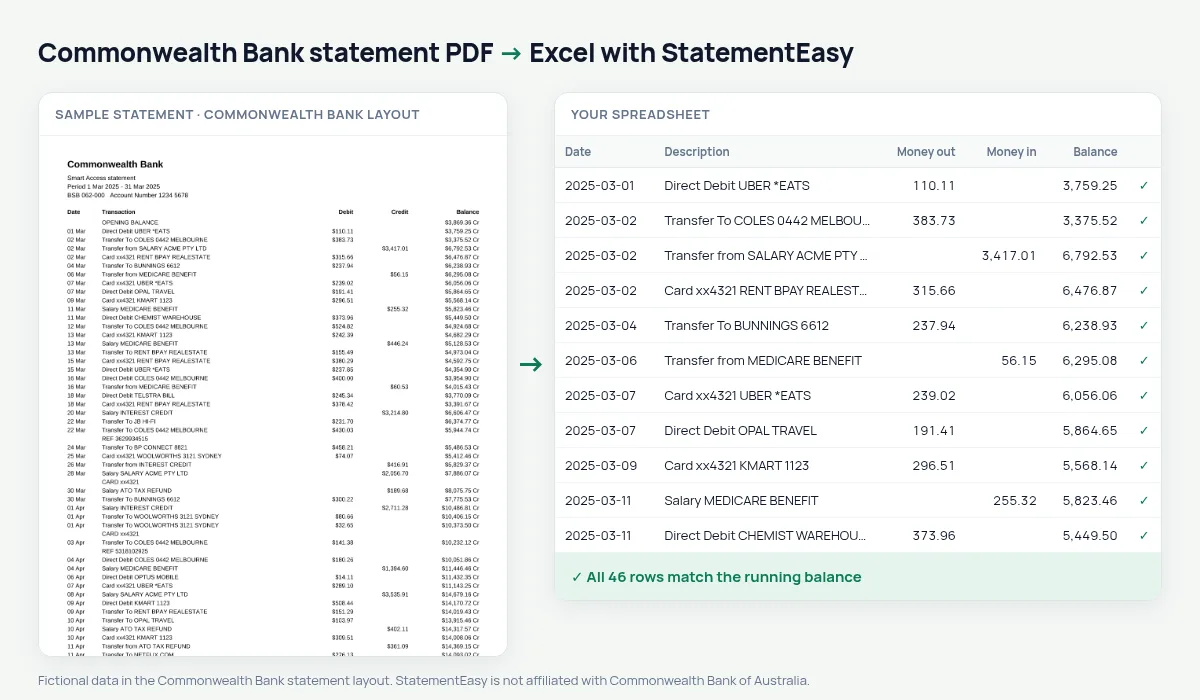
Commonwealth Bank statements list Date, Transaction, Debit, Credit and Balance between an OPENING BALANCE and a CLOSING BALANCE line. Dates are short — 05 Mar, no year — and balances carry the dollar sign and CR or DR: $1,234.56 CR. StatementEasy gives every date its year from the statement period, turns the balances into signed numbers and checks every row from the opening balance to the closing balance.
Download your Commonwealth Bank statement
- Log on to NetBank or the CommBank app.
- Open the account, then Statements.
- Choose the statement period and download the PDF.
- Drop the Commonwealth Bank PDF into the converter above.
Commonwealth Bank columns in your sheet
| On the Commonwealth Bank statement | In your sheet |
|---|---|
| 05 Mar | 2025-03-05 (year from the period) |
| Debit / Credit | Money out / money in |
| $1,234.56 CR | Balance 1234.56 |
| $85.20 DR | Balance −85.20 |
| OPENING / CLOSING BALANCE | Not added as rows |
The Australian financial year
Australia’s tax year runs from 1 July to 30 June, so a year of statements usually spans two calendar years. Drop the twelve statements together and choose “All files combined”: every row gets its correct year, and the Categories sheet totals work-related expenses, rental income or interest for your tax return.
Rental and home loan applications
Landlords and lenders look at regular income, regular commitments and the balance. Insights lists salary credits, BPAY bills and direct debits, and the lowest balance of the period, so you can check your own file before you send the bank’s PDF.
CommBank transaction descriptions
CommBank descriptions start with how the money moved — Card xx4321 for a card payment, Transfer To or Transfer from for transfers, Direct Debit for a regular payment — followed by the merchant or person. Because the full text is kept, a filter on “Direct Debit” lists every subscription and bill in seconds.
Last tested October 2026. StatementEasy is not affiliated with Commonwealth Bank of Australia.
Questions
Does it work with CommBank business statements?
Business transaction account statements with Debit, Credit and Balance columns are read the same way; the balance check confirms the result.
Can I export to Xero or MYOB?
Download Xero CSV, or plain CSV, which MYOB and most other software can import.
Can I convert a CommBank credit card statement?
Use the credit card converter; card statements have their own layout.
Is my statement uploaded?
Your browser reads the PDF first. Only if it cannot is the file read on our server, and deleted after reading.
Is StatementEasy made by Commonwealth Bank?
No. StatementEasy is an independent tool and is not affiliated with Commonwealth Bank of Australia.
Your next statement, in a spreadsheet
Free, no limits. No sign-up.