NAB statement to Excel
Turn your NAB Classic Banking statement into a spreadsheet with debits, credits and the balance on every row, checked against the statement.
- Checked every row against your balance
- Private read on your device first
- Excel & CSV plus QuickBooks, Xero and Quicken files
- Free no sign-up, no page limits
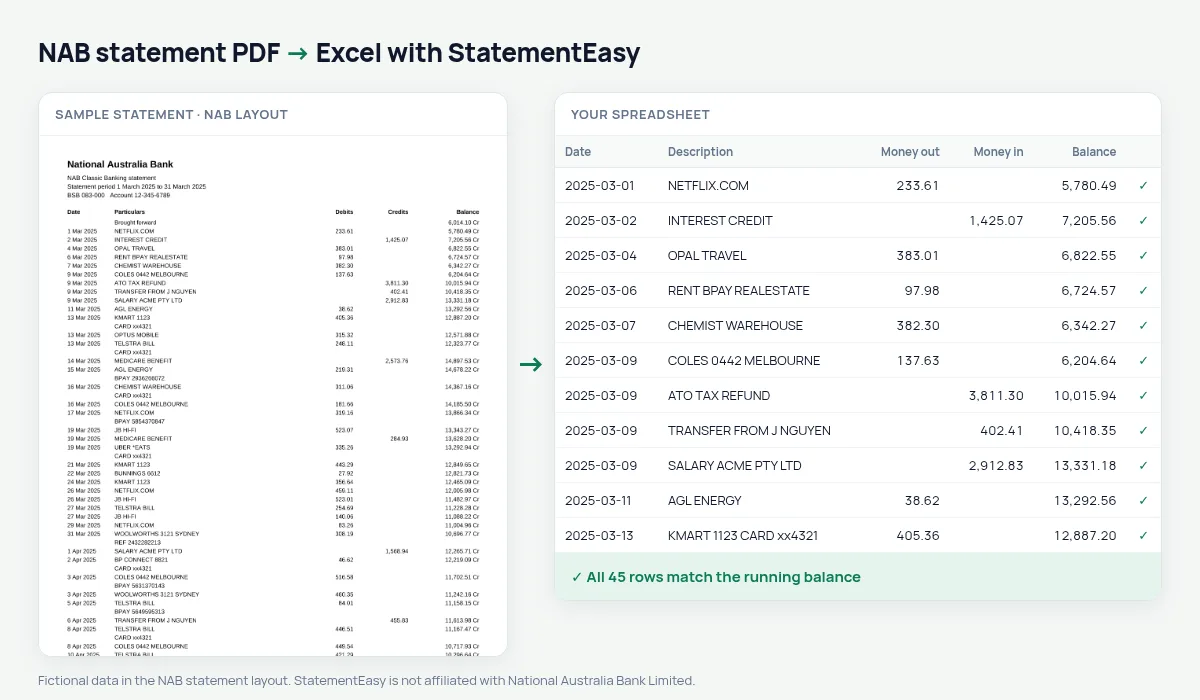
NAB statements list Date, Particulars, Debits, Credits and Balance, with dates like 5 Mar 2025 and balances marked Cr or Dr, starting from a Brought forward line. StatementEasy reads the Cr and Dr balances as positive and negative numbers, keeps the particulars as the description and checks every row against the balance.
Download your NAB statement
- Log in to NAB Internet Banking or the NAB app.
- Open the account, then Statements.
- Save the NAB statement as a PDF.
- Drop the NAB PDF into the converter above.
NAB columns in your sheet
| On the NAB statement | In your sheet |
|---|---|
| 5 Mar 2025 | 2025-03-05 |
| Particulars | Description |
| Debits / Credits | Money out / money in |
| 1,234.56 Cr | Balance 1234.56 |
| Brought forward | Opening balance, not a row |
Overdrawn months
A balance marked Dr means the account was below zero. StatementEasy keeps it negative, so the running check still works and Insights shows how many days the account was overdrawn — worth knowing before a lender sees it.
NAB for sole traders
If you run a small business through a NAB account, convert the financial year (1 July to 30 June), export Xero CSV or CSV, and use Reconcile to compare the statement with your books.
NAB statements over several pages
Long NAB statements carry the balance from page to page. StatementEasy follows it across every page break, so a statement of twenty pages is checked as carefully as a one-page one, from the first brought forward line to the last row.
Last tested October 2026. StatementEasy is not affiliated with National Australia Bank Limited.
Questions
What do Cr and Dr mean on my balance?
Cr is money in the account; Dr means it was overdrawn. They become positive and negative numbers.
Does it work with NAB business statements?
Business statements with Debits, Credits and Balance are read the same way; the balance check confirms the result.
Can I convert a NAB credit card statement?
Use the credit card converter; card statements have their own layout.
Is my statement uploaded?
Your browser reads the PDF first. Only if it cannot is the file read on our server, and deleted after reading.
Is StatementEasy made by NAB?
No. StatementEasy is an independent tool and is not affiliated with National Australia Bank Limited.
Your next statement, in a spreadsheet
Free, no limits. No sign-up.