FNB statement to Excel
Turn your FNB statement into a spreadsheet in rand, with money in and money out apart and every balance checked.
- Checked every row against your balance
- Private read on your device first
- Excel & CSV plus QuickBooks, Xero and Quicken files
- Free no sign-up, no page limits
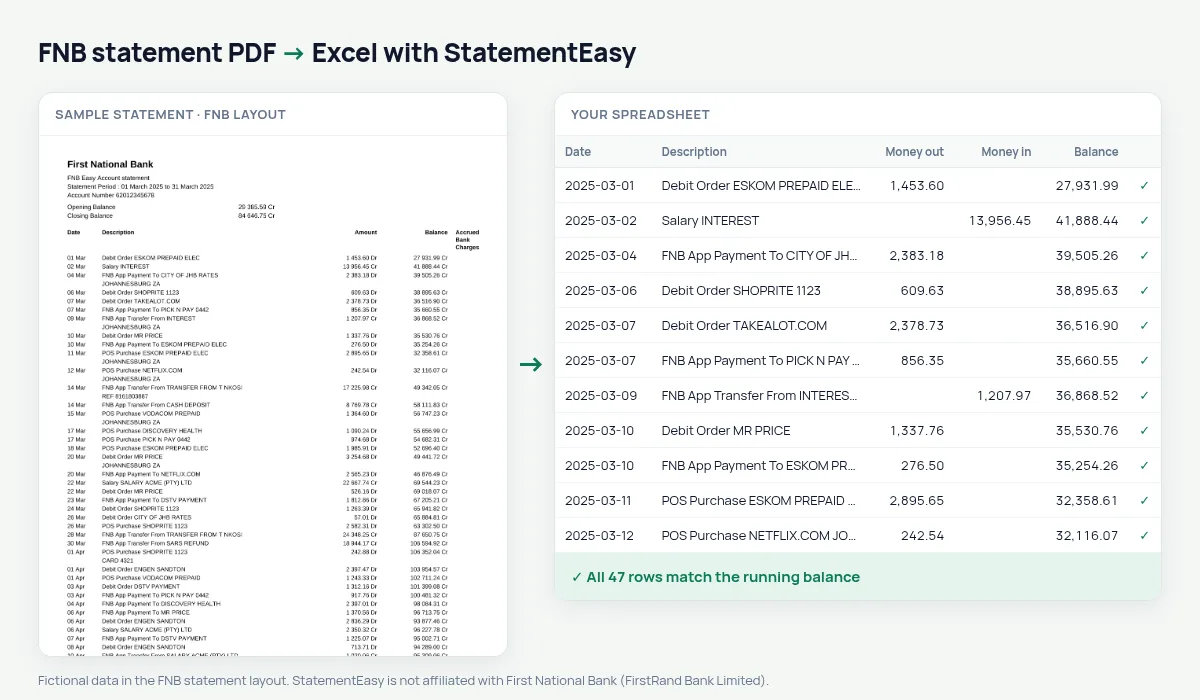
FNB statements use one Amount column with the direction written after the number — 1 250.00Cr for money in, 349.90Dr for money out — next to the Balance and an Accrued Bank Charges column. Amounts use a space between thousands. StatementEasy splits the Amount column into money in and money out, reads 1 250.00 as one number, ignores the accrued charges column for the totals and checks every balance.
Download your FNB statement
- Log in to FNB Online Banking or the FNB App.
- Open the account, then Statements.
- Download the PDF or have it emailed.
- Drop the FNB PDF into the converter above.
FNB columns in your sheet
| On the FNB statement | In your sheet |
|---|---|
| 1 250.00Cr | Money in 1250.00 |
| 349.90Dr | Money out 349.90 |
| Balance | Checked on every row |
| Accrued Bank Charges | Not a transaction amount |
| 05 Mar | 2025-03-05 |
For your SARS tax return
The South African tax year runs from 1 March to the end of February. Convert those twelve statements together, then use the Categories sheet to total income, retirement contributions or business expenses for your return or your tax practitioner.
Debit orders and bank charges
Filter the description for Debit Order to see every recurring payment — insurance, gym, subscriptions — or open Recurring. Bank fees are grouped in the Categories sheet, so you can see what your account costs each month.
FNB statements by email
FNB can email monthly statements as PDFs. Save the attachment and drop it here as it is; if it opens with a password, type it when asked — it is used in your browser to open the file.
Last tested October 2026. StatementEasy is not affiliated with First National Bank (FirstRand Bank Limited).
Questions
Why does FNB put Cr after some amounts?
Cr marks money in and Dr money out in the single Amount column; StatementEasy uses them to split the amounts.
Are amounts with spaces (1 250.00) read correctly?
Yes. The space between thousands is recognised and the amount is read as one number.
Is my statement uploaded?
Your browser reads the PDF first. Only if it cannot is the file read on our server, and deleted after reading.
Is StatementEasy made by FNB?
No. StatementEasy is an independent tool and is not affiliated with First National Bank (FirstRand Bank Limited).
Your next statement, in a spreadsheet
Free, no limits. No sign-up.