Nedbank statement to Excel
Turn your Nedbank current account statement into a spreadsheet with every transaction, its fee and the balance checked.
- Checked every row against your balance
- Private read on your device first
- Excel & CSV plus QuickBooks, Xero and Quicken files
- Free no sign-up, no page limits
Nedbank statements list Tran date, Description, Fees, Debits, Credits and Balance, with dates as 05/03/2025 and amounts written with a space between thousands. StatementEasy reads Debits and Credits as money out and money in, leaves the Fees column out of the transaction amounts and checks every balance from the opening balance on.
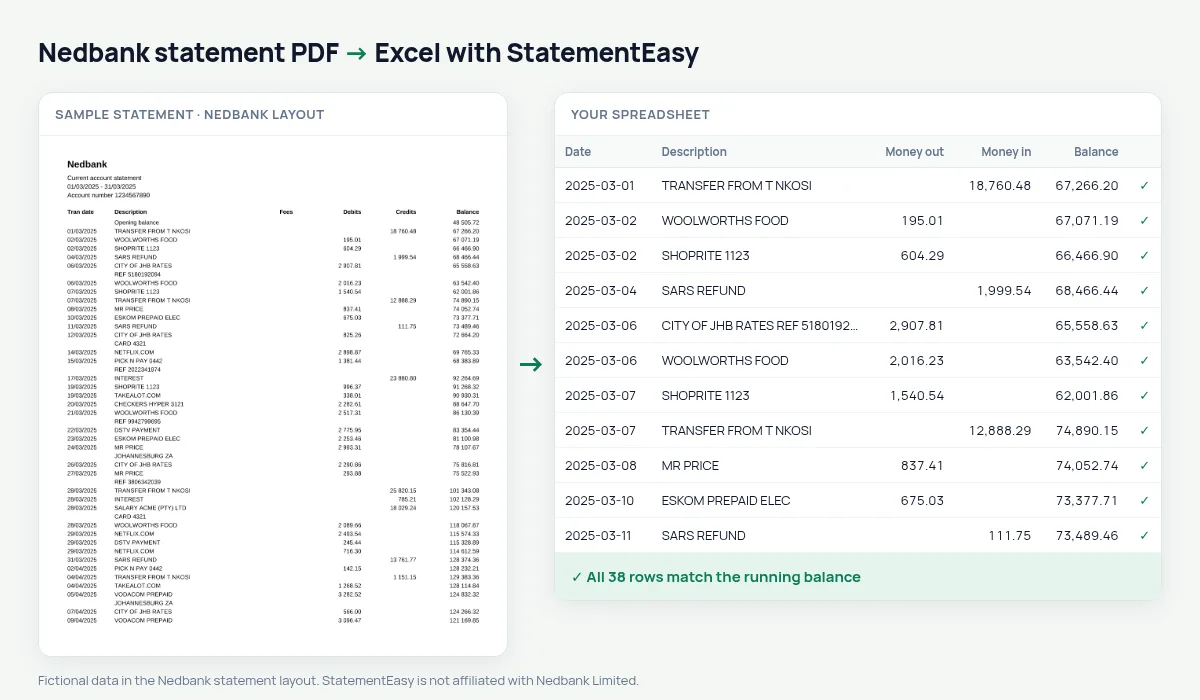
Download your Nedbank statement
- Log in to Nedbank Online Banking or the Money app.
- Open the account, then Statements.
- Save the Nedbank statement as a PDF.
- Drop the Nedbank PDF into the converter above.
Nedbank columns in your sheet
| On the Nedbank statement | In your sheet |
|---|---|
| Tran date | Date |
| Fees | Not a transaction amount |
| Debits / Credits | Money out / money in |
| Balance | Checked on every row |
| Opening balance | Start of the check, not a row |
What your account costs
Fees appear in their own column next to the transactions that caused them, and charged fees as their own rows. The Categories sheet groups bank charges so you can see the monthly cost of your account and compare it with other accounts.
Statements for a loan
Convert the last three months together. Insights lists salary credits, existing debit orders and the lowest balance — the figures a credit provider looks at first.
Nedbank Money app statements
Statements downloaded from the Money app and from Online Banking use the same columns. Either file can be dropped here; the balance check on your PDF confirms that every transaction was read.
Last tested October 2026. StatementEasy is not affiliated with Nedbank Limited.
Questions
Does it work with Nedbank business statements?
Business statements with Debits, Credits and Balance are read the same way; the balance check confirms the result.
Are fees counted twice?
No. The Fees column is not used as an amount; a fee that is debited appears once, as its own row.
Can I export to Xero or Sage?
Download Xero CSV or plain CSV.
Is my statement uploaded?
Your browser reads the PDF first. Only if it cannot is the file read on our server, and deleted after reading.
Is StatementEasy made by Nedbank?
No. StatementEasy is an independent tool and is not affiliated with Nedbank Limited.
Your next statement, in a spreadsheet
Free, no limits. No sign-up.