NatWest statement to Excel
Turn your NatWest statement into a spreadsheet with money in and money out in the right columns and every balance checked.
- Checked every row against your balance
- Private read on your device first
- Excel & CSV plus QuickBooks, Xero and Quicken files
- Free no sign-up, no page limits
NatWest puts money in before money out: the columns are Date, Description, Paid In(£), Withdrawn(£) and Balance(£). Most tools assume the opposite order, so salaries end up as spending and the totals are reversed. StatementEasy reads the column titles, and the running balance confirms the direction of every row. The BROUGHT FORWARD line starts the check, and a balance marked OD — overdrawn — becomes a negative number.
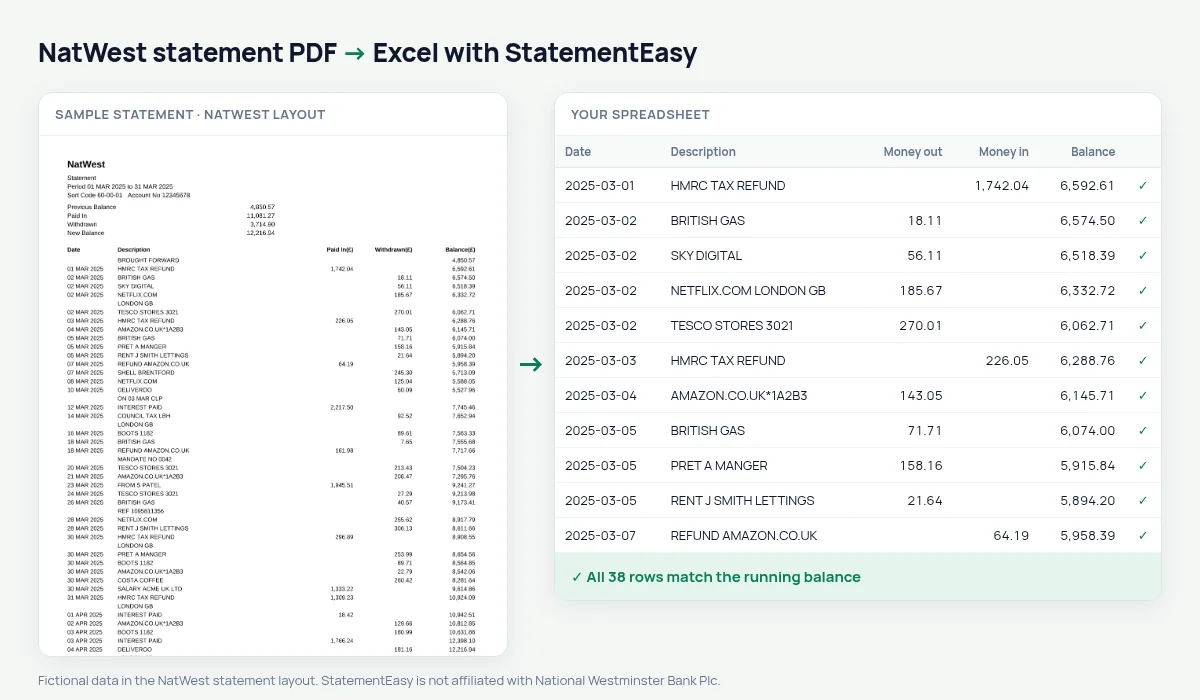
Download your NatWest statement
- Log in to NatWest online banking. Or open the NatWest app.
- Select the account and choose Statements.
- Pick the statement and download it as a PDF.
- Drop it here.
Choose the statement itself rather than a transaction search export: the statement has the brought forward balance, so every row can be checked.
The NatWest columns
| On the NatWest statement | In your sheet |
|---|---|
| Paid In(£) | Money in |
| Withdrawn(£) | Money out |
| Balance(£), OD when overdrawn | Balance, negative when overdrawn |
| BROUGHT FORWARD | Opening balance, not a row |
| 05 MAR 2025 | A real date |
Royal Bank of Scotland statements
NatWest and Royal Bank of Scotland belong to the same group and print the same statement layout, so RBS statements are read exactly like NatWest ones — Paid In before Withdrawn, BROUGHT FORWARD at the top, OD for an overdrawn balance.
Mortgage and rental applications
Lenders and letting agents usually ask for the last three months. Convert them together and open Insights: monthly income, regular commitments such as rent, loans and subscriptions, the lowest balance and the number of days below zero are listed. The lender report is a summary for you to check your file — send the bank’s PDF itself with the application.
Several NatWest statements in one sheet
NatWest statements are monthly, and each starts with BROUGHT FORWARD. Drop a year of them at once and choose “All files combined”: the rows are put in date order across files, a File column shows where each one came from, and any transaction printed on two overlapping statements is counted once. The Monthly sheet then gives you money in, money out and the closing balance of each month on one line.
A budget from your NatWest statement
Open Recurring to list everything that leaves your account every month — direct debits, standing orders and card subscriptions — with the amount and the day it usually goes. The Categories sheet totals the rest by type of spending. Together they show where the money goes without building a single formula.
Last tested October 2026. StatementEasy is not affiliated with National Westminster Bank Plc.
Questions
Does it work with NatWest business statements?
Business current account statements use the same Paid In / Withdrawn / Balance columns and are read the same way.
Can I get one Amount column instead of two?
Yes. Choose “One amount (+/−)” before you export: money out becomes negative in a single Amount column.
What does OD mean on my statement?
The account was overdrawn by that amount. It becomes a negative balance in your sheet.
Can I import it into Xero or QuickBooks?
Is StatementEasy made by NatWest?
No. StatementEasy is an independent tool and is not affiliated with National Westminster Bank Plc.
Your next statement, in a spreadsheet
Free, no limits. No sign-up.