Santander statement to Excel
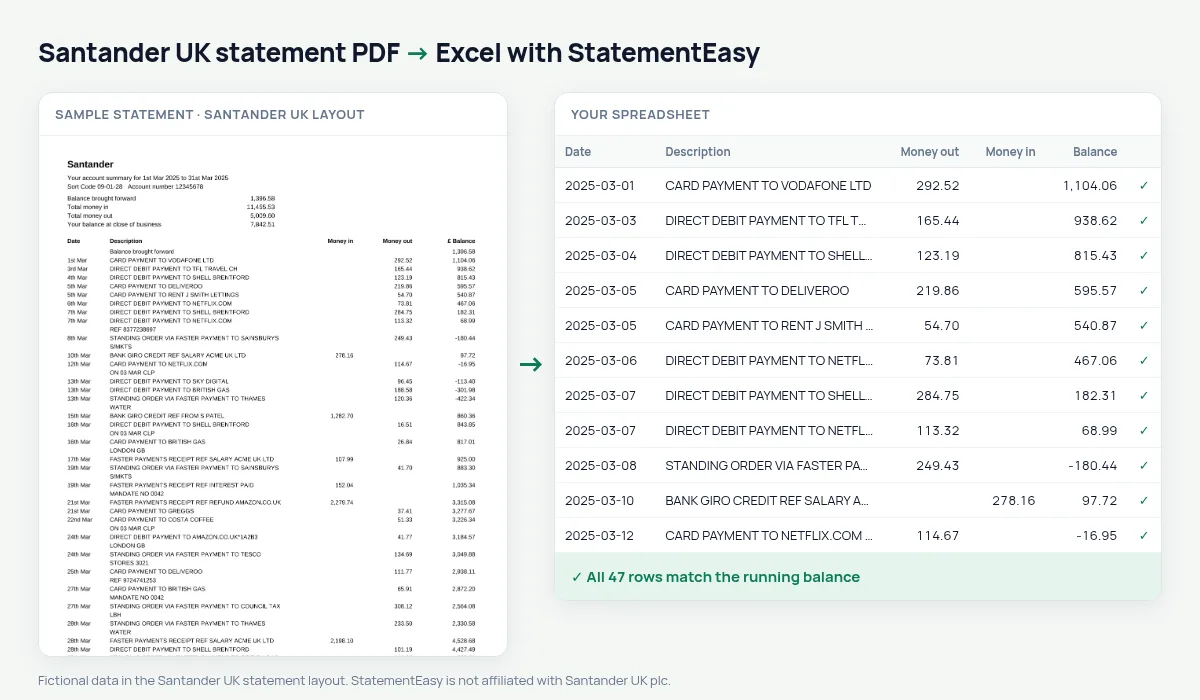
Turn your Santander UK statement into a spreadsheet with real dates, money in and out as numbers, and every balance checked.
- Checked every row against your balance
- Private read on your device first
- Excel & CSV plus QuickBooks, Xero and Quicken files
- Free no sign-up, no page limits
Santander UK writes transaction dates as ordinals without a year — 2nd Mar, 23rd Mar — and puts the year only in the statement period at the top. Excel cannot read “2nd Mar” as a date, and a statement from 10th Dec to 9th Jan has two different years in it. StatementEasy reads the period, gives each row its year, and checks every balance from the brought forward line on.
Download your Santander statement
- Log on to Santander Online Banking. Or open the Santander app.
- Choose the account, then Statements and documents.
- Pick the statement and download it as PDF.
- Drop the PDF here.
Santander dates, made real
| On the Santander statement | In your sheet |
|---|---|
| 2nd Mar (period Mar 2025) | 2025-03-02 |
| 28th Dec (period 10th Dec 2024 to 9th Jan 2025) | 2024-12-28 |
| 3rd Jan (same statement) | 2025-01-03 |
| Balance brought forward | Opening balance, not a row |
Long descriptions kept whole
Santander descriptions are long: CARD PAYMENT TO TESCO STORES 3021 ON 03-03-2025, DIRECT DEBIT PAYMENT TO BRITISH GAS REF 12345, FASTER PAYMENTS RECEIPT REF SALARY FROM ACME UK LTD. Each stays one description in your sheet, and the Categories sheet uses those words to group your spending — groceries, utilities, transport — without you tagging anything.
For Self Assessment and Making Tax Digital
Drop the statements of the tax year (6 April to 5 April) together and choose “All files combined” for one sheet in date order. Export Xero CSV or QBO to fill the months your bank feed did not cover, or CSV for any other software.
Santander statements for a mortgage or a rental
Lenders and letting agents ask for recent statements to confirm income and commitments. Convert the last three to six Santander statements together: Insights lists the salary credits (often shown as BANK GIRO CREDIT or FASTER PAYMENTS RECEIPT), the direct debits and standing orders already running, and the lowest balance of the period. Check them before you apply, then send the bank’s own PDFs.
Cashback, fees and interest at a glance
Santander statements mix cashback credits, monthly account fees and interest with your everyday payments. Filter the description for them, or open the Categories sheet, where fees and interest are grouped on their own, to see what the account cost you and earned you over the year.
Last tested October 2026. StatementEasy is not affiliated with Santander UK plc.
Questions
Does it work with the Santander 1|2|3 and Edge accounts?
Current account statements share the same columns and are read the same way.
Why is the year not printed on each row?
Santander prints it only in the statement period. StatementEasy takes it from there, including statements that cross into a new year.
Can I convert a year of statements at once?
Yes. Drop all the PDFs together; each one is checked separately and they can be downloaded combined.
Does it work with Santander statements from Spain or the US?
Those use other layouts and are read by the generic reader; the balance check tells you whether the result is complete.
Is StatementEasy made by Santander UK?
No. StatementEasy is an independent tool and is not affiliated with Santander UK plc.
Your next statement, in a spreadsheet
Free, no limits. No sign-up.