Union Bank of India statement to Excel
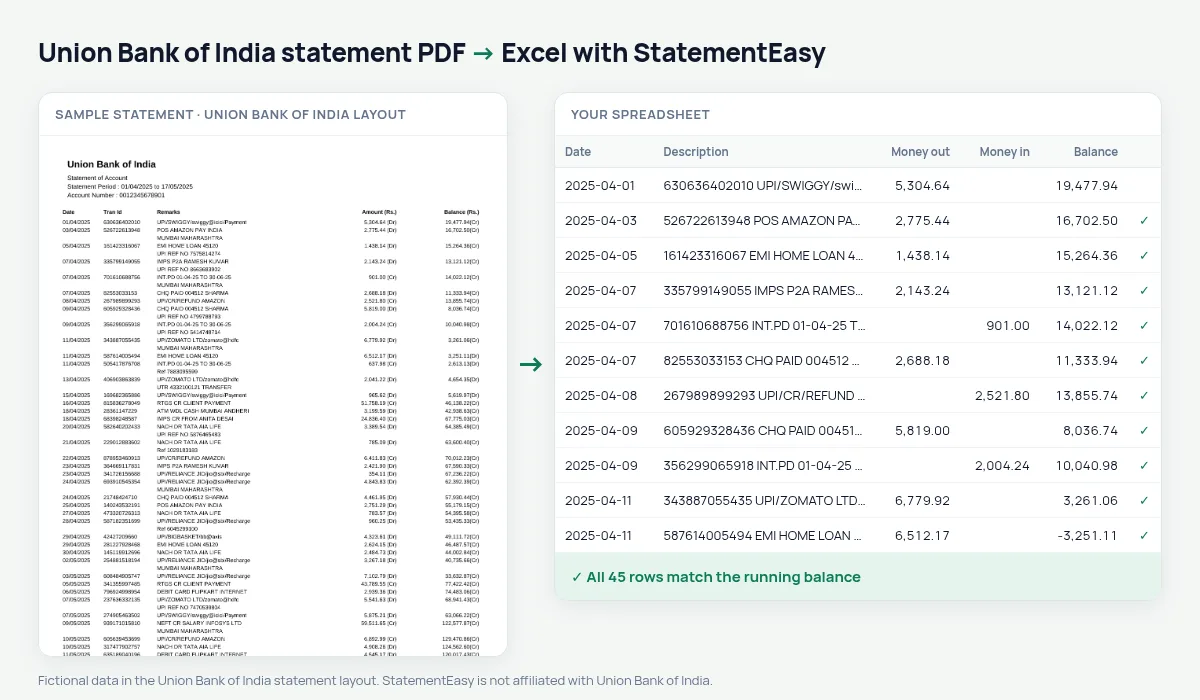
Turn your Union Bank of India statement into a spreadsheet: the single Amount column is split into money out and money in, and every balance is checked.
- Checked every row against your balance
- Private read on your device first
- Excel & CSV plus QuickBooks, Xero and Quicken files
- Free no sign-up, no page limits
Union Bank of India uses one Amount (Rs.) column for both directions, with the side written after the number — 1,250.50 (Dr) for money out, 25,000.00 (Cr) for money in — and the balance written the same way. Paste that into Excel and every amount is text. StatementEasy splits the column into money out and money in, turns the balances into numbers and checks each one. Accounts of the former Andhra Bank and Corporation Bank, merged in 2020, get the same statement.
Download the statement
- Log in to Union Bank Net Banking or the Vyom app.
- Open Accounts, then Account Statement.
- Choose the period and download the PDF.
- Drop the file here.
One amount column, two directions
| On the Union Bank statement | In your sheet |
|---|---|
| 1,250.50 (Dr) | Money out 1250.50 |
| 25,000.00 (Cr) | Money in 25000.00 |
| Balance 48,210.00 (Cr) | Balance 48210.00 |
| Tran Id | Kept with the description |
Or keep one signed column
If you prefer the bank’s own layout, choose the signed amount layout before you export: one Amount column, negative for money out. Either way the balance check is the same.
Why a single amount column is hard to copy
With one Amount column, the direction of each transaction is in the text after the number. Copy the column into a spreadsheet and you get text like 1,250.50 (Dr), which cannot be added up or sorted. You would need a formula to split it, another to remove the commas, and a third for the balances. StatementEasy does all of that while reading, and then checks that each balance equals the previous one plus or minus the amount.
After the Andhra Bank and Corporation Bank merger
Since 1 April 2020, former Andhra Bank and Corporation Bank accounts are served by Union Bank of India and get its statement format. Statements printed by those banks before the merger have their own layouts; try yours — the balance check shows whether it was read completely.
Last tested October 2026. StatementEasy is not affiliated with Union Bank of India.
Questions
Does it work with Andhra Bank and Corporation Bank accounts?
Statements printed by Union Bank of India for those accounts are read the same way.
What if an amount has no (Dr) or (Cr)?
The direction is then taken from how the balance moves, and the row is flagged if it cannot be decided.
Can I use the result for my ITR?
Yes. Filter money in to find interest and other income; the Categories sheet totals them.
Is the Tran Id kept?
Yes, with the description of the row, so you can still find the transaction in Union Bank’s records.
Is StatementEasy made by Union Bank of India?
No. StatementEasy is an independent tool and is not affiliated with Union Bank of India.
Your next statement, in a spreadsheet
Free, no limits. No sign-up.