UOB statement to Excel
Turn your UOB statement into a spreadsheet with every transaction and balance checked.
- Checked every row against your balance
- Private read on your device first
- Excel & CSV plus QuickBooks, Xero and Quicken files
- Free no sign-up, no page limits
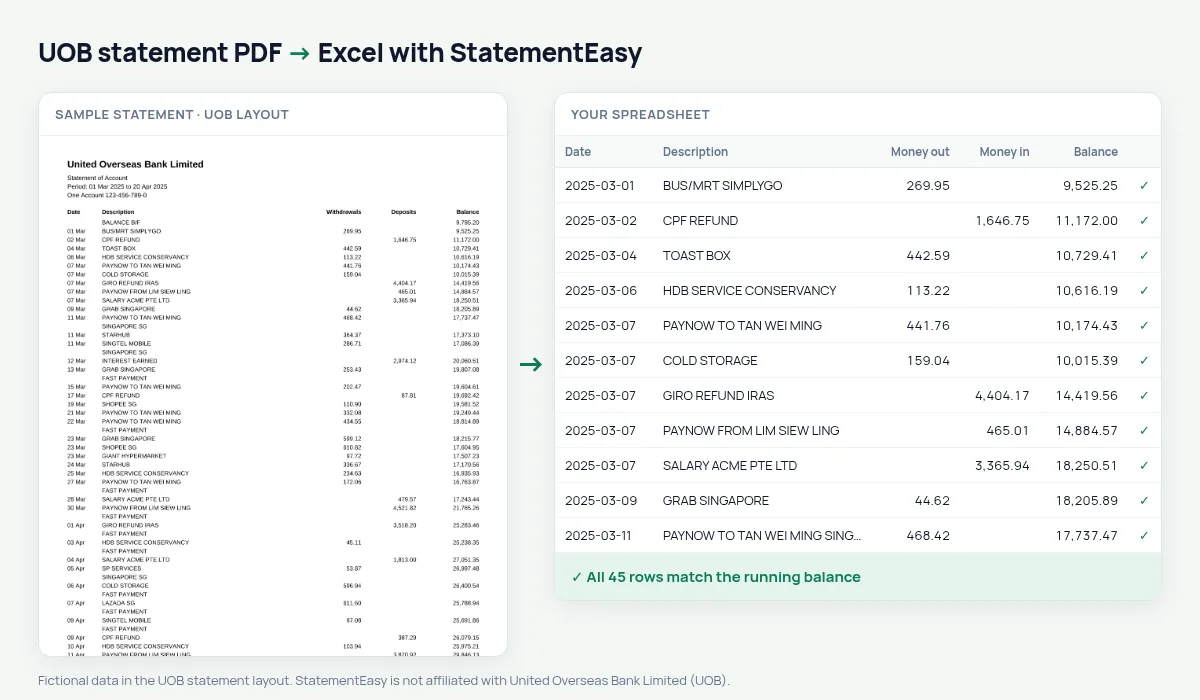
UOB statements list Date, Description, Withdrawals, Deposits and Balance, from a BALANCE B/F line, with dates like 05 Mar. StatementEasy gives every date its year, reads withdrawals and deposits as money out and in, and checks every balance.
Download your UOB statement
- Log in to UOB TMRW or UOB Personal Internet Banking.
- Open the account, then e-Statements.
- Save the UOB statement as a PDF.
- Drop the UOB PDF into the converter above.
UOB columns in your sheet
| On the UOB statement | In your sheet |
|---|---|
| 05 Mar | 2025-03-05 |
| Withdrawals | Money out |
| Deposits | Money in |
| Balance | Checked on every row |
| BALANCE B/F | Opening balance, not a row |
UOB One Account interest
The UOB One Account pays more interest when your card spend and salary credit reach the bank’s thresholds. The Monthly sheet shows each month’s credits and the Categories sheet the card spending, so you can check both at a glance.
For your IRAS filing
Convert the year, filter the credits and export CSV for your accountant.
Household budget
Recurring lists GIRO bills and subscriptions with their usual amount and day.
Last tested October 2026. StatementEasy is not affiliated with United Overseas Bank Limited (UOB).
Questions
Does it work with UOB business accounts?
Statements with the same columns are read the same way; the balance check confirms the result.
Can I convert a UOB credit card statement?
Use the credit card converter.
Is my statement uploaded?
Your browser reads the PDF first. Only if it cannot is the file read on our server, and deleted after reading.
Is StatementEasy made by UOB?
No. StatementEasy is an independent tool and is not affiliated with United Overseas Bank Limited (UOB).
Your next statement, in a spreadsheet
Free, no limits. No sign-up.