YES BANK statement to Excel
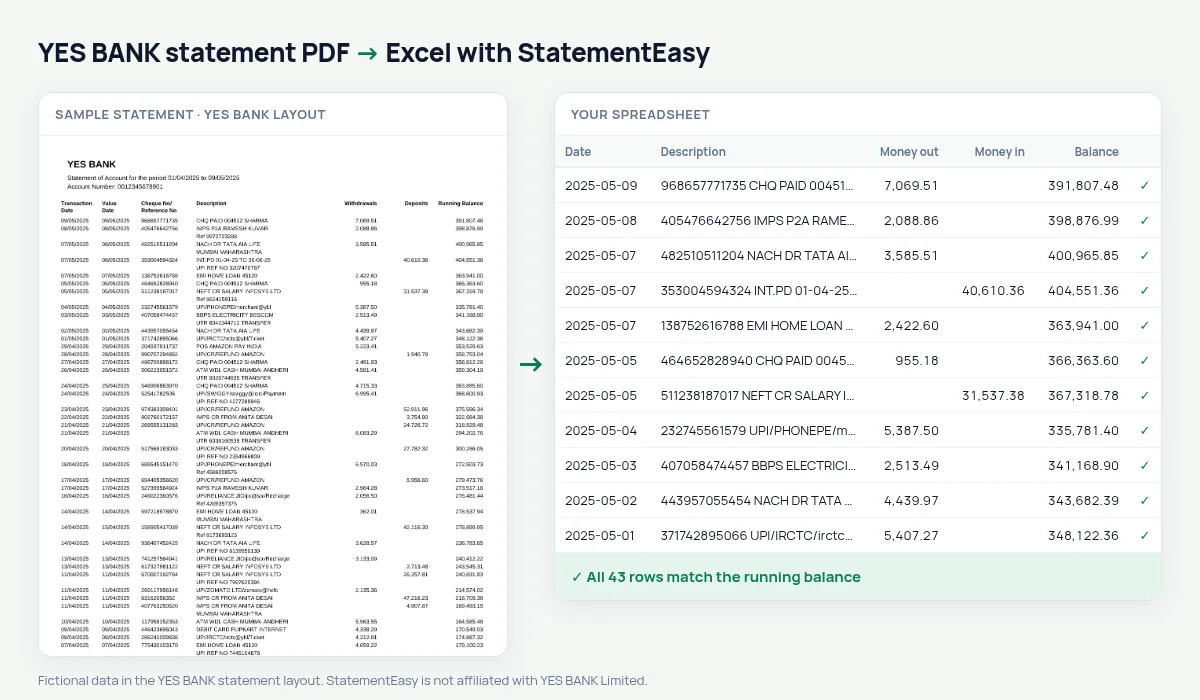
Turn your YES BANK statement into a spreadsheet in date order, with withdrawals and deposits as numbers and the running balance checked.
- Checked every row against your balance
- Private read on your device first
- Excel & CSV plus QuickBooks, Xero and Quicken files
- Free no sign-up, no page limits
YES BANK statements can list the latest transaction first. Read from the top, the Running Balance then seems to go the wrong way and a simple converter gets the opening and closing balance swapped. StatementEasy notices the order, puts the rows back from oldest to newest and checks each balance in the right direction. Long Cheque No/Reference No values stay with their transaction.
Download the statement from YES BANK
- Log in to YES BANK NetBanking or YES MOBILE.
- Open Accounts, then Account Statement.
- Choose the period and download the PDF.
- Drop the file here.
Order and balance
| On the YES BANK statement | In your sheet |
|---|---|
| Newest transaction first | Oldest first, in date order |
| Running Balance | Checked on every row |
| Withdrawals / Deposits | Money out / money in |
| Cheque No/Reference No | Kept with the description |
Why the order matters for the check
A running balance only proves something when it is followed in time: previous balance, plus deposit, minus withdrawal, equals the next balance. On a newest-first statement that sum runs backwards. Putting the rows in date order first is what lets every YES BANK row be checked, and what gives you the right opening and closing balance for the period.
YES BANK statements for business accounts
YES BANK current accounts often carry hundreds of transfers a month with long reference numbers. Converted, each one is a row with its reference kept in the description, so you can search for an invoice number or a UTR. Export to CSV, QBO or Xero CSV, or use Reconcile to match the statement with your books.
Combining several YES BANK statements
Drop several months at once and choose “All files combined”. The rows are put in date order across files, and transactions that appear in two overlapping statements are removed, so a period downloaded twice does not count anything twice.
Last tested October 2026. StatementEasy is not affiliated with YES BANK Limited.
Questions
My YES BANK statement is oldest first. Is that fine?
Yes. Both orders are recognised.
Which balance is the opening balance?
The balance before the oldest transaction, worked out from the bottom of a newest-first statement.
Can I combine several months?
Drop all files together and use “All files combined”; overlapping rows are removed.
Does it work with YES BANK credit card statements?
This page covers account statements. Credit card statements have a different layout and are read by the generic reader; the result tells you if it could not be checked.
Is StatementEasy made by YES BANK?
No. StatementEasy is an independent tool and is not affiliated with YES BANK Limited.
Your next statement, in a spreadsheet
Free, no limits. No sign-up.